Tag Archives: software

TestRail

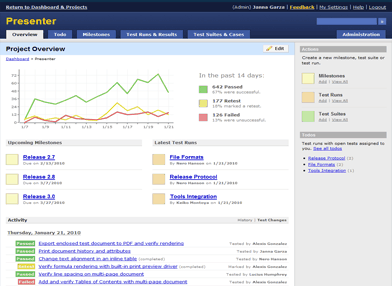
The guys at Gurock Software were kind enough to send me this testimonial after I did some consulting on TestRail, their web based test management software.
After launching our new test management software TestRail early last year, we recently contacted Andy to help us increase the visibility of our product. Based on customer feedback and reviews, we knew that many software development teams prefer TestRail over legacy solutions that are difficult to use. But we also knew that most teams weren’t aware of our new product, so we wanted to improve this situation.

The first thing Andy did was to try and test the application as a normal user would use it. While he walked through the application and briefly tested its major features, he recorded a video of this experience and narrated the video with comments and suggestions. Seeing how a first-time user uses your application can be very useful and it definitely showed us a few things that we could improve.

Learning more about the application was also important for the next step: Andy interviewed us to learn more about our goals, marketing methods and many other things. He then prepared a detailed and thorough report with many suggestions, comments and recommendations. Implementing all those suggestions will take time but we are already seeing first positive results of the short-term improvements that we’ve implemented. If you want to bring your product (or product marketing) to the next level, Andy’s consulting service is highly recommended.

Dennis Gurock, http://www.gurock.com

Although only launched last year, TestRail is already a polished product with an impressive customer list. If you have a suite of test cases you need to manage, I suggest you take a look.

After launching our new test management software TestRail early last
year, we recently contacted Andy to help us increase the visibility of
our product. Based on customer feedback and reviews, we knew that many
software development teams prefer TestRail over legacy solutions that
are difficult to use. But we also knew that most teams weren’t aware of
our new product, so we wanted to improve this situation.

The first thing Andy did was to try and test the application as a normal
user would use it. While he walked through the application and briefly
tested its major features, he recorded a video of this experience and
narrated the video with comments and suggestions. Seeing how a
first-time user uses your application can be very useful and it
definitely showed us a few things that we could improve.

Learning more about the application was also important for the next
step: Andy interviewed us to learn more about our goals, marketing
methods and many other things. He then prepared a detailed and thorough
report with many suggestions, comments and recommendations. Implementing
all those suggestions will take time but we are already seeing first
positive results of the short-term improvements that we’ve implemented.

If you want to bring your product (or product marketing) to the next
level, Andy’s consulting service is highly recommended.

Does the world *really* need yet another Twitter client, RSS reader, ToDo list or backup application?

My heart sinks every time I hear a would-be-entrepreneur announcing they have written yet another Twitter client, RSS reader, ToDo list or backup application. Haven’t we got enough of those already? There are more than 1,900 Twitter apps already (possibly a lot more). Somebody probably released another one while I was writing this post. We have passed the Twitter app event horizon, where it is probably quicker to write your own custom app than it is to try and work out if any of the existing apps fulfils your requirements.

Even if you have done something radically new, interesting and different in one of these markets, how are you ever going to get noticed amongst thousands of more established competitors? Wouldn’t it be better to find a market that is currently under-served by software? It may be less fashionable than writing software for other techies, but it will probably contribute more to the sum of human happiness and be a lot more profitable.

There must be thousands of niches where there is a real need for software, but limited competition. You just need to open your eyes to the bigger world around you. It may mean having to learn about an unfamiliar domain. But it is generally much easier for a software developer to learn some domain knowledge about, say, butterfly collecting, than it is for the average butterfly collector to learn to create a software product. Next time you are talking to a non-techie about their job or hobbies, just ask them “Do you use software for that?” and “Is it any good?”. The ideal answers you are looking for are “Yes” (if there are existing software packages, there is probably a market) and “No” (maybe you can do better).

How to remove software cracks and keygens from file hosting sites

Software piracy is a real issue for every software company, large and small, and it isn’t going away any time soon. So when I heard that fellow microISV owner Nikos Bozinis had created a tool to help software vendors fight  piracy, I asked him to write a guest post. He kindly agreed to write this post about software piracy, the Digital Millennium Copyright Act and his CrackTracker product.

Why buy something when you can download it ‘for free’? Billions of dollars are lost every year from illegal downloads of music, movies and software. People around the world seem to have very lax morals when it comes to abusing digital content. Downloading the latest movie or windows software from rapidshare.com somehow doesn’t strike them as theft — it’s not like stealing a loaf of bread! The traditional music industry is already down on its knees as a result, and software may be the next to follow.

Software authors and music enterprises are fighting back by tightening the DRM (Digital Rights Management) of their products in a futile effort to stop online piracy. But usually crackers have no problem circumventing any protection system that we can dream up. To add insult to injury legitimate customers are usually hurt by such reinforced software protection and activation systems. A little bit like the war on terror, isn’t it?

A different line of defense for ailing copyright owners is the Digital Millennium Copyright Act (DMCA), a US law with global reach for copyright protection (the european EUCD equivalent is not as broadly known). This law is very broad, and not without controversy, but it works – closing down websites that distribute illegal content and removing copyright infringing downloads from file-hosting websites with summary procedures, among other things. So if you discover your software illegally distributed in some warez website, you can send a so called “DMCA section 512 takedown notice” to the website host and they are expected to remove that particular file from circulation — or risk the wrath of the law.

Software Piracy

I have been a microISV for over 10 years so lets forget about the entertainment industry and concentrate on my field, software. There are over 200,000 programs listed on download.com and that’s just for Windows. Many are created by very small to medium sized companies — many even run by a single programmer/webmaster/marketer/entrepreneur. I bet that all these programs are cracked in one way or another — at least those popular enough for crackers to care about them. If you search for warez or torrents you will find the software you want for free, either the latest or an older working version.

Piracy statistics from Business Software Alliance report 2009 (click image to enlarge).

I sell a file manager called xplorer². I track how many people install the program every day and also I have a good guesstimate for the number of people using cracked versions of xplorer². I estimate over 70% of the regular users use one of the known keygens. Imagine if this 70% didn’t exist or it was converted to regular paying customers!

How is it done?

Downloadable software falls into 2 categories: those that run in trial mode until you buy a key to unlock the full functionality; and those that are special downloads for customers that pay the registration fee. In all cases some sort of unlocking takes place using a plain key, or a license file, or online activation, or some combination thereof. Many ISVs write their own licensing code, while others rely on off-the-shelf protection and licensing products (Armadillo, WinLicense etc).

Imagine you shipped your source code along with your program, then it would be trivial for even amateur crackers to bypass your protection and run the program without paying. Very few vendors supply source code, but people in the know can read off your licensing logic like an open book using specialized reverse engineering tools (softICE, IDA and other debuggers and disassemblers). Then they can create a ‘patch’ or modification to your executable that bypasses the protection.

An even worse type of compromise is a keygen. When the cracker uncovers the logic of your unlock keys, he can create a program to generate such keys which look and behave exactly like the legitimate ones you sell to your customers. Then he doesn’t need to patch your program, he just supplies this keygen to the warez community and everyone can help themselves to your program. You can guard yourself against such attacks using asymmetric encryption algorithms for your keys.

Is there a perfect protection system?

In short, no. If you consider that your program is presenting its logic to anyone with moderate experience in machine language, then sooner or later any protection can be circumvented. Professional protection schemes utilize encryption to protect sensitive parts of your code, but even they won’t withstand the cracker test. And remember the harder your DRM the more likely your program will be mistaken for malware (!) as many viruses and trojans use encryption tricks.

Even if there was a perfect system, your sales would still be at risk. All that’s required is some of your customers to post their unlock key in a warez site, and the game is lost. You would then blacklist that serial, until another one was leaked and so on.

The warez scene

There are people who don’t spend any time in Facebook or YouTube. They surf the internet for free stuff. Cracked versions of commercial software (aka warez) circulate in some shady forums that bring together the crackers with the downloaders e.g. http://www.warez-bb.org.  Browse a warez site and you will find any software, movie or music you fancy, with an assortment of popups and dodgy advertisements of the usual internet 3P products (Pills, Poker and Girls [sic]). For your convenience there are even specialized search engines that search a number of such forums simultaneously, e.g. http://www.warez.com.

These forums do not host the actual files. They refer the traffic to specialized file hosting services like rapidshare.com. To make the most of warez you need to buy a subscription to access such file hosting sites (e.g. unlimited downloads from $9/month). Incurable cheapskates could get away without paying anything though, as you can download for free after a forced (nag) waiting of a minute or two.

A bit more up-market are download sites where to gain access you need to purchase a subscription, e.g. http://www.nowdownloadall.com. I have never paid to enter such a site, but they promise access to any download you can imagine. So you pay a monthly fee to download as much as you like. Note that this is different from paid-for hosting mentioned above. I suppose that you need a file hosting subscription on top to get the actual files downloaded. With so much stuff available for free I don’t know if this approach makes economic sense.

Finally there are traditional peer-to-peer file sharing networks, where people share their software music and video through torrents. After the demise of Napster torrents are still strong, with completely decentralized databases immune to legal intervention. The downside of torrents is their inherent unreliability, so people in a hurry will prefer the immediate gratification of a full download from rapidshare.com and the like.

Why do they do it?

It is easy to understand why someone will prefer ‘free’ software instead of paying up. But what about the crackers, the people who circumvent the DRM and distribute these warez. Why do they do it? Here are a few plausible motives:

  • For kicks. The traditional hacker stereotype is a geeky person whose pastime is breaking into computer networks. Cracking into a software’s protection and stripping it clean must be a pleasure in itself, a ritual destruction of the evil Death Star.
  • For glory. Marxist theory claims that private property is theft. This concept has struggled with real tangible property, but digital property is the ideal trophy. Many groups feel that software and music should be free (!) so taking down the big media and software corporations is a noble cause for them. But many small ISVs fall victims too, and the real motives are far less revolutionary…
  • For profit. Marx is dead; long live Das Kapital. Warez downloads are big business in a number of ways:
    • Direct subscriptions charges to access the downloads
    • Selling password unlockers (e.g. you download something in a ZIP archive which is locked and you need to buy some software to unlock it)
    • Distributing malware. Many downloads are packed with malware (sample report for a keygen), from straightforward scams and ransomware to trojans that turn your computer to a zombie, waiting for instructions to launch a DDoS attack or send spam.

You *can* remove illegal downloads

If your software is available to download from warez sites, either compromised (patched or keygened) or simply accompanied by a simple serial number to unlock it, you will definitely lose sales. The good news is that, using DMCA provisions, you can have these unauthorized downloads removed. Without these downloads prospective users will have no choice but to buy your software — or move on to your competitor’s cracked software.

Here is how to remove illegal downloads:

  1. Find your download links. All illegal downloads end up in a host like rapidshare.com or megaupload.com (I know of more than 100, but there are 10-20 big player websites). A standard Google search for your software name plus ‘crack’, ‘keygen’ or ‘rapidshare’ will find some hits, especially if you search in groups or blogs. Even better use specialized warez search engines like http://www.filestube.com with just your software name as a keyword — the results will be just downloads.
  2. Validate download URLs. Some of the download links you discover may be dead (e.g. very old). Click on each one to see if they are valid or 404.
  3. Send DCMA notices. Group the download links by provider (rapidshare, hotfile, etc), and send a DMCA notice to the abuse email address of each website. Usually this is abuse@website.com (e.g. abuse@rapidshare.com). Each website lists the steps for filing DMCA notices for file removal.

This sounds like a lot of hard work, and it can be, but it works. File sharing websites like rapidshare.com run a legitimate business — they are not responsible for cracks — so if you send them a polite DMCA takedown notice they will remove the copyright infringing downloads.

The DCMA takedown notice

Strictly speaking when you send a DMCA notice you are making allegations of copyright infringement, which is a serious crime. You would imagine that a formal complaint should be launched under the guidance of a solicitor/lawyer. Given the amount of copyright infringement that goes on, the red tape would bring everything to a standstill. The beauty of the DMCA law is that it simplifies the procedure. Sometimes a plain English email explaining the situation to the download site, along with a list of your download locations is all that’s required to have the links removed.

A few websites require a more formal DMCA email including details such as your company address, contact telephone numbers, and some boilerplate statements like “I swear, under penalty of perjury, that the information in the notification is accurate…”. You can find many sample DMCA notices online so I won’t repeat them here. The general idea is that you present yourself as the copyright owner and declare the download URLs as unauthorized, and therefore infringing your copyright.

Torrents slip by

DMCA is very good for removing illegal downloads hosted in popular file sharing websites, but it is powerless against torrents. There is no single source for the download, as the files are kept in many computers. You would have to contact each and every person who shares illegal copies of your software in the peer-to-peer network. This would be hopeless and a waste of effort. Thankfully for the ISV, torrent use is on the decline. People prefer direct downloads of the full package instead of slower peer-to-peer downloads.

The sales pitch

Anyone can search and remove illegal downloads manually. I was doing it the hard way for quite some time, each time I released a new version of my software tool (there’s a lot of cracker activity for each release as they need to update their patches and keygens). However this is very tedious, as you must:

  • enter shady warez forums to search for your keyword, facing annoying popups and adverts you wouldn’t want your wife to see
  • search many locations to ensure you get as many download URLs as possible
  • validate each download URL to see if it is still alive or dead
  • organize download URLs and write DMCA takedown emails for each file hosting website

Even if one wipes all the illegal downloads, new ones will appear over time. So the locate-report-remove cycle must be repeated regularly. This was the motivation for writing Crack Tracker, a tool that simplifies the removal of illegal downloads.

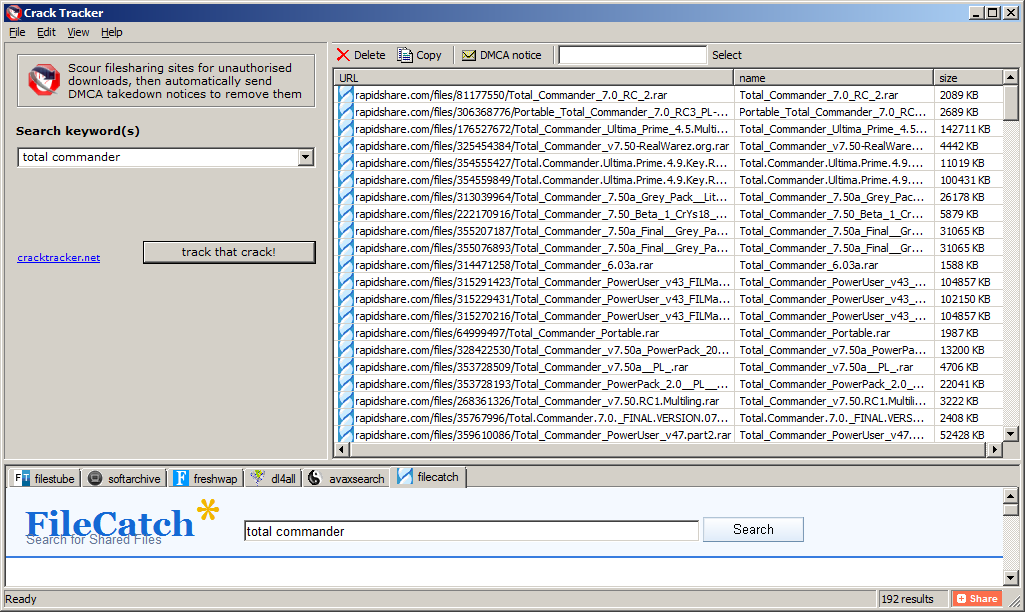
Crack Tracker is a desktop tool, with a meta search engine that securely scans warez databases for your downloads. You supply the search keyword (e.g. your software title or company name) then crack tracker will do an exhaustive search, collect a list of suspect download locations and verify the links with robotic efficiency. After you examine the results you just hit a button and the relevant DMCA emails are sent automatically. It doesn’t get any easier than that.

Crack Tracker doesn’t have a fancy user interface but it is very easy to use. It knows of more than 120 file hosting websites and works with 6 major warez search engines (the list is expanding). It is free to try as a search engine; to send the actual DMCA emails you need a registration, but I believe the price is very reasonable, especially if you consider the money you lose in pirated versions of your software.

Why don’t you try it for free and see how many cracks of your software it finds?

Download CrackTracker for Windows (318KB)

Nikos Bozinis ditched his Process Systems Engineering PhD to run his own microISV ZABKAT since 1999. He also writes a weekly blog focusing on file management and occasionally on programming, debugging and running a software business.

An interview with Terrell Miller of CattleMax

Software developers are usually so busy writing software for other techies, that they often forget there is a bigger world out there. Terrell Miller has a successful herd management software product for cattle ranchers. He generously agreed to share his experiences on what it has been like building a software business in a non-techie niche market.

Can you tell us a bit about CattleMax?

CattleMax is herd management software designed specifically for beef (meat) cattle, and helps ranchers keep track of their cattle records including births, purchases, sales, breeding history, measurements, lineage, and more. Having the records in one location enables producers to stay organized and helps them make better decisions – which in turn helps them be more efficient and profitable in their operation.

What was your background before CattleMax?

My wife Penny and I met at Texas A&M University while we were both in Undergraduate programs. My degree in Information Systems in the College of Business and family member’s involvement in cattle, along with Penny’s degree in Agricultural Leadership and years of showing cattle, proved to be a great compliment for us to start a business where we could work together.

How long have you been working on CattleMax?

I started working on the first version of CattleMax, which started out as a custom application for a local ranch, in July 1999 right after I graduated and have worked for Cattlesoft ever since. Penny worked at the local university on a full and then part time basis for 18 months before joining the business on a full-time basis.

What technologies and languages do you use to develop CattleMax?

CattleMax is developed in Microsoft Access 2007. Access has been a key ingredient to our desktop software’s success. A lot of developers don’t give Access the credit it deserves as a powerful and rapid development tool. We have done extensive customizations to our interface to differentiate from the Access default templates and many customers don’t realize we are even using Access.

If you were starting CattleMax from scratch today would you go for a web based solution? Or would you stick with a desktop solution?

That’s a hard choice to make right now in January 2011 because I think we are in a transitionary period.  Developers want to embrace the latest technology because it’s clearly the future. However, you don’t want to create a product that cannot be utilized by all of your customers (Internet in rural areas can still be spotty).  Though we are in the process of developing a web-based version of our CattleMax, I expect the desktop version to continue selling well for years to come.
While a desktop software offers a larger revenue up front to cover customer acquisition costs, a web app can potentially offer more revenue in the long run assuming you have good customer retention.  I think it’s easier to get started with a desktop app because you can use the up-front revenue to reinvest in marketing.
Why did you choose this market? How confident were you that it was a commercially viable market?

You could say the market chose us. Initially, we wanted to create a side project that involved both of our interests. Being students at Texas A&M helped open doors to talk with professors and experts about our product and ideas. Through these talks, we were introduced to a nearby ranch who needed an easy-to-use cattle record keeping system. They became our first customer and continue to use our software today.

How long did it take you you to get CattleMax to v1.0?

It took about 9 months to get CattleMax marketable and stable. Our first public release date was at a local trade show where we received great response. Being a student, we didn’t really have any income to replace – it was the ideal time for us to have started Cattlesoft and the software. We had little to lose and the rest of our life to recover from any business or financial mistakes made.

How technically proficient are your customers? Can you reach them with online marketing?

Our average customer is in the 45 – 65 age range. Over the years, cattle ranchers have become much more knowledgeable with technology. Our marketing is primarily online (PPC, SEO, direct website advertising) along with some print advertising.

The CattleMax user interface looks very slick and intuitive. Do you do any usability testing? Did you find the switch to a ribbon bar difficult for you or your customers?

In the beginning, I would go to a customer’s ranch and watch them use the software. By listening and watching how they interacted with the software, I was able to identify areas of confusion and see ways that we could make processes and areas easier to work with.

The ribbon was mandatory when we switched to Access 2007. While I was initially apprehensive about the change, I now see that the ribbon has made CattleMax easier to use, since it allows priority of certain menu items/common areas by giving them larger icons and visibility.

I see you have a Facebook widget on your home page. Have you found Facebook to be a useful marketing tool?

We use Facebook to post upcoming events, interesting articles and ask our customers for their feedback, plus it’s another way for customers to ask us questions. While advertising on Facebook allows for laser targeting based on interests, our in-house email list is larger than the number of ranchers on Facebook according to their PPC platform. Therefore most of our communications efforts are through our email newsletter and Cattle Management blog.

How did you choose the price of the product?

In the beginning, we chose prices that were comparable to other cattle software programs. We have two editions of our software, one for the commercial/beef producer and another for the purebred/seedstock producer. Each of these editions is available in a Small Herd (50 cow limit) and Standard (no record limit). We chose two editions so that it would be easy for a rancher to confidently choose the edition right for their herd. The two herd size options are so we can offer a solution to small herd producers while providing additional value for larger herds that may require additional support. See Camels and Rubber Duckies.

You have a generous 60-day money back guarantee. Do you have to give many refunds?

We may have one customer, at most, per year return the software because of dissatisfaction. We may have 5 returns a year from people who bought without downloading our trial and wanted a refund – a few of those reasons are receiving it as a gift and not wanting it, software not working on their computer (Windows 95 anyone?), or lacking a key feature. I highly recommend a satisfaction guarantee as it does help customers buy with confidence, knowing that you will stand by your product. No software company wants a dissatisfied customer who feels you “took their money.”

Do you charge for upgrades? Is this a significant source of income?

Our upgrades have been on about a 2-3 year schedule, and current customers can purchase them at half the price of the full version. While upgrade purchases are a double-digit percent of our business, we focus more on new sales. One of the challenges of making a good product is it takes an even better product for customers to understand the value in upgrading.

Do you outsource much work?

We work frequently with independent contractors and freelancers. While we’ve had 6 or more full and part-time employees over the years, I find employee management and “keeping people busy” to be too distracting from working on the big picture. Having people working from their own locations gives us more flexibility, plus we are not limited to just our physical location/city for finding experienced workers.

Do you have any products besides CattleMax?

We adapted CattleMax into LonghornMax, a software for Texas Longhorn cattle that enables breeders to record horn measurements in addition. LonghornMax primarily arose from our connections with the Texas Longhorn Breeders Association where we were previously their official software program. We also raise Texas Longhorn cattle on our ranch near College Station, which is about 90 miles west of Houston. Another spinoff is EquineMax, a software program for horse owners to keep track of their horse records.

Stepping beyond software in 2010, we launched CattleTags.com which is a website for purchasing cattle ear tags. In 2011 we launched LivestockSupplies.com which includes additional equipment and supplies for the ranch. Selling livestock supplies has proven to be a nice complement to our software as it helps us offer additional services and value to customers by offering them convenience and variety of selections, without them even needing to leave the ranch!

Would you recommend others to start a business straight out of college? Or should they work for other people first to gain experience?

The younger you are and the less commitments you have, the easier it is to get started, because your opportunity cost on your time is lower than it will ever be.  Also if your business fails, you have the rest of your life to recover.  I think entrepreneurs can have the best of both: starting their own business while gaining experience.  I’ve learned a lot through in-person networking as well as online communities like Business of Software, Hacker News, SEOBook.

Given that you started the business straight out of college, how did you learn all the business and marketing skills you needed? Did you make a lot of mistakes?

I learned much of my business & marketing skills through three sources: formal academic learning, informal discussions with other entrepreneurs and mentors, and of course personal experience.  Several years out of college, I realized that my business skills and not technology skills were holding me back, so I decided to return to school and pursue my Masters of Business Administration (MBA).
As far as mistakes, I asked one of my mentors about his biggest mistake and he replied “I’ve not made any mistakes, but I’ve bought a lot of expensive learning lessons”.  Many of my learning lessons have been as a result of losing focus and could have been avoided by asking myself “is this the highest priority and best use of my time?”.

Any advice you would like to give to aspiring software entrepreneurs?

I’ve visited with many software entrepreneurs over the years and frequently find an imbalance of priorities.  As programmers we tend to gravitate towards technology and automation.  However, once you’ve built a great product, often times the best return on your time and money is in marketing (blogs, PPC, SEO, print advertising, talking with customers).
Another bit of advice would be to embrace the lifestyle aspect of your business.  Owning your own business helps you be in control of when you work, where you work, how you work, and what you work on.  I consider it a good day when I can wake up in my house, walk down the hall to my office, work for a while, and then spend time outside on our ranch with my family.

Terrell and “Dude”, an 80 inch (200cm) tip-to-tip 2,000 pound (900kg) Texas Longhorn steer.

Problem exists between keyboard and chair

I like my customers. As well paying my salary, many of them have been incredibly helpful in tracking down bugs, suggesting improvements, giving me testimonials and recommending my event seating planner to other people. But every so often somebody buys my software and I really wish they hadn’t. They just don’t have the skills or attitude that is going to result in a happy relationship between me, my product and them.

It isn’t just me. Everyone who does software support has a few ‘war stories’ about crazy things their customers have said or done. I have collected a few of them here for your enjoyment. I hope they will also be educational to those considering selling software or (horror of horrors) working full-time in support. If nothing else, they might make you feel a bit more sympathetic to the person at the other end of the phone next time you have to email or phone someone in support. They come from the ASP forums and various microISVs of my acquaintance and are reprinted with permission. For obvious reasons the authors are anonymous.

Of course, we shouldn’t  feel too superior. Many (if not most) user errors could be avoid by better design and we’ve probably all done stupid things in areas outside our fields of expertise. But sometime the problem really does exist between keyboard and chair.

The litigious

A couple of weeks ago, we had one guy who threatened to sue us because he received a “second hand” CD from us. Turned out he installed our software from the CD and assumed that our included demo database was data from a previous customer.

The quart in a pint pot

Many years ago, back in the days before Hard Drives I spent some time on the phone with a chap who couldn’t get our software loaded. Eventually he issued the words “I had problems getting the disk into the machine in the first place, could that have something to do with it?” I tried to expand on this a little. He eventually said “The disk was too big, so I had to fold it in half”. He’d bought the 5.25″ floppy version and tried to fit it in a 3.5″ slot!!!

The dabbler

My favourite was the user who emailed me saying he’d tried every setting in the options dialog and the software wouldn’t work. I gave him instructions on how to set the options back to the defaults at which he mailed back saying it was now working.

The literalist

I told a customer to right-click on the desktop. I hear scribbling, then he says “I wrote it. Now what?”.

The shiftless

I spent time trying to figure out why someone couldn’t load our software. It was a CP/M based machine. I can’t remember the exact command now, but the instructions showed that to start the software you had to put the disk in the machine and type run “appname” then press enter. The customer on the phone kept getting some error saying file not found or something similar. I couldn’t figure out what was wrong. I’d got her to do a dir and the file was listed as on the disk. We’d scanned the disk for errors, no errors. Finally I had her read back to me what was on the screen. She said “run 2 appname 2”. Finally it clicked that she had no idea that she needed to press the shift key to get the quote character and she was just pressing the “2” key (UK keyboard). To be fair the application she was trying to run was a typing tutor.

The vague

Your program doesn’t work. Where do I have to click?

The misdirected

Someone calls for tech support. They tell me what they are tying to do. I tell them how to do it. They tell me either the steps I give them don’t exist or don’t work. Turns out, they arent using my software, they bought a different product.

The hasty

A customer told me that he had spent 8 hours on a task. What he had done was pretty bizarre, completely missing the entire point of the software. I gently point out that he could have done it in 10 minutes if he had spent 10 minutes reading the tutorial. He told me “I didn’t have the time to read the tutorial”.

The beyond help

My favorite of all time is a user who insisted that my app’s Options screen didn’t work.  He said he kept clicking on check-boxes and buttons but that nothing happened.  I had him reboot just to make sure there wasn’t a problem with Windows at the moment and he did so with the same complaint. Finally, while on the phone, I discovered he was clicking on the screen shot in the help file.  When I explained that images in help files aren’t the same as the application screens themselves he insisted that this was confusing and that I needed to put a large, bold notice below the picture in the help file explaining that the picture above was just a picture.

The blonde

I know im BLONDE trust me!! How the hell do I “DOWNLOAD & INSTALL XXXX”??? All I would truely would is my statement, Is that to hard to ask HELP? Im not the computer buffin. Got any suggestions to help blondie? I would be grateful.
XXXX

The irrelevant

Subject:
for father mobil problam
Message:
sir my father name is XXXX XXXX XXXX  live in india State is Rajasthan my Distt. is bharatpur and address is XXXX XXXX XXXX my father Mobil numbir is not work please help me.

The paranoid

tHIS IS THE  R EAL XXXX. WE HAVE REAL PROBLEMS…. iHAVE IDENITY THEIF GOIN ON AND YOUR FREE DOWNLOAD IS GETTIN SOMEONE INTO MY FILES AND COMPUTER AND THEY ARE SEEING ALL MY INFORMATION… tHIS HAS TO STOP. tHANKS XXXX LET ME KNOW I HAVE PEOPLE WORKING ON THIS ALREADY.

The clueless

There was this lady who had bought a license but could not enter it in the program. I politely responded and tried to guide her to the dialog where to enter it. Btw. this was all in the early days, I didn’t have canned responses yet, I didn’t have ready made screenshots yet, I think there wasn’t even a help file yet. Every day, for 10 days, she responded that she could not find it. I tried everything possible to politely explain it to her, also with screenshots. Her tone was getting nastier with the day, pointing out writing mistakes (UK “s” vs “USA “z”) etc. and claiming she “knew” computers as she had entered data for 40 years. Every day I digged deeper trying to figure this one out. The 10th day she explained that she had entered it in Windows Word, NotePad, Windows Run, and whatever else she could type the code in … yet *nothing had happened* that would rescue her CD data.

Turned out that she had not even installed the software yet. She fell from the sky when I told her to download and install the software first, THEN try to enter the code in the program.

The super signature

Subject:
the software did not work

Body:
Eschew cruelty. It is not only unkind, but unwise to start the spiraling decent that will lead to all parties falling to a lower level!.

Pray, for Obama, Psalm 109:8  “LET HIS DAYS BE FEW; AND LET ANOTHER TAKE HIS PLACE OF LEADERSHIP.”

What does the Lord require of you? To act justly, to love mercy, And to walk humbly with your God. (Micah 6:8)
[URL removed]
or e-smoke supplies at  [URL removed]
Never be arrogant.

[URL removed]

Whiskey makes you think you’re smarter than you are.

Always, always make sure you know who has the power.

Don’t mess with old men, they didn’t get old by being stupid.

The rambling

yes i’ve got to question the true & honest nature which encompasses your company as well as your free downloadeable software. it’s always been my personal experience when something “seems to good to be true”, more often than not it generally is. being a victim of a scam or two on & offline i’d be a complete idiot,  more honestly in laymans terms, that’s just “stupid”. i question everything, good, bad, or indifferent. point!, blank!, period!. so my bottom line question for whomever receives this msg. & responds is this; how do i know this isn’t another one of the 1,000s of  con/scam artists online waiting to take advantage of ignorant, naive people with the mind set of ” sure, why not? as long as it’s free,” type attitude to come along & with one click of a button fall prey just like i did years ago?  i learned real fast if i was going to continue surfing the net as such, i had alot of work/learning to do. as a result, i  became a vessel for stockpiling any/all information. i still look for the catch behind all FREE DOWNLOAD”, “JUST CLICK HERE & IT WILL TAKE CARE OF ANYTHING ELSE”, due to my lack of knowledge surrounding the internet & all the evil, dishonest, “i’m too lazy to get a real job & make an honest living”, “why work for someone else when i can be my own boss & constantly take advantage of all these stupid people?”. damn this is the life. inflate the truth a bit here & there;& wait,wait,& wait. hell, this is just like fishing. i’ve got my bait, my line,pole,&all the time it takes for someone to take hold of my hook, i so easily cast out there,. hell the hard parts over”_ now the easy part, slowly yet carefully reel them in,hence mission accomplished. ironically, they never added illegal activity & a jail /prison sentence into their day of fishing., but i digress &please respond as soon as possible. if nothing else, you’ve definitly sparked my curiousty. be advised in the event your response is filled with big $.50 words dressed in a blanket of bullshit you will be eventually facing several fraudulent type charges, a long time behind bars, not to mention a victiim of your own circumstance.

never again,

XXXX

If that isn’t enough check out Nico Westerdale growing increasingly exasperated by people confusing his magnifying glass application with the built in one on Windows (I’m not sure how many of the comments are other developers having a bit fun at Nico’s expense).

Thank you to everyone that contributed. Please feel free to add your own stories in the comments. If you are worried about the comments not being anonymous enough you can email them to me and I will post them for you.

Advertising your software on Facebook (=Fail)

Facebook previously didn’t allow the advertising of downloadable software. Someone told me that they had relaxed this policy, so I checked their guidelines. Sure enough they have removed the offending line in their guidelines that used to say:

No ad is permitted to contain or link, whether directly or indirectly, to a site that contains software downloads, freeware, or shareware.

It says in their guidelines that downloadable software that does naughty things such as “sneaks onto a user’s system and performs activities hidden to the user” is not allowed, which is fair enough (see section 14 of their ad guidelines for the details).

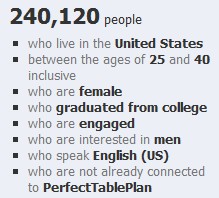
Woohoo! As part of my ongoing project to try every legitimate form of promotion known to man, I can try advertising my seating planner software to, for example:

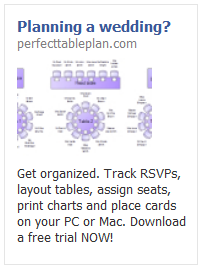
I ran 5 different ads over a couple of weeks. For example:

advertising software on facebookTrying to fit an attention grabbing and informative ad into the very limited strapline and image size was challenging. But I didn’t spend too long agonizing over the ‘creative’ (image and text), as this was just a feasibility study. The biggest problem was the minimum bid prices. Facebook was recommending I bid at least £0.40 per click. Given that the majority of my customers buy a single licence for £19.95 and typical conversion rates for clicks are around 1%, I would be likely to lose money if I bid £0.20 or more (especially when you consider ecommerce fees and support). I bid £0.10, but got no impressions at all. I bid £0.20 as an experiment and got a reasonable number of impressions. As soon as I dropped the bid to £0.15 the impressions slowed to a trickle.

Here are the stats from my experiments, as reported by Facebook:

Impressions: 357,366
Clicks: 310
Click through rate: 0.087%
Total cost: £46.60
Average cost per click: £0.15
Average cost per 1000 impressions: £0.13

Any of you who are used to Google Adwords might be surprised how low the CTR is. But apparently this is quite a reasonable CTR for Facebook. This isn’t too surprising when you consider that people are on Facebook to socialise, rather than to search for stuff.

Of course, the most important metric is the profit. So how many licences did I sell? According to my own cookie tracking: zero. Zilch, nada, nothing, not one. Cookie tracking isn’t 100% reliable, but it seems that a 1% conversion rate might be highly optimistic for a facebook ad. Advertising a £19.95 product on Facebook to people who might be planning to get married obviously wasn’t going to be profitable given my price point, the minimum bid prices and low conversion rate. So I created a new ad to try to target a more focussed demographic, who might convert better and perhaps buy one of the more expensive versions of my product. Ad number 6 was disallowed one minute after it had been approved.

Eh? This ad was very similar to the previous 5 approved ads and for the same product. Their email said:

The content advertised by this ad is restricted per section 5 of Facebook’s Advertising Guidelines. Restricted content includes, but is not limited to: 1. Downloadable products that may affect the user’s computer or browser performance in unexpected or undesirable ways; 2. Get rich quick and other money making opportunities that offer compensation for little or no investment, including “work from home” opportunities positioned as alternatives to part-time or full-time employment or promises of monetary gain with no strings attached. 3. “Free” offers that require users to complete several hidden steps or make additional purchases in order to receive the promised product. We reserve the right to determine what advertising we accept, and will not allow the creation of any further Facebook Ads of this type. Ads for this product, service or site should not be resubmitted.

I didn’t feel my ad/product violated any of those criteria. It was clear in the ad that only the trial was free (not the product) and it doesn’t do anything nasty or sneaky. I emailed them for clarification. Here is the response:

Hi Andy,

Thanks for your email. Please note that we don’t accept ads for downloadable products through our self-service advertising channel. We reserve the right to determine what advertising we accept, and will not allow the creation of any further Facebook Ads for this product.

In order to maintain legitimacy of the products and services promoted on Facebook, ads for downloadable or installable products are only permitted through a direct sales partnership with Facebook. At this time, we’re only able to provide this service to a small set of qualified advertisers.

We’re committed to providing high-quality support for all of our advertisers, and we’ll keep you and your business in mind for the future growth of our ads product. In the meantime, please continue to email us here with any questions you may have and we’ll be happy to answer them for you.

If you have any further questions about why your ad was disapproved for Restricted Content, please refer to our Help Center about downloads at:

http://www.facebook.com/help/?faq=18665

Thanks,

Gloria

Online Sales Operations

Facebook

So apparently, they still don’t accept advertising for downloadable software, unless you are an approved partner, because it ‘may affect the user’s computer’ (even if it doesn’t ). This wasn’t at all clear in their guidelines and they let me run 5 ads before they enforced it (these ads are still running BTW). Thanks Facebook, I like you less with every passing day (and I didn’t like you much to start with). At least I got enough data to show that I was unlikely to ever get a return on advertising a £20/$30 product. I also console myself with the fact that PerfectTablePlan is doing better financially than Facebook (after 7 years and with 500 million users Facebook are finally cash flow positive, but nowhere near recouping the estimated one billion dollars in venture capital) and my product will hopefully still be selling profitably after Facebook has  been buried by the ‘next great thing’ that comes along so regularly in the world of social media.

First impressions count

Imagine you are on a blind date. You’ve heard great things about how funny and intelligent your date is and they are certainly very attractive. But it isn’t going well. They just sit there, staring at you with glassy eyes. Nothing you say gets more than a nod or a shake of the head. Maybe they are just shy, but you are never going to find out about their hidden depths if you climb out of the toilet window and run off into the night after twenty minutes.

Now imagine you have downloaded some new software. You have high expectations and your credit card to hand. But you just can’t figure out how to get started. It just sits there, a blank canvas. Totally inscrutable. Offering no clue as to what you should do next. How long would you click buttons and examine the menus before you gave up and downloaded a competing product. Two minutes perhaps? Competing products are only a few clicks away, after all.

As developers we spend months or years lovingly crafting our products. This makes it very hard for us to see them with the same eyes as potential customers. But those first few minutes are crucial for converting a download into a sale. Give the user some pointers on what to do first: show a set-up wizard, quick start guide or tutorial when the application first runs; populate the application with sample data; show hint text or images in the GUI (e.g. grey “start by typing your email here” text in the background of an edit field). If they feel they are making some progress within those first few minutes they are much more likely to buy. It really isn’t difficult to do, and yet it will probably have a bigger effect on your conversion rate than adding a complex feature that may take weeks or months to write.

I remember reading about usability problems with one of the early wordprocessor packages. Users weren’t used to wordprocessors and many just sat there, not knowing what to do. The solution was simple – to show a flashing cursor at the top of the page as a cue that this is where text would appear when they started typing. Usability improvements are usually simple in retrospect. But this apparently trivial change made a big difference to the initial experience.

How good a job are you doing at engaging users in those crucial first few minutes? Are they hitting the ground running, or just hitting a brick wall? Are you sure? Try comparing your download to conversion ratio to industry averages. Better still, do some testing. Find a few people in your target market that haven’t used your software before and watch them try to use it. Don’t help them, no matter how much you want to. It is often a painful experience, but I have yet to speak to anyone who has tried it and didn’t find it incredibly useful. Remember, you only get one chance to make a good first impression.

This article was also published as a guest post in the upload.com newsletter.

10 things non-technical users don’t understand about your software

If you are writing consumer software you have to understand that you and your average user have a very different level of understanding of computers. When you first start doing support it can be a shock to realize just how vast this gulf is. It doesn’t mean that your users are stupid, just that they haven’t spent the thousands of hours in front of a computer that you have. Below I have summarized a few of the things I have come to understand about non-techies through answering thousands of support requests relating to my own table planning software.

1. Copy and paste

It is very clear from many support emails I have received that users will often re-type a licence key emailed to them because they don’t know how to (or even that they can) copy and paste text. Yes, really. You can mitigate this to some extent by including instructions on how to copy and paste where relevant and making licence keys easy to type (short and without ambiguous characters, e.g. ‘0’ and ‘o’).

2. The difference between web and native applications

Many users are used to web applications and don’t understand that they need to download and install new versions of desktop software to get access to the features in a new version. You can avoid this by automating the update process, but this can be pretty catastrophic if you get it wrong.

3. Data storage

Many users don’t understand how or where data is stored or even that it is separate from the application. They don’t understand that some data is stored on their local harddisk and some is stored ‘in the cloud’. And they don’t understand the difference between storage in a file, a database or the Windows registry. Consequently, when they install a desktop app on a new machine they are often surprised that it can’t automatically access the documents they created on a previous machine. So it is worth having something in your FAQ about moving from one machine to another.

Given that users don’t understand the basics of data storage it should come as no surprise that they also don’t understand the concept of file formats either. For example when told to ‘save a .xlsx file as a .csv file’ some users will simply change the file extension from .xlsx to .csv and be surprised when the resultant .csv file is gibberish when they open it in Excel. You can try to avoid this by providing clear step-by-step instructions on how to save a .xlsx file as a .csv file.

4. The jargon you use

Using terms that your users don’t understand can be very off-putting. For example, non-techies have no idea what a “dialog” is, let alone a “modal dialog”. Just call it a “window”.

5. Right click

Some users have not discovered (or will not think to try) clicking the right mouse button. You should therefore never put something only in a right click menu or anywhere else that it can’t easily be discovered.

6. Concurrency

Some applications can handle concurrent access (e.g. client-server and web-based apps) others can’t (e.g. most desktop apps). But many users assume that all software can be safely used by multiple concurrent users. If your software can’t it might be worth spelling this out in your marketing so as not to raise false expectations.

7. What changes can be reversed

Techies are happy to play with software to see what it does. They aren’t usually too worried about trying things because they can rely on some combination to undo, version control and backups to reverse most changes and they can usually judge when a change won’t be reversible. Non-technical users aren’t so confident and won’t try things in the same way. In fact some of them seem to think that a wrong move could cause the computer to burst into flames. So try to stick to conventions they will understand (e.g. on Windows those used by MS Office and Outlook) and offer step-by-step guidance for complex tasks.

8. The need for backups

Every few days I get an email from someone who has lost all their data because they had a major hardware problem and no backups on a separate device. Sometimes this is because they don’t even realize the data is stored on their computer. You can mention the need for back-ups in your documentation and/or in the software, but it is unlikely to make much difference. History shows that this is a lesson most people have to learn the hard way (techies included). Mentioning it doesn’t hurt though and it might help to defuse an angry users if you point it out to them after the event.

9. That they should read the documentation

People are using your software because they have things to do. Like it or not, your beloved software is just a means to that end. Although some users will read documentation, most consider it a waste of their precious time. In fact, support emails I receive provide incontrovertible evidence that some users won’t even read a single sentence of text in an error message explaining what the problem is. This means you need to write clear and concise documentation, but you also should develop your software under the assumption that most users won’t read it. That is where usability testing comes in.

10. Problem exists between keyboard and chair

Unskilled users often don’t realize how unskilled they are. Consequently they may blame your software for problems that are of their own making. One just has to be as polite as possible in such cases. Making your customer feel stupid is never great for business. If it is clear that the customer doesn’t have a sufficient level of skill to use your software, you should politely suggest that it “obviously isn’t ideal for their requirements” and offer to refund them. However, if several people have the same problem then you need to change your product to be a better fit for your users (changing your users to be a better fit to your software unfortunately not being an option for most of us).

Have you been caught out by assuming technical knowlege that your users don’t have? If so, please leave a comment below.

Selling your software in China

how to sell software in chinaI think a lot of people in the software business are wondering whether China will soon become a significant market for software and/or a source of competition in existing markets. So I was very interested to read a forum post about the realities of selling software in China from Felipe Albertao, an ex-Silicon Valley software engineer currently living in China. He kindly agreed to expand his forum post into an article for this blog.

Disclaimer: Although I live in China, I absolutely do not claim to be a China expert. I accepted Andy’s kind invitation because I have not seen anything at all written about the business of software in China for microISVs, and I humbly hope it will positively contribute to the discussion. This article is mainly based on my observations, and not on proven techniques. Use them at your own risk, and please report back your own findings!

Getting Paid

The first thing I need to say, right off the bat: Chinese users will not buy your software. Period. That does not mean that there is no money to be made, it simply means that they will not pay for your software license. The reasons are many, but for the sake of conciseness let’s suspend our “piracy is bad” mindset, and simply accept this fact as a reality. Think of the positive side: no payment processors or merchant accounts to worry about!

Chinese users will not buy your software, but Chinese companies might. Actually, let me clarify that: They will not buy the software license alone, but they are willing to pay for the license if it is part of a package that includes services (customization, installation, support, training, etc…). So, to get paid in China, you must offer services connected to your software. Of course, it would be very hard for westerners who do not speak the language nor have contacts in China to provide such services, but there are opportunities to partner with local independent professionals or small businesses in your target industry. More on that later.

Education is a huge business in China, especially for skills that give them a professional lead, like English language or IT. So, if you can somehow “plug-in” your software to an education-related service, that would also be another way to make money. For example, if you offer a component for ASP.NET, why not offer training on ASP.NET itself using your software? I am sure they will not pay for a self-paced course, but there is a good chance they will pay if you offer a hands-on remote live course. That is, a service rendered by a human, as there is no value perceived in the standalone immaterial software itself. Of course there is huge local competition, but one thing we have going for us is the fact that westerners enjoy a high degree of trust among Chinese people.

I suspect SAAS may be another way that Chinese users will pay for software (with a big question mark here). For example, today they do pay for services like site hosting, advertising and e-commerce presence, so we can assume there is at least a perceived value in subscription-based intangible products, though only the ones provided by well-known established companies, and not independent vendors. However, as the marketplace gets more fragmented and niche-oriented, I believe there will be opportunities for small players as well.

Web Site and Software Translation

Young Chinese people normally have a good grasp of written English, so I don’t think translation of the software itself is essential, although it always helps. IT professionals tend to be more English-proficient, as well as undergrad-level students. However, I do believe that the documentation must be translated, especially with IT-related software. Differently than western users, Chinese people actually have enough attention-span to thoroughly read a manual, and I have seen English-proficient programmers choosing frameworks and components based not only on the quality of the software itself, but whether the manual is in Mandarin Chinese or not (it’s always easier for them to read Chinese). So, translation here is not really a necessity, but a promotional strategy.

The “larger attention-span” assessment is also valid for the web site. We are used to the Web-2.0-ish recipe of a catchy one-liner plus 3 benefits and the big “Buy” orange button, and in China that probably works too, but users expect much more than that. I have observed that paid services almost always include some kind of workflow with arrows and circles and boxes explaining how the service works. Long explanations (not just a FAQ) are also quite common, and people actually read them! The fact is that here in China there is no such thing as “money back guarantee”, so people and companies normally think a lot before putting their hard-earned money into something. And forget the big “Buy” orange button: Instead, the call-to-action should be “Free Download” or “Free Sign Up”.

Sales

You are now probably asking yourself “Then where does the big ‘Buy’ orange button go?”, and the answer is: nowhere on your site! One fact you should be aware of is that here in China nothing happens without an established relationship (Google the keyword “guanxi” for more information). It is very unlikely that you will get any paid conversions originating from an ad or email. The goal of your conversion funnel should not be “sales” but instead “relationships”. Then, from the established relationship, the user can recommend your software to their boss, or whoever is the actual buyer. Of course the sales cycle is longer and it requires much more effort, but the rewards may be bigger too as you will be selling a package, and not only the license. Also, since guanxi is such an important part of making business, Chinese people are quite receptive when approached with a business proposition, differently than in the west where sales are normally met with resistance.

However, note that I have not suggested that you should be the one personally cultivating those relationships. Maybe it is possible to do it remotely and in English, but it would be more effective if you partner with locals and funnel the leads to them. They do not need to be sales professionals per se, but they need to know your software and be able to help prospects. They could be software students for example. Of course, at some point you must get involved, but your partner can help you to filter the good leads as they cultivate the relationship. The reward for them could be payment per hour or a percentage of the sale. Students might also be eager to help a foreign company, so they can add that experience to their resumes.

A word about consumer-oriented microISVs: I am extremely skeptical about independent microISV B2C sales in China, because I honestly cannot imagine an individual paying for independent software. That does not mean that microISV B2C cannot succeed in China. My point is that B2C sales are in fact B2B, because businesses who deal with consumers are more likely to pay. And B2B requires guanxi.

Approaching bloggers

As in the west, approaching bloggers is probably the most effective way to let users know about your product. You can use Google Translate to find sites and bloggers that you would like to contact: Google Translate does a good job in translating keywords (that you can use on searches on Baidu) as well as entire pages (so you can read the blog posts). For IT-related blogs, cnblogs.com (Microsoft-focused) and javaeye.com (you guessed correctly) are the most popular ones.

You can contact the bloggers directly in English, as most young Chinese people have a good grasp of written English. Foreigners in China are well-respected, especially in the IT industry, so this is a point in our favor.

Dealing with piracy

Actually “Dealing with piracy” is a misleading title, because in reality there is no way to deal with piracy. People will crack, copy and use your software as they wish, and they will not even feel guilty about it. Again, let’s not judge, but accept the fact that piracy is simply part of the culture (for some it is piracy, for others it is just sharing)

Instead of talking about code scramblers and licensing keys, let me offer here a contrarian (perhaps even controversial) point of view, in the wisdom of “if you can’t fight them, join them”. You should consider yourself lucky if your software gets pirated, because that means that it got traction. For every pirated software there is always a happy user behind it (after all, they chose to pirate your software, and not your competitor’s), and if this user convinces their employer to use your software, then there is a good chance that these companies will be your future clients.

SEM / SEO

By no means am I an SEO expert, let alone a China SEO expert. However, I can tell a little about the users’ search behaviors: Non-technical users very rarely use Google. In fact, my observation is that while Google is a somewhat known brand, people first turn to Baidu hands-down. Baidu has the best search results in Mandarin Chinese, and they have a service similar to AdWords (though you might need help to set-up an account, as the interface has not been translated to English)

Technical users have a different behavior: These are IT professionals and students, and because English is so pervasive in IT, they normally do have a good grasp of the language. So, for technical searches they might use both Mandarin and English keywords, but still Baidu is their first choice. However, interestingly enough, Gmail is also quite popular among Chinese techies. So, if you are selling IT-related software, your SEM/SEO strategy should include keywords in both Mandarin and English, and include both Baidu and Google (or more specifically, AdWords targeting Gmail).

Face

I cannot finish this article without mentioning such important part of the culture: Face. There is not enough space here to explain the concept (Google “mianzi” for more information), but it’s suffice to say that it’s basically the same as in the west (face as in reputation), except that in China face is much more important.

When it comes to software, always keep in mind that most (if not all) decisions are made based on face: Users will use your software to be more efficient in a certain job, and thus look better to the boss; or to show that they have knowledge that other colleagues don’t have; or to show to their clients what cool software they have, and not their competitor. The contrary (that is avoiding face lost) is also true: To finish a job quickly so they can deliver the project on time, and thus avoid getting the boss mad; or to learn a new skill that their colleagues already have; or to show their clients that they also have the same cool software their competitors use. In the west we also make decisions based on face, but in China it is so much more prevalent. Keep that in mind when creating your promotional material.

Conclusion

I have no doubts that China will become a major technology consumer in the very near future, not only because of the sheer size of its Internet user base (which today surpasses the size of the entire US population), but also due to the number of high-quality IT professionals graduating at their universities.

The key message I want to communicate is that your China strategy should be a long-term one. It takes time and effort, but the rewards are worthwhile. Even if you conclude that there are no opportunities to be pursued, at the very least you should have a strategy to protect your marketshare against competitors that decide to go to China.

You don’t necessarily need to be so enthusiastic like me and move to China (although I guarantee you would have an experience of a lifetime!), but at the same time you cannot simply ignore it. Chinese users will certainly knock on your door, and you can even ignore them, but your competitors won’t.

Felipe Albertao is a software engineer with more than 15 years of experience, and has been living in China since June 2009. He is a native from São Paulo, Brazil, and lived in Silicon Valley, USA for 8 years. Felipe blogs about software and China at shanzhaier.com.

Shareware is dead – long live shareware!

The Association of Shareware Professionals has renamed itself today to the Association of Software Professionals. I have written a guest post over on the ASP blog putting this name change into context. The article includes reactions from quite a few shareware industry veterans.

Read the article

** Update **

The ASP dissolved itsself in 2021. But you can still find the article on the Wayback Machine here.