 To have the best chance of success you need a great product, great marketing and great support. Many companies with great products and marketing fall down on the support.
Good support is essential to a good user experience. Any non-trivial piece of software is going to result in questions that need to be answered and issues that need to be resolved. But supporting customers is often seen as an onerous chore. An overhead. Something to be done by those not talented enough to be developers. This is a very unfortunate attitude. But it also an opportunity, as software companies that provide great support can really stand out from their competitors. The lower they set the bar, the more opportunity you have to shine.
The fact that the support staff and the developers are often the same people in a small company is a real strength. Because the developer knows the product better than anyone else, they can give better answers. Also, the direct feedback developers get from customers can be very helpful in further improving the product. This means that a small company can often provide much better support than a large company that has multiple layers of support between the customer and the developer. The downside is that the more time developers spend on support, the less time they can spend doing development. Eventually you may reach a level of sales where you are spending nearly all your time doing support, with very little left for the development and marketing required to grow the business. The challenge is to provide great support without being swamped by support work.
I have been supporting my own wedding table plan software since it was first released in 2005. I have managed to grow my sales for 7 consecutive years without being overwhelmed by support. In fact technical support emails have stayed at roughly 40 per week for the last few years despite increasing sales. Before that I had never really done much technical support, so it has been a learning experience. Here are some of the things I have learnt along the way.
Manage customer expectations
Make the level of support clear to the customer:
- Is it free or does it have to be paid for?
- Is it email only or is telephone support also available?
- What sort of response time can they expect?
- What languages do you provide support in – just English?
I don’t provide technical support by telephone or instant messaging, because it is too disruptive to me as a one-man-band.
Manage your own expectations
Your software is a means to an end for the customer. Very few customers will read the documentation you spent all those hours writing if they can possibly avoid it. Some of them won’t even read to the end of a 1 sentence error message (really). Some of your customers will be ‘technically’ challenged (often without even realizing). Sometimes the problem exists between keyboard and chair. Get used to it, because human nature isn’t going to change any time soon.
Make it easy for the customer to contact you
Don’t hide your support email address. Allow the customer to email you from the software itself. This also gives you the opportunity to add some useful information to the email (the software version, their OS, whether they have a licence etc).
Be responsive
Generally speaking, the faster you respond, the better. When I send an email to support I expect to get a response by the same time on the next working day and hopefully within a few hours. I try to answer my support emails at least twice a day, 364 days a year. I do this because I want to give a great service, but it also means I don’t come in to a massive pile of support emails every Monday morning. It means taking a laptop with me whenever I am away for a night. But I find it isn’t a huge chore to spend an hour a day answering support emails on holiday. Especially when I remember that the business is paying for the holiday!
But not too responsive
The downside of being very responsive is that it makes some customers lazy. If they know they will get a response within a few hours they may email you about things they could easily look up themselves. The best response to this is ‘throttling’ (NB/ I don’t mean strangling) – when you notice that a customer is being lazy, take longer and longer to respond to each email. Eventually they will take the hint.
If you are trying to look like a bigger company than you are, then you probably don’t want to answer support emails outside of normal work hours.
Respond as clearly as possible
- Quote the customers email in your reply where appropriate for context.
- Number step-by-step instructions.
- Use quotes to refer to elements in your software, e.g. select ‘Help’>’About’ from the main menu.
- Write in short paragraphs, not big chunks of text.
- Avoid technical jargon unless you are sure that your customer will understand. For example, say “window” rather than “modal dialog”.
- Use proper grammar and check the spelling.
- Avoid long email signatures.
Use images and videos
It is often helpful to include an annotated image with your response. For example you can do a screenshot, highlight important items in the screenshot and then email this as an attachment, along with some text. I find the screen capture tool SnagIt is excellent for doing this (available for both Windows and Mac). In some cases it may also be worth doing a short screencast, uploading it and then sending the customer a link (SnagIt can also do this).
Restate unclear questions
Support questions can be very vague. I have even had people email me just “It doesn’t work” – it wasn’t even clear whether they were referring to the website, the installer or the software. It often takes a few emails to understand what the problem is. If you aren’t 100% sure what they mean, make your best guess at what they are trying to say and restate it in your own words followed by “Did I understand correctly?”. Ask them if there are any error messages. Ask them to send you a screenshot (include a link to instructions on how to do this).
Finish an email exchange
If the customer started the exchange, you should generally finish it (i.e. send the last email). But it is probably not worth responding to an email that is just a 1-line thank you.
Pick up the phone when required
Even if you don’t officially offer telephone support, it sometimes can sometimes save a lot of time and aggravation on both sides if you pick up the phone and talk to the customer.
Put your documentation online
If you have your documentation online you can easily include links to relevant pages in your documentation in your email. This might also encourage the customer to look in the documentation first next time. But don’t just send a link. Answer their question in the email and then include the link as supplemental information.
Help the customers to help themselves
The beauty of a software product business is scalability. In theory, you only need to create your product once and then you can sell it to as many people as you can convince to buy it with negligible marginal cost. In theory. In reality, while a software product business is inherently much more scalable than a consulting business, the marginal cost per sale is not negligible. Far from it. Customers need support. Here are some of the way you can reduce the support cost per customer:
- improve the user interface and documentation, based on customer feedback
- add an FAQ
- allow customers to retrieve their licence key direct from your website (emailed to the registered email address, for obvious reasons)
- encourage customers to look at documentation, FAQs, forums etc before emailing you (below is the window I show when customers select Help>Technical support in PerfectTablePlan).
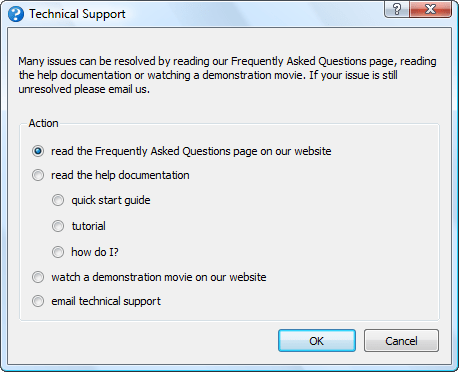
Note that it has been shown experimentally that the more text you show someone, the lower the percentage of it they read. So it is generally more productive to concentrate on simplifying the user interface, rather than writing more documentation.
Of course, you can also reduce support requests by making it difficult for the customer to contact you (the Amazon model). But this leads to less feedback and a worse user experience, so I wouldn’t recommend it.
Allow customers to help each other
If you have a sizeable user base you can set-up a forum to encourage users to help each other. This can have various benefits:
- customers may be able to get answers straight-away by searching existing content on the forum
- customers may answer some questions for you
- customers may respond faster than you can
- it increases your SEO footprint
But it also has its drawbacks:
- nothing looks sadder than a deserted forum
- a forum has to be actively moderated or it will end up reflecting badly on your company
- spam can be a problem
Automatically report crashes
It is often possible to detect that the software is going to crash or has crashed and send yourself some diagnostic information. This allows you to monitor how stable the software is and gives you some clues for debugging. For example, on Windows you can use the Win32 API method SetUnhandledExceptionFilter() to detect when things have gone horribly wrong. Don’t send it without their permission though. Give them the option to see the information you are going to send and then allow them to send it with a single button click.
Remember that every computer is different
There is a rumour that there are 2 identically configured PCs somewhere in Nebraska. But I don’t believe it. The customer may have configured their OS with all sorts of strange options you have never heard of. Anti-virus software, malware, DLL hell and hardware issues can cause problems. A cosmic ray might have even passed through their RAM! So I generally don’t spend too much time on a bug report unless either I can replicate it myself or 2 separate people have reported it.
Be proactive
I actively seek feedback from my customers. It increases the support burden somewhat, but I think this is more than compensated for by increased customer satisfaction and improved feedback.
Make use of feedback
I think all developers should spend at least some time supporting the products they developed. A few days every now and then in the support trenches answering customer emails and phone calls would give developers a better appreciation of how customers think and of the real costs of that cool feature shoe-horned into the release a week before the ship date.
Look at every support request as a possible way to improve your product. The first time you get a support request you answer it. The second time you get the same request you need to start thinking about how you can improve the product so that question doesn’t get asked a third time. By continually improving your product in this way you can greatly reduce the average amount of support time required per customer over time. Obviously you need to make it easy for customers to contact you to make this work.
Don’t take things personally
No matter how hard you try some people are not going to like your software. I once got so angry with Microsoft Project that I nearly threw a monitor out of a window. An angry customer might send you an angry email. Try not to take the criticism personally (link note: funny, but sweary). Maybe the customer is having a bad day. Perhaps they just don’t have any manners. As long as they remain a small minority, try not to lose any sleep over it. On the plus side – at least they cared! And it is often possible to turn a passionately angry customer into a passionate advocate for the product. Indifference is much harder to convert into a sale.
Don’t shoot the messenger
If someone reports what they think is a bug, you should thank them, rather than taking it as an insult to your programming skills. Experience shows me that most people who encounter a bug won’t bother to report it. If you have ever tried reporting a problem to a big company like Microsoft, you will understand why. An unreported bug can result in a lot of unhappy customers and lost sales. Customers who report bugs are a precious resource and should be treated accordingly.
Tell a customer when you have fixed their bug
Whenever a customer reports a bug I record their email address along with the bug report. When it is fixed I then email them. This encourages them to report other bugs they find in future. Similarly for feature requests.
Give credit where credit is due
When I list bugs fixed in a release I also give the names of the customers who reported the bugs (first name + initial of last name). If a customer has been particularly helpful, e.g. putting significant effort into helping me find a bug, I may also list them in the software ‘credits’ window. It doesn’t cost me anything and it encourages these customers to feel more ownership of the product and report more bugs.
Google translate is your friend
I only officially provide support in English. But if someone emails me in another language I will use Google translate to read their email and reply in English, including a translation of my reply from Google translate. The quality of the translation may not be great, but it is probably good enough.
Use the right tone
Being professional doesn’t have to mean cold and impersonal. Try to sound like a real person, rather than a robot. Include your name in your signature. I address people by their first name (where known) and I’m not above including a smiley, where I think it is appropriate. Different markets and cultures may demand different levels of formality. Usually you can take your cue from how formal the customer is. Above all, try not to blame your customer or make them feel stupid.
Only support your own product
It isn’t your job to teach your customer how to use a computer. Try to steer clear of providing support that isn’t directly related to your own product. Otherwise you might find you end up as their general IT helpdesk.
Get the price right
If you are swamped in support emails, consider raising your price. Depending on the price elasticity of your product, you may be able to generate the same or more revenue with less customers and therefore (hopefully) less support emails.
Firing a customer is the final resort
Sometimes a customer will buy your product when they really shouldn’t have, either because it is the wrong tool for the job or because they don’t have the skills required to use it. They will then bombard you with email after email. In such cases it may be best to refund them. Allow them to keep using the software, but tell them that you won’t be able to provide any further support. Something along the lines of “It appears that our software is not a good fit for your requirements. We have therefore refunded your purchase in full. Please feel free to keep using the software, but please note that we won’t be able to provide further technical support.”. This is the nuclear option. I have only had to resort to it a handful of times in 7 years.
Don’t tolerate abusive customers
The customer is not always right. Buying your product does not give them a right to be abusive, no matter how much they paid. Politely and professionally fire them if they can’t behave like a decent human being.
Never send an email in anger
People can sometimes be unreasonable, even downright rude, especially when they are safely at the other end of an Internet connection. But never, under any circumstances, respond with a rude or sarcastic email. Your email might be posted onto forums for all the world to see, forever more, devoid of its original context. Not good. Also, sending a rude response is only going to pour petrol on the fire. Always keep your emails polite and professional. If you find yourself getting angry, go and do something else for a while, until you can send a calm reply. If you can’t reply professionally, don’t reply at all.
Use the right tools
You don’t need a lot of tools to provide good support. I mainly use:
- an email client (Thunderbird)
- a bug/feature request tracking database (OnTime)
- a screen capture tool (SnagIt)
- a phrase expander for quickly typing common phrases (PhraseExpander)
- a database of licence keys (home rolled)
- VM software for emulating different operating systems (WMWare Workstation)
As I am the only one doing support I find that it is sufficient for me to use my Thunderbird email client to check previous correspondence (search by email address), track status (using different coloured tags for: awaiting their response, follow-up later etc) and enforce a simple workflow (move to different folders). If you have multiple people doing support you may also need helpdesk software (such as Helpspot) and/or a ticketing system.
You can use remote access software such as CoPilot to remotely log in to a customers computer. But I try to avoid this where possible, as it is time consuming and also the customer might blame me for any problem they have with their computer afterwards (e.g. a virus infection).
Think twice before outsourcing support
It is cheap to outsource your support to e-workers in developing countries. But they won’t know or care about your product as much as you do. And moving yourself further away from the customer reduces that all important feedback that you need to keep improving the product.
Time new releases carefully
You are going to get the most support emails after you put out a new release. So try to avoid putting out a new release just before you go on holiday.
Have the right attitude
While it can be frustrating to provide support to someone less technically minded than yourself, remember that not everyone is a computer geek and these people are paying your salary.
Remember the golden rule
The basic rule of technical support is to treat your customers how you would wish to be treated. If you bear that in mind, you shouldn’t go far wrong.
Further reading:
If You Want to Write Useful Software, You Have to Do Tech Support (Nick Bradbury)
Did I miss anything? What have been your experiences supporting your software? What surprised you?

 How much should you charge a customer for a product? From a pure economics point of view – as much as the customer is willing to pay. The airlines are masters of this. The people on a typical commercial flight pay a wide range of prices depending on factors such as: which class they are travelling, whether they are returning before the weekend and how far ahead they booked. The smug businessman in first class (who booked a week before and is returning the same day) might be paying more than 10 times as much for a seat as a someone in economy (who is going on holiday for 2 weeks and booked 6 months in advance). The businessman probably isn’t spending his own money, so he doesn’t care that much what the price is. Does the business traveller cost the airline 10 times as much? Of course not. The airline is simply maximizing its profits by charging more for the people who are prepared to pay more.
 The dreaded VAT. Ugh. Value Added Tax (VAT) is the European equivalent of sales tax and it is a Royal Pain In The Arse. However, if you are running a business that makes sales in Europe you need to understand VAT. In particular it has important implications for your choice of payment processor, even if you are based outside the EU or below VAT registration thresholds. I have put together a few pointers here in the hope that it will help someone grappling with the complexities of VAT. But please note:

 Pinterest is the latest darling on the social media scene. Pinterest reportedly hit ten million monthly unique visitors faster than any other website. It is currently claimed to have some 15 million users. Basically it allows you assemble (‘pin’) images from anywhere on the web into themed folders (‘pinboards’). You can download browser plug-ins that allow you to pin an image from a website to one of your pinboards in a few clicks. The social element comes from ‘following’ other Pinterest users and commenting on and re-pinning their images. It is a simple idea slickly executed. The emphasis on images makes it rather different to Facebook, Twitter and other social media brands.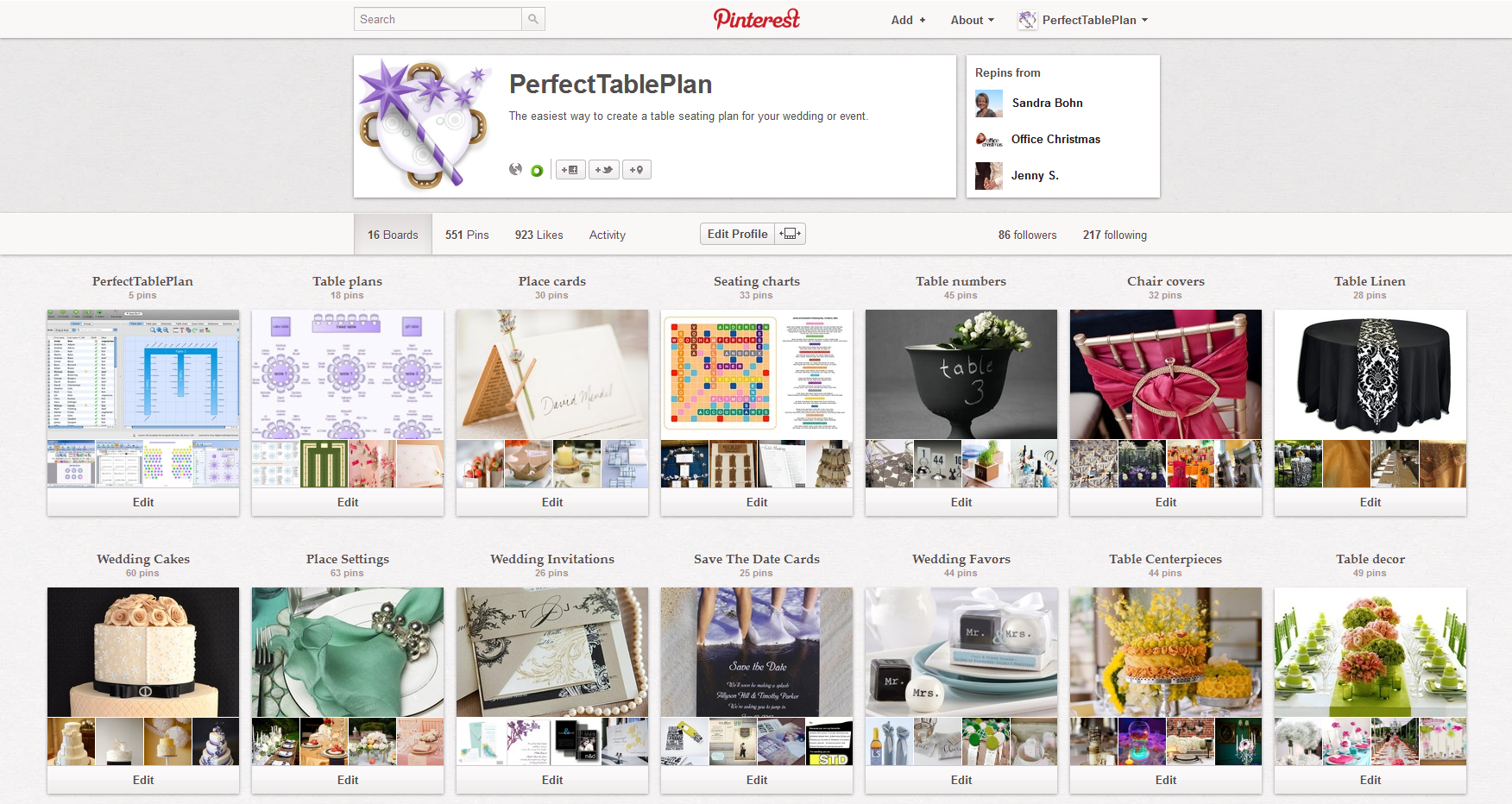

 A couple of years ago I got to


