
 ISVtube was launched recently by Thomas Holz of easy2sync.com. The site aggregates videos of particular interest to microISVs and could be a very useful resource. To suggest additional videos email Thomas at:
Tag Archives: software
The perils of localization
The sign below is supposed to say “No entry for heavy goods vehicles. Residential site only” in English and Welsh.

Unfortunately the Welsh version says “I am not in the office at the moment. Send any work to be translated”.
The realities of software book publishing
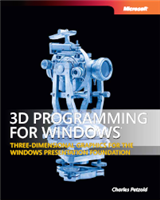 Publishers of technical software books and magazines seem to struggling against the relentless onslaught of the Internet, crushed between the twin rocks of rapidly changing technology and free online content. In a recent .NET Rocks! podcast, accomplished technical author Charles Petzold (of Programming Windows fame) discusses the grim commercial realities of writing technical software books in the 21st century. It doesn’t sound good. His recent 3D programming for Windows book took 8 months to write and has sold less than 4,000 copies worldwide. As he gets royalties of around $3 per copy sold (less when sold outside the US), this equates to less than $12,000 for 8 months work. He could have made around $9,000 flipping burgers for minimum wage over the same period[1]. Ouch.
[1] Assuming 40 hours per week.
Virus Total
 Virus Total is a free service that gives you aggregate results from 36 different malware scanners. Just browse to the file you want to check on your PC and click ‘Send file’. It will quickly return the results of all the scans, hash sizes and a list of Windows system calls that the software makes.
This is a great resource for checking software you are about to install doesn’t contain malware. It is also useful for checking that your own download files haven’t been tampered with and don’t trigger false positives. Note that some software protection systems have been known to trigger false positives from malware scanners.

Thanks to a poster on this BOS thread for bringing it to my attention.
Using defence in depth to produce high quality software
 ‘Defence in depth’ is a military strategy where the attacker is allowed to penetrate the defender’s lines, but is then gradually worn down by successive layers of defences. This strategy was famously used by the Soviet Army to halt the German blitzkrieg at the battle of Kursk, using a vast defensive network including trenches, minefields and gun emplacements. Defence in depth also has parallels in non-military applications. I use a defence in depth approach to detect bugs in my code. A bug has to pass through multiple layers of defences undetected before it can cause problems for my customers.
Layer 1: Compiler warnings
Compiler warnings can help to spot many potential bugs. Crank your compiler warnings up to maximum sensitivity to get the most benefit.
Layer 2: Static analysis
Static analysis takes over where compiler warnings leave off, examining code in great detail looking for potential errors. An example static analyser is Gimpel PC-Lint for C and C++. PC-Lint performs hundreds of checks for known issues in C/C++ code. The flip side of it’s thoroughness is that it can be difficult to spot real issues amongst the vast numbers of warnings and it can take some time to fine-tune the checking to a useful level.
Layer 3: Code review
A fresh set of eyes looking at your code will often spot problems that you didn’t see. There are various ways to go about this, including formal Fagan inspections, Extreme Programming style pair programming and informal reviews. There is quite a lot of documented evidence to suggest that this is one of the most effective ways to find bugs. It is also an excellent way to mentor less experienced programmers. But it is time consuming and can be hard on the ego of the person being reviewed. Also it isn’t really an option for solo developers
Layer 4: Self-checking
Of the vast space of states that a program can occupy, usually only a minority will be valid. E.g. it might makes no sense to set a zero or negative radius for a circle. We can check for invalid states in C/C++ with an assert() macro:
class Circle
{
    public:
        void setRadius( double radius );
    private:
        double m_radius;
}

void Circle::setRadius( double radius )
{
    assert( radius > 0.0 );
    m_radius = radius;
}
The program will now halt with a warning message if the radius is set inappropriately. This can be very helpful for finding bugs during testing. Assertions can also be useful for setting pre-conditions and post-conditions:
    void List::remove( Item* i )
    {
        assert( contains( i ) );
        ...
        assert( !contains( i ) );
    }
Or detecting when an unexpected branch is executed:
    switch ( shape )
    {
        case Shape::Square:
            ...
        break;

        case Shape::Rectangle:
            ...
        break;

        case Shape::Circle:
            ...
        break;

        case Shape::Ellipse:
            ...
        break;

        default:
            assert( false ); // shouldn't get here
        break;
    }
Assertions are not compiled into release versions of the software, which means they don’t incur any overhead in production code. But this also means:
- Assertions are not a substitute for proper error handling. They should only be used to check for states that should never occur, regardless of the program input.
- Calls to an assert() must not change the program state, or the debug and release versions will behave differently.
Different languages have different approaches, for example pre and post conditions are built into the Eiffel language.
Layer 5: Dynamic analysis
Dynamic checking usually involves automatically instrumenting the code in some way so that it’s runtime behaviour can be checked for potential problems such as: array bound violations, reading memory that hasn’t be written to and memory leaks. An example dynamic analyser is the excellent and free Valgrind for Linux. There are a few dynamic analysers for Windows, but they tend to be expensive. The only one I have tried in the last few years was Purify and it was flaky (do IBM/Rational actually use their own tools?).
Layer 6: Unit testing
Unit testing requires the creation of a test harness to execute various tests on a small unit of code (typically a class or function) and flag any errors. Ideally the unit tests should then be executed every time you make a change to the code. You can write your own test harnesses from scratch, but it probably makes more sense to use one of the existing frameworks, such as: NUnit (.NET), JUnit (Java), QUnit (Qt) etc.
According to the Test Driven Development approach you should write your unit tests before you write the code. This makes a lot of sense, but requires discipline.
Layer 7: Integration testing
Integration testing involves testing that different modules of the system work correctly together, particularly the interfaces between your code and hardware or third party libraries.
Layer 8: System testing
System testing is testing the system in it’s entirety, as delivered to the end-user. System testing can be done manually or automatically, using a test scripting tool.
Unit, integration and system testing should ideally be done using a coverage tool such as Coverage Validator to check that the testing is sufficiently thorough.
Layer 9: Regression testing
Regression testing involves running a series of tests and comparing the results to the same input data run on the previous release of the system. Any differences may be the result of bugs introduced since the last release. Regression testing works particularly well on systems that take a single input file and produce a single output file – the output file can just be diff’ed against the previous output.
Layer 10: Third party testing
Different users have different patterns of usage. You might prefer drag and drop, someone else might use right-click a lot and yet another person might prefer keyboard accelerators. So it would be unwise to release a system that has only ever been tested by the developer. Furthermore, the developer inevitably makes all sorts of assumptions about how the software will be used. Some of those assumptions will almost certainly be wrong.
There are a number of companies that can be paid by the day to do third party testing. I have used softwareexaminer.com in the past with some success.
Layer 11: Beta testing
End-user systems can vary in processor speed, memory, screen resolution, video card, font size, language choice, operating system version/update level and installed software. So it is necessary to test your software on a representative range of supported hardware + operating system + installed software. Typically this is done by recruiting users who are keen to try out new features, for example through a newsletter. Unfortunately it isn’t always easy to get good feedback from beta testers.
Layer 12: Crash reporting
If each of the above 11 layers of defence catches 50% of the bugs missed by the previous layer, we would expect only 1 bug in 2,048 to make it into production code undetected. Assuming your coding isn’t spectacularly sloppy in the first place, you should end up with very few bugs in your production code. But, inevitably, some will still slip through. You can catch the ones that crash your software with built-in crash reporting. This is less than ideal for the person whose software crashed. But it allows you to get detailed feedback on crashes and consequently get fixes out much faster.
I rolled my own crash reporting for Windows and MacOSX. On Windows the magic function call is SetUnhandledExceptionFilter. You can also sign up to the Windows Winqual program to receive crash reports via Windows’ own crash reporting. But, after my deeply demoralising encounter with Winqual as part of getting the “works with Vista” logo, I would rather take dance lessons from Steve Ballmer.
Test what you ship, ship what you test
A change of a single byte in your binaries could be the difference between a solid release and a release with a showstopper bug. Consequently you should only ship the binaries you have tested. Don’t ship the release version after only having tested the debug version and don’t ship your software after a bug fix without re-doing the QA, no matter how ‘trivial’ the fix. Sometimes it is better to ship with minor (but known) bugs than to try to fix these bugs and risk introducing new (and potentially much worse) bugs.
Cross-platform development
I find that shipping my software on Windows and MacOSX from a single code base has advantages for QA.
- different tools with different strengths are available on each platform
- the Gnu C++ compiler may warn about issues that the Visual Studio C++ compiler doesn’t (and vice versa)
- a memory error that is intermittent and hard to track down on Windows might be much easier to find on MacOSX (and vice versa)
Conclusion
For the best results you need your layers of checks to be part of your day-to-day development, not something you do just before a release. This is best done by automating them as much as possible, e.g.:
- setting the compiler to treat warnings as errors
- performing static analysis and unit tests on code check-in
- running regression tests on the latest version of the code every night
Also you should design your software in such a way that it is easy to test. E.g. building in log file output can make it much easier to perform regression tests.
Defence in depth can find a high percentage of bugs. But obviously the more bugs you start with the more bugs that will end up in your code. So it doesn’t remove the need for good coding practices. Quality can’t be ‘tested in’ to code afterwards.
I have used all 12 layers of defence above at some point in my career. Currently I am not using static analysis (I must update that PC-Lint licence), code review (I am a solo developer) and dynamic analysis (I don’t currently have a dynamic analyser for Windows or MacOSX). I could also do better on unit testing. But according to my crash reporting, the latest version of PerfectTablePlan has crashed just three times in the last 5000+ downloads (the same bug each time, somewhere deep down in the Qt print engine). Not all customer click the ‘Submit’ button to send the crash reports and crashes aren’t the only type of bug, but I think this is indicative of a good level of quality. It is probably a lot better than most of the other consumer software my customers use[1]. Assuming the crash reporting isn’t buggy, of course…
[1]Windows Explorer and Microsoft Office crash on a daily basis on my current machine.
The joys and challenges of running a nomadic software company
 In theory an Internet based software business isn’t tied to any particular geographical location and can be run from a laptop anywhere there is an Internet connection. So why not travel the world, financed by your business? Trygve & Karen Inda are doing just that. They kindly agreed to write this guest post discussing the practicalities of running a nomadic software company.
The freedom to wander aimlessly around the planet, visiting whichever countries you want, is something many people dream about. We have actually achieved it through our microISV. For the past six years, we have been living and working in numerous countries, with nothing more than our Mac laptops, backpacks, assorted cables and adaptors and an insatiable thirst for adventure.
We were thirty years old, with no kids and no debt, working steady jobs in Reno, Nevada, and had a small microISV on the side. It was a “nights and weekends” business that earned us dining out money, or even covered the rent in a good month. After September 11th, my husband Trygve’s day-job slowly went away, giving him more time to devote to our microISV. By March 2002, when we first released EarthDesk, the microISV had become his full-time job.
The response to EarthDesk was phenomenal and we soon realized that we could move overseas, bringing our microISV with us. Within several months, we had sold the bulk of our possessions, moved out of our apartment in Reno and purchased one-way tickets to Tbilisi, Republic of Georgia.
The experiment begins
For six months, we tried to manage our software business while teaching English and doing odd jobs for NGOs, newspapers and radio stations. We had brought with us two Mac laptops (a PowerBook G4 and an iBook G3), which were both maxed out as far as hard drive and memory were concerned, an extra battery for the G4, an external keyboard, a digital camera, and various cables and worldwide plug adaptors. We had also brought a CD case full of original software discs.
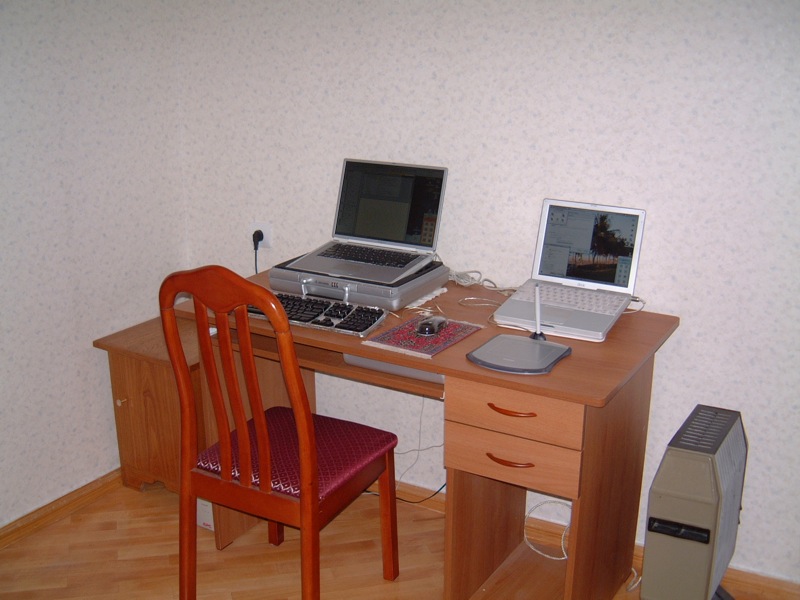
Tbilisi home office
In the end, the multiple infrastructure problems that plague the Republic of Georgia (mostly a serious lack of electricity) proved too much for us to bear. We escaped to Germany, carrying 170 pounds of stuff, including our two laptops, a UPS we had purchased in Tbilisi and a Persian carpet we had bargained for while on Christmas holiday in Dubai.
After a few weeks recovering in Germany, we spent a few months in Prague, Czech Republic. When the cold weather arrived, we flew south and spent eight months travelling around the Indian Ocean, South East Asia and Oceania. Shortly thereafter, we landed a software development contract in Dubai and relocated there, but regularly escape to Prague during the blistering summer months. We currently own a flat in central Prague and have considered buying a flat in Dubai.

Kampala, Uganda
By keeping a small base in one or two countries, we can have a “home”, a decent place to work and a life, while still taking long trips with the backpacks. Running the business from an apartment in the developed world is fairly straightforward. What’s challenging is running the business from a backpack while spending several months on the road.
The essentials
Everyone wants to sit on a beach and work only four hours a day, but the reality is a little different. If you are actually running your business, you’ll spend as much time working on the beach as you would in a cubicle. It’s certainly possible to work only an hour a day for a few weeks, but to develop and grow your business, you will need to spend time actually working, rather than sightseeing. It’s not a permanent holiday, but rather an opportunity for frequent changes of scenery.
As a practical matter, you can only travel with what you can carry and a good backpack with detachable day-pack is the only serious option. Since you are carrying a few thousand dollars worth of equipment, security becomes an issue, especially in poorly developed parts of the world. We generally stay in the least expensive hotels we can find that have adequate security and cleanliness, while occasionally splurging on something nicer to maintain our sanity. It is very important to budget properly for long trips. For some people this may be as much as $200/day, and for others it may be only $50/day, but managing expenditures is even more important when on the road. Of course you’ll soon realize that for the same money spent during 4 days in London, you could spend weeks in South East Asia or poorer parts of the Middle East.
On journeys of a month or more, we generally bring two up-to-date Mac laptops (currently 15″ and 17″ MacBook Pros), worldwide plug adaptors, software CDs, two iPods (one for backing up data), a digital camera and two unlocked 4-band GSM mobile phones. For longer-term backup we burn a data DVD about once per month and post it home.
Essential software includes Excel, Entourage, Filemaker Pro, Skype, iChat and, of course, the Apple Xcode Developer Tools. Speed Download saved us in Tbilisi because of its ability to resume downloads after our dial-up internet connection dropped the line, which it did every four minutes!
Surprisingly, the best Internet we have found in the developing world was in Phnom Penh. WiFi can often be found at big hotels, but it is more common to connect via Ethernet in a cafe, where a basic knowledge of Windows networking will allow you to configure your laptop to match the existing settings of the cafe’s PC. In the least developed countries, modems are still the norm.

Kigali, Rwanda
One important consideration, especially in countries where censorship is common, is that many places require you to use their SMTP server for outgoing mail. This may not work with your domain as a return address. To get around this, it’s useful to have a VPN, such as witopia.net, and an SMTP server at your domain.
Visas, taxes and other nasty stuff
If you have a western passport, visas usually only become an issue when you want to stay somewhere more than three months. Often, it is possible to do a “visa run,” in which you briefly leave the country and immediately return for another three months. Many countries make it easy to set up a local company, which can allow you to obtain longer-term residency visas, but there is a lot of paperwork involved with this. Staying more than six months as a “tourist” anywhere can be a problem as you’ll almost certainly have to deal with immigration issues.

Hong Kong
Although Dubai has straightforward immigration procedures and is a fabulous place to spend winters, the UAE Government blocks more websites than just about any other country on Earth. Even Skype is blocked because the local telecommunications company doesn’t want any competition. Unless you are able to find a way around the blocks (wink, wink), running any kind of internet business from Dubai will be fraught with difficulty.
Even if you are living in a tax haven, if you are a US Citizen, you can never fully avoid US taxes, although you can take advantage of the Foreign Exclusion. Local taxes aren’t really an issue if you’re just a “tourist” spending a few weeks in a country, but they can become an issue for long-term stays. If you are planning to stay somewhere for more than a couple months, and “settle”, you’ll need to research tax ramifications.

Sana, Yemen
Since we left the US, our taxes have become much more complicated. Fortunately, we found an American tax attorney to handle our annual filings. He lives abroad and therefore understands the Foreign Exclusion and other tax laws regarding expats. For our microISV, payment is handled online by two providers (always have a backup!), and ends up in a company account in America. We use a payroll service to pay our salaries into personal accounts, which we can access by ATM. We also have established a managed office in Nevada to act as our company headquarters and handle mail, voicemail and legal services.
We have no regrets about having left the US for our big adventure. We have truly lived our dream of being able to travel indefinitely, but sometimes it is wearying not knowing which country we will be living in just a few months into the future. Our ultimate goal is to own two properties on two continents so that we can travel between them with just a laptop.
by Karen Inda
photographs by Trygve and Karen Inda
Trygve & Karen Inda are the owners of Xeric Design. Their products include EarthDesk, a screensaver with a difference for Windows and Mac. They were last spotted in Prague.
Getting customer feedback

Lack of feedback is one of the most difficult things about caring for a small child. You know they are unhappy because they are crying. But you don’t know if that unhappiness is due to: hunger, thirst, too hot, too cold, ear ache, stomach ache, wind, tiredness, boredom, teething or something else. They can’t tell you, so you can only guess. Creating software without feedback is tough for the same reasons. You know how well or badly you are doing by the number of sales, but without detailed feedback from your customers and prospective customers, it is difficult to know how you could do better.
The importance of feedback is amply illustrated by many of the stories of successful companies in the excellent book “Founders at work” by Jessica Livingston. For example, PayPal started out trying to sell a crypto library for the PalmPilot. They went through at least 5 changes of direction until they realised that what the market really wanted was a way to make payments via the web.
So good feedback is essential to creating successful software. But how do you get the feedback?
Face-to-face meetings
Meeting your customers face-to-face can give you some detailed feedback. But is time consuming and doesn’t scale when you have hundreds or thousands of customers. You can meet a lot of customers at a exhibitions, but it hardly an ideal venue for any sort of in-depth interaction. Also, they may be too polite to tell you what they really think to your face.
Technical support
Technical support emails and phone calls are a gold-mine of information on how you can improve your product. If one customer has a particular problem, then they might be having a bad day. But if two or more customers have the same problem, then it is time to start thinking about how you can engineer out the problem. This will both improve the utility of your product and reduce your support burden.
In order to take advantage of this feedback the people taking the support calls need to be as close to the developers as possible. Ideally they should be the same people. Even if you have separate support and development staff you should seriously think about rotating developers through support to give them some appreciation of the issues real users have with their creation. Outsourcing your support to another company/country threatens to completely sever this feedback.
Monitoring forums and blogs
Your customers are probably polite when they think you are listening. To find out what they really think it can be useful to monitor blogs and relevant forums. Regularly monitoring more than one or two forums is very time-consuming, but you can use Google alerts to receive an alert email whenever a certain phrase (e.g. your product name) appears on a new web page. This feedback can be valuable, but it is likely to be too patchy to rely on.
Usability testing
A usability test is where you watch a user using your software for the first time. You instruct them to perform various typical tasks and watch to see any issues that occur. They will usually be asked to say out loud about what they are thinking to help give you more insight. There really isn’t much more to it than that. If you are being fancy you can video it for further analysis.
Usability tests can be incredibly useful, but it isn’t always easy to find willing ‘virgins’ with a similar background to your prospective users. Also the feedback from usability tests is likely to be mainly related to usability issues, it is unlikely to tell you if your product is missing important features or whether your price is right.
Uninstall surveys
It is relatively easy to pop-up a feedback form in a browser when a user uninstalls your software. I tried this, but got very few responses. If they aren’t interested enough in your software to buy it, they probably aren’t interested enough to take the time to tell you why. Those that I did get were usually along the lines “make it free”[1].
Post purchase surveys
I email all my customers approximately 7 days after their purchase to ask whether there is anything they would like me to add/improve/fix in the next version of the software. The key points about this email are:
- I give them enough time to to use the software before I email them.
- I increase the likelihood of getting an answer by keeping it short.
- I make the question as open as possible. This results in much more useful information than, say, asking them to rate the software on a one to ten scale.
- I deliberately frame the question in such a way that the customer can make negative comments without feeling rude.
The responses fall into five categories[2]:
- No response (approx 80%). They didn’t respond when given the opportunity, so I guess they must be reasonably happy.
- Your software is great (approx 10%). This really brightens up my day. I email them back to ask for permission to use their comment as a testimonial. Most people are only too happy to oblige.
- Your software is pretty good but it doesn’t do X (approx 10%). Many times my software actually does do X – I tell them how and they go from being a satisfied customer to a very happy customer. Also it gives me a pointer that I need to make it clearer how to do X in the next version. If my software doesn’t do X, then I have some useful feedback for a new feature.
- Your software sucks, I want my money back (rare). Thankfully I get very few of these, but you can’t please all of the people all of the time. Sometimes it is possible to address their problem and turn them from passionately negative to passionately positive. If not, I refund them after I get some detailed feedback about why it didn’t work for them[3].
- Stop spamming me (very rare). From memory this has happened once.
I consider them all positive outcomes, except for the last one. Even if I have to make a refund, I get some useful feedback. Anyway, if you didn’t find my software useful, I don’t really want your money.
Being pro-active like this does increase the number of support emails in the short-term. But it also gives you the feedback you need to improve your usability, which reduces the number of support emails in the longer term. I think the increased customer satisfaction is well worth the additional effort. Happy customers are the best possible form of marketing. Post-purchase emails are such a great way to get feedback, I don’t know why more people don’t use them. Try it.
If you make it clear that you are interested in what your customers have to say they will take more time to talk to you. If you act on this feedback it will improve your product (some of the best features in my software has come from customer suggestions). A better product means more customers. More customers means more feedback. It is a virtuous cycle.
All you have to do is ask.
[1] Only if you pay my mortgage. Hippy.
[2] The percentages are guesstimates. I haven’t counted them.
[3] My refund policy specifies that the customer has to say what they didn’t like about the software before I will issue a refund.
Selling your software in retail stores (all that glitters is not gold)
 Developers often ask in forums how they can get their software into retail. I think a more relevant question is – would you want to? Seeing your software for sale on the shelves of your local store must be a great ego boost. But the realities of selling your software through retail are very different to selling online. In the early days of Perfect Table Plan I talked to some department stores and a publisher about selling through retail. I was quite shocked by how low the margins were, especially compared with the huge margin for online sales. I didn’t think I was going to make enough money to even cover a decent level of support. So I walked away at an early stage of negotiations.
The more I have found out about retail since, the worse it sounds. Running a chain of shops is an expensive business and they are going to want take a very large slice of your cake. The various middlemen are also going to take big slices. Because they can. By the time they have all had their slices there won’t be much left of your original cake. That may be OK if the cake (sales volume) is large enough. But it is certainly not something to enter into lightly. Obviously some companies make very good money selling through retail, but I think these are mostly large companies with large budgets and high volume products. Retail is a lot less attractive for small independents and microISVs such as myself.
But software retail isn’t an area I claim to be knowledgeable about. I just know enough to know that it isn’t for me, at least not for the foreseeable future (never say never). So when I spotted a great post on the ASP forums about selling through retail, I asked the author, Al Harberg, if I could republish it here. I thought it was too useful to be hidden away on a private forum. He graciously agreed. If you decide to pursue retail I hope it will help you to go into it with your eyes open. Over to Al.
In the 24 years that I’ve been writing press releases and sending them to the editors, more than 90 percent of my customers have been offering software applications on a try-before-you-buy basis. In addition, quite a few of them have ventured into the traditional retail distribution channel, boxed their software, and offered it for sale in stores. This is a summary of their retail store experiences.
While the numbers vary greatly, a software arrangement would have revenues split roughly:
- Retail store – 50 percent
- Distributor – 10 percent
- Publisher – 30 to 35 percent
- Developer – 5 to 10 percent
Retail stores don’t buy software from developers or from publishers. They only buy from distributors.
The developer would be paid by the publisher. In the developer’s contract, the developer’s percentage would be stated as a percentage of the price that the publisher sells the software to the distributor, and not as a percentage of the retail store’s price.
The publishers take most of the risks. They pay the $30,000(US) or so that it currently takes to get a product into the channel. This includes the price of printing and boxing the product, and the price of launching an initial marketing campaign that would convince the other parties that you’re serious about selling your app.
If your software doesn’t sell, the retail stores ship the boxes back to the distributor. The distributor will try to move the boxes to other dealers or value-added resellers (VARs). But if they can’t sell the product, the distributors ship the cartons back to the publisher.
While stores and distributors place their time at risk, they never risk many of their dollars. They don’t pay the publisher a penny until the software is sold to consumers (and, depending upon the stores’ return policies, until the product is permanently sold to consumers – you don’t make any money on software that is returned to the store, even though the box has been opened, and is not in good enough condition to sell again).
The developer gets paid two or three months after the consumer makes the retail purchase. Sometimes longer. Sometimes never. If you’re dealing with a reputable publisher, and they’re dealing with a major distributor, you’ll probably be treated fairly. But most boilerplate contracts have “after expenses” clauses that protect the other guys. You need to hire an attorney to negotiate the contract, or you’re not going to be happy with the results. And your contract should include an up-front payment that covers the publisher’s projection of several months’ income, because this up-front payment might well be the only money that you’re going to ever see from this arrangement.
Retail stores’ greatest asset is their shelf space. They won’t stock a product unless there is demand for it. You can tell them the most convincing story in the world about how your software will set a new paradigm, and be a runaway bestseller. But if the store doesn’t have customers asking for the app, they’re not going to clutter their most precious asset with an unknown program.
It’s a tough market. It’s all about sales. And if there is no demand for your software, you’re not going to get either a distributor or a store interested in stocking your application. These folks are not interested in theoretical demand. They’re interested in the number of people who come into a retail store and ask for the product.
To convince these folks that you’re serious, the software publisher has to show a potential distributor that they have a significant advertising campaign in place that will attract prospects and create demand, and that they have a press release campaign planned that will generate buzz in the computer press.
Many small software developers have found that the retail experience didn’t work for them. They’re back to selling exclusively online. Some have contracted with publishers who sell software primarily or exclusively online. Despite all of the uncertainties of selling software online, wrestling with the retail channel has even more unknowns.
Al Harberg
Al Harberg has been helping software developers write press releases and send them to the editors since 1984. You can visit his website at www.dpdirectory.com.
Calculating volume discounts for software
 If people buy your software in bulk they expect to get a discount. But how much of a discount should you give them? A simple formula I have seen used is:
discounted price = unit price * n^f
Where n is the total number of units purchased and f is a scaling factor between 0 and 1. So, for example, if my unit price is 24.95 (pounds, dollars etc) and f is 0.8, the discounted price for 10 units is = 24.95 * 10^0.8 = 157.42, which you can then round to a more aesthetically appealing number.
This is a little over-simplistic, as it doesn’t take account of the cost to you of each unit (for example the duplication and postage cost of CDs and the cost of payment processing). We can get around this by breaking the price into a fixed cost and a margin and only applying the discount to the margin. Below is a link to a simple Excel spreadsheet that does this for you. You can change any of the values in the orange fields. f seems to give sensible results in the range 0.75 to 0.9.

discount spreadsheet (29kb, Excel 97-2003 format)
This spreadsheet can be useful to give you a starting point, but you also need to consider what the customer is prepared to pay. You maximise your profit by giving the buyer the minimum discount that is required to make the sale. For example, a reseller is out to make a profit and will probably expect a bigger discount on the same number of units than a large company buying in bulk for their end users. When in doubt, reduce the discount. You can always increase it a bit later if they don’t buy.
The software awards scam (update)
This is an update on my The software awards scam post in August. Below is an updated list of the download site awards I ‘won’ for software that didn’t even run. 23 in total, and that is only the ones I am aware of.

The article got a surprising amount of interest, including front page mentions on reddit, digg, slashdot and wordpress and a mention in the Guardian newspaper (they were too mean to give the URL of the article). There were also some entertaining reviews posted on download sites. The page has so far had over 150,000 hits, 263 comments and has a Google page rank of 6. I hope this exposure will make a small contribution to ending this sordid little practice.
It has been quite instructive to be on the receiving end of the news, albeit in a small way. Much of the commentary was inaccurate. One ‘journalist’ from ZDNET Belgium/Holland even managed to get both my first name and last name wrong, which is quite a feat considering we had exchanged several emails. I don’t know how many other mistakes he made, because the rest of the article was in Dutch or Flemish. I wonder if the mainstream media is much better. Definitely don’t believe everything you read.

