Tag Archives: microISV

Where I program

whereiwrite.org is a photographic project showing science fiction writers and their offices. I started wondering what the offices of other microISVs and small software companies look like. Were they Zen temples of minimalism, with just a desk, a chair and a laptop? Or were they mad scientist labs, piled to the ceiling with obsolete equipment and empty pizza boxes? I rather hoped it was the latter, so I wouldn’t feel so bad about my own cluttered little office. I asked for photos of offices on some forums frequented by independent developers. I got a great response. Click the images to see larger versions.
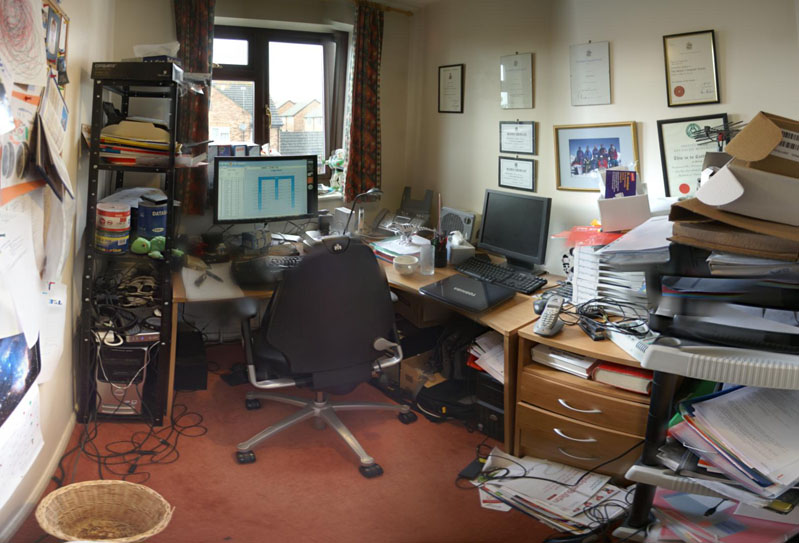
oryxThis is my own cluttered office. The image comprises 6 photos stitched together using Autostitch to simulate an ultra wide angle lens. This makes it look bigger than it is. My unexciting view of suburban Britain is enlivened by regular sightings of Red Kites. I resisted the temptation to tidy up, beyond emptying the overflowing wastepaper bin. The garage is full of envelopes and CDs and there are lots of programming book’s in my son’s room. We are in the process of selling the house, partly so we can buy a house with a bigger office. I like the idea of a treehouse office – one where I pull up the ladder when I need some peace and quiet.

divider

whereiprogram-steve

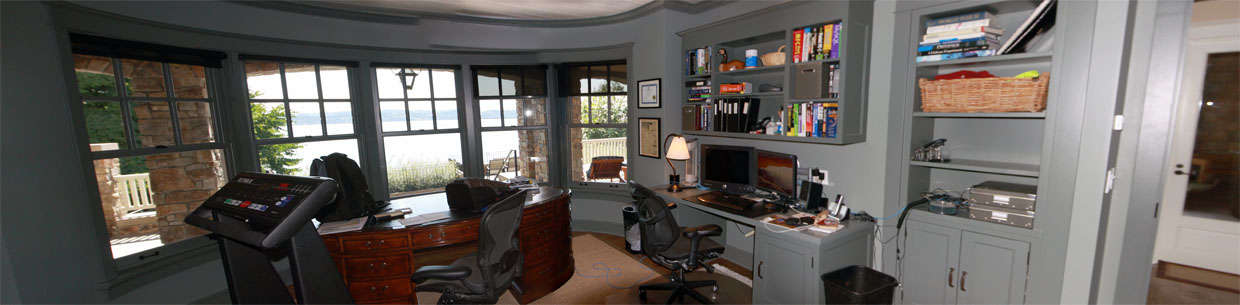
“In my office, I kind of try to separate the digital and analog worlds.  Some days I’ll be coloring with my kids at the oval, English partners-desk in the center and helping with homework, but most days I’m doing software development to the right.  I love it here in the Pacific Northwest; if I’m awake early enough I can catch a beautiful sunrise over the lake right outside my office, and even go for a swim by afternoon in the summertime if it gets too hot.”

Steve Murch, www.bigoven.com
divider

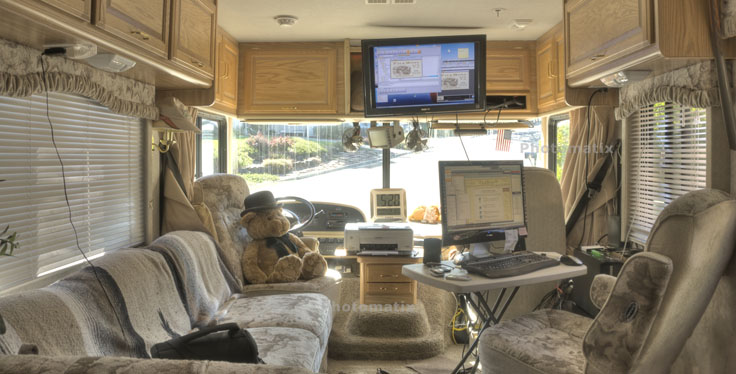
rv-office“This is my temporary office while on the road. I use the TV as a monitor for the second computer (Windows 7). The normal monitor can be switched between either computer. I sometimes miss the third monitor, lazerjet printer and other stuff but not often.”

A roving microISV, who doesn’t want his customer to know he (temporarily) has no fixed abode

divider

DSC_6544“Living in Hong Kong, where residential and office space is so scarce and expensive, I work in a small corner of my small apartment. However, I have everything I need: my trusty two years old MacBook Pro, a not too comfortable chair, and a couch where I can take as many naps as I want. Oh, and a nice view of the mountains outside!”

Cesar Tardaguila, www.bambooapps.com
divider

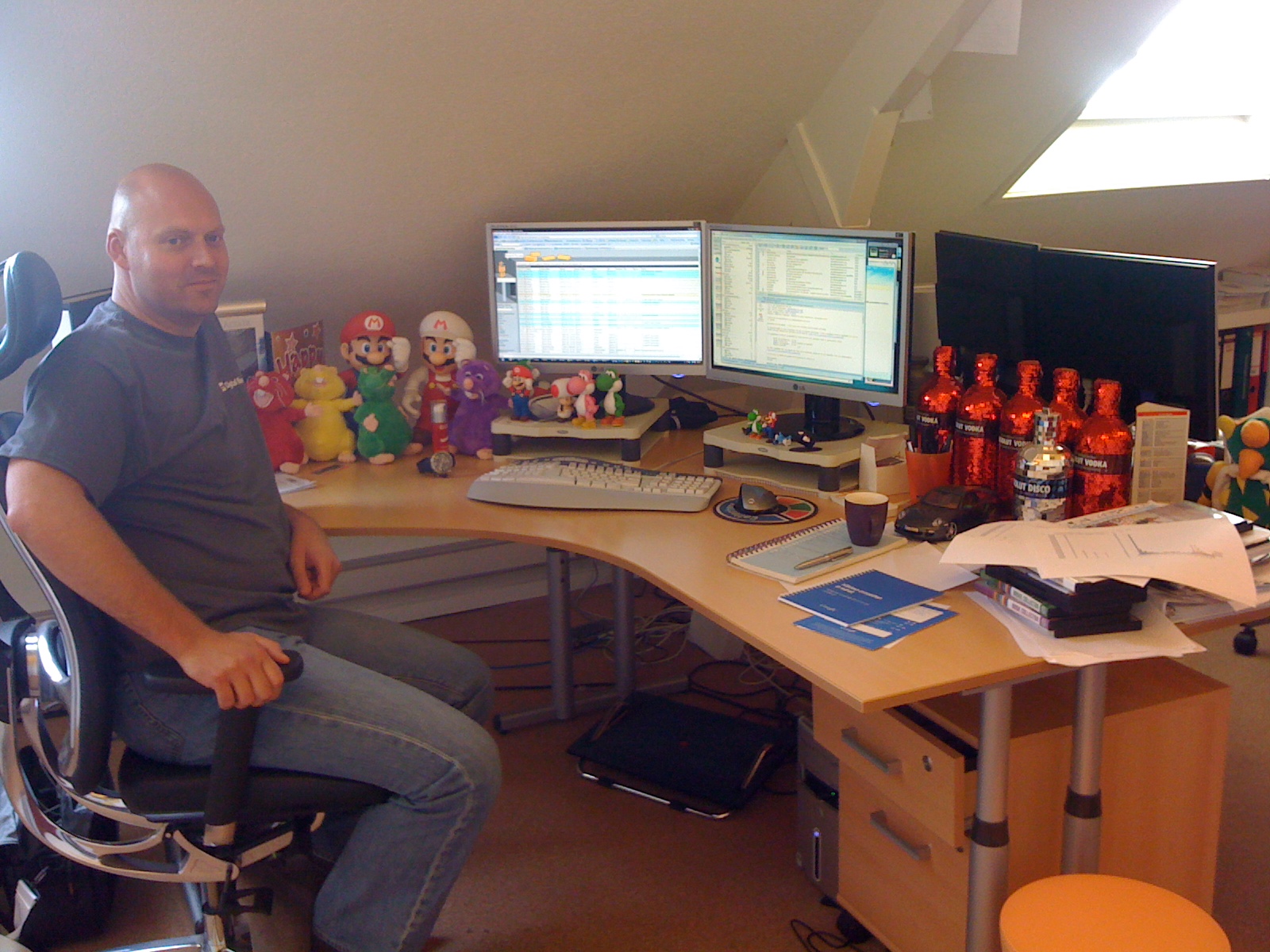
alwin-at-work

collectorz-programmers-at-work“This is me at my desk at the Collectorz.com HQ. As you can see, I am a Nintendo gamer, vodka drinker and Porsche fan. Now I must say that this not a real ‘where I program’ pic, because I don’t do a lot of programming any more. Check the 2nd pic for my developer team.”

Alwin Hoogerdijk, www.collectorz.com
divider

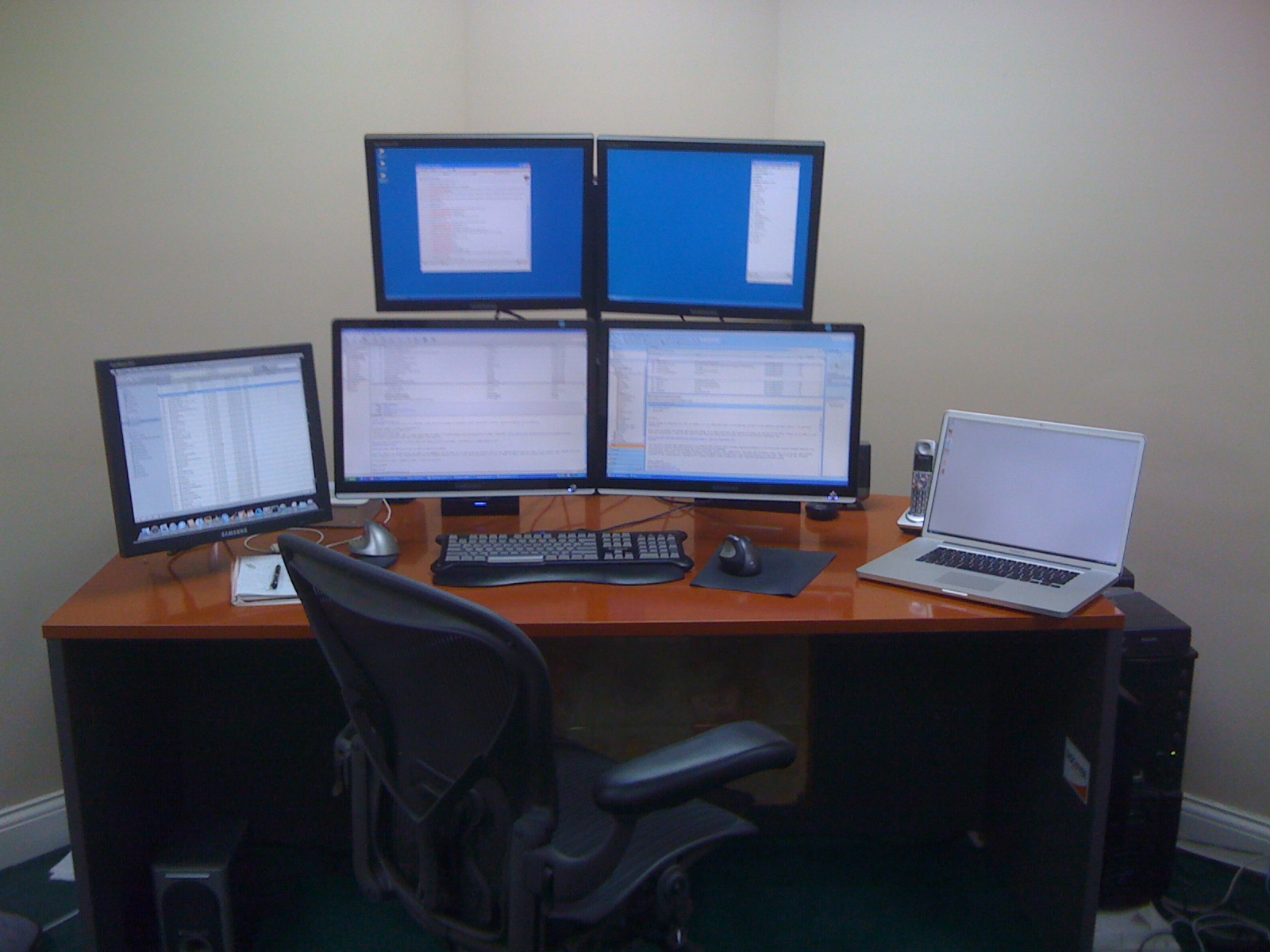
iPhone June 23 2009 132“I *hate* having clutter on my desk. You’ll notice that I didn’t show the rest of the office. It’s pretty messy! I started with two monitors several years ago and then moved straight to 4. I can’t live without at least 3 and the 4th makes a nice place to stash IM windows while I’m working. My music computer is on the left side (yes, it’s a Mac!), and I’m not sure that it isn’t the most important computer I own since I could never work without music playing.”

Mitchell Vincent, www.ksoftware.net
divider

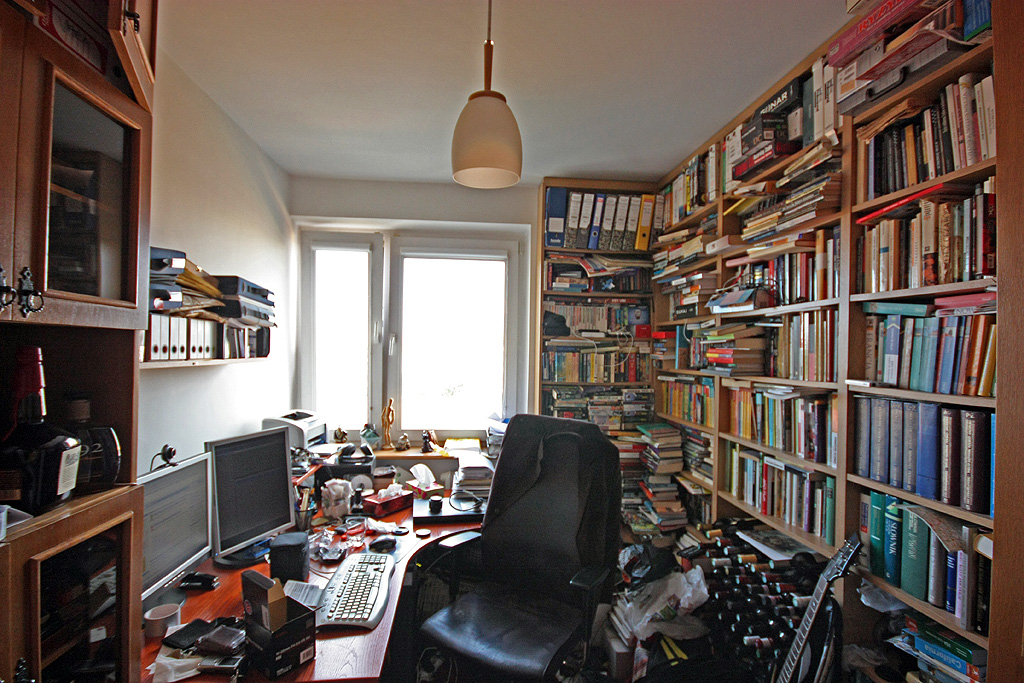
myroom“As you can see the office is as crammed as possible, and the distractions are pretty obvious — the wine is waiting for its place in the cellar, and there is a bottle of whiskey on the shelf.  Oh, and there are two Commodores C-128 behind the desk (invisible on the photo, they worked the last time I checked) along with 1081 monitor and a Playstation or two. And yes, there is a guitar behind the chair. The bad news is that the plans for the new house are ready and the next office will be four times as big! Regarding the workplace as such — I have two 19′ monitors and a computer box under the desk. I spent a lot of time making it silent, which really improves work comfort, especially during quiet night shifts.”

Piotr Kuzora, www.powerkaraoke.com
divider

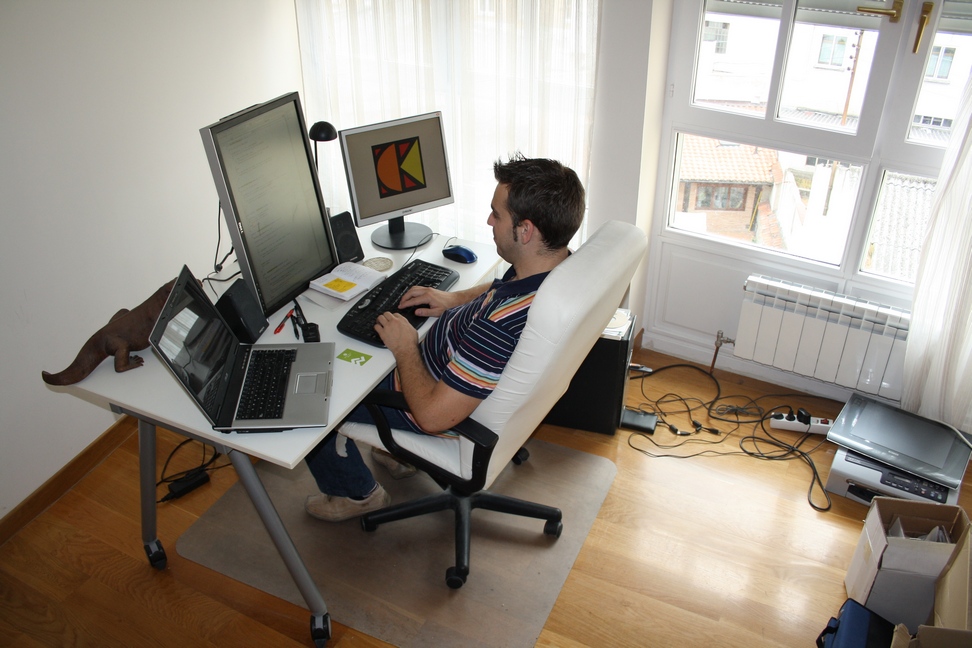
ofi-shots-117

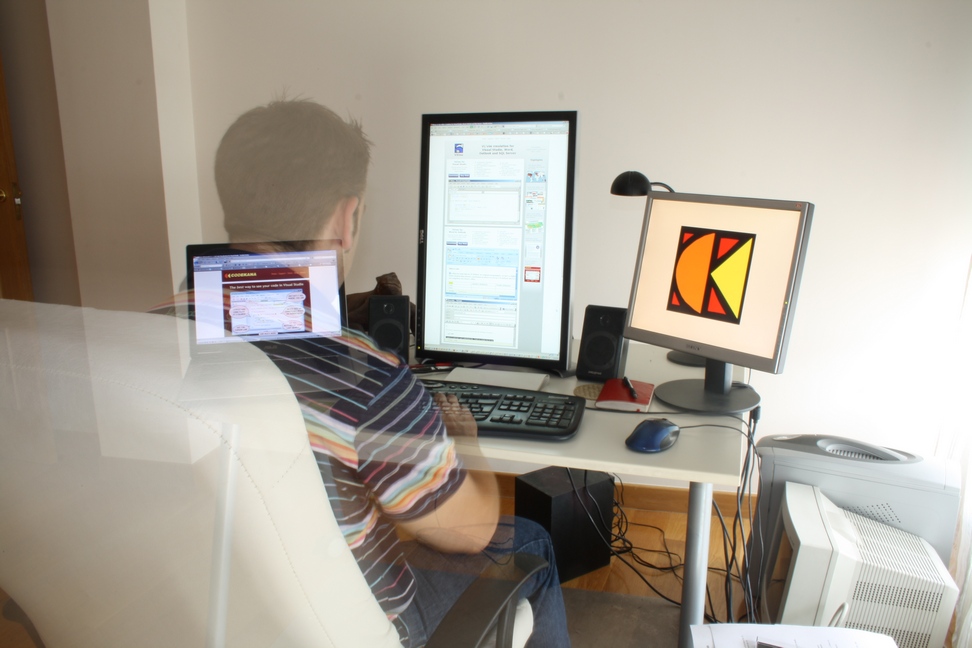
ofi-shots-150“This is my home office, in the city center of Vitoria-Gasteiz. Nowadays I spend as much time, if not more, at the J1CK office, my other entrepreneurial project, but this office is great for ViEmu and Codekana work: a lot of light, and the irreplaceable Dell 2408WFP in vertical position. The chair and the table are from Ikea, nothing fancy there.”

Jon Beltran de Heredia, www.viemu.com and www.codekana.com

(who can apparently control his own opacity)
divider

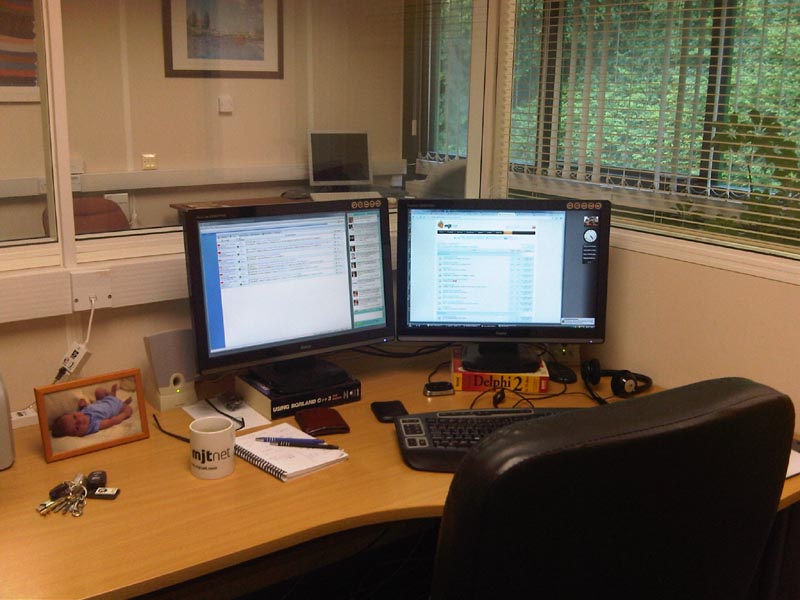
MJT_Marcus_Office_small“This is in my office looking out on the larger office area.  Our office is in a modern, purpose built office complex just outside the beautiful historic Saxon hilltop town of Shaftesbury in rural Dorset.”

Marcus Tettmar, www.mjtnet.com

(under monitors – where obsolete technical references go to die)
divider

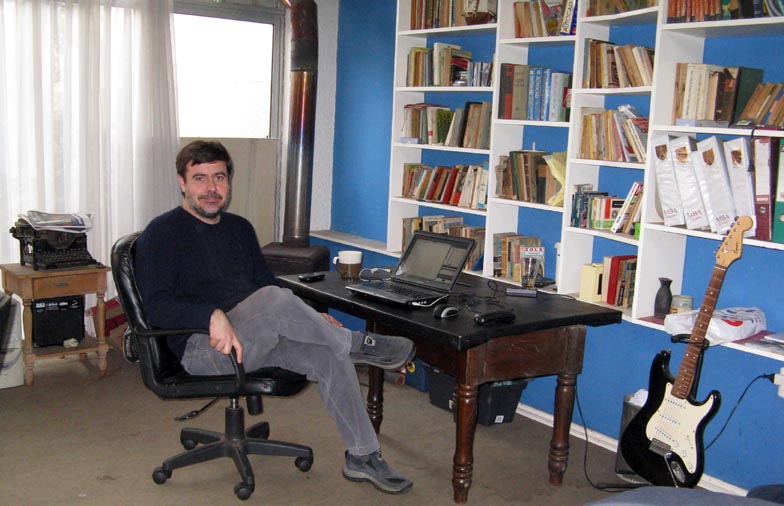
home_office_tekblues_small“My home office is a large basement, it has windows and good light, but it’s very cold. I am a very messy person, it’s full of books, boxes, old computers and even toys my kids left there. Luckily, it doesn’t show in the photo but my dog left some bones under my desk in the morning!!”

Javier Rojas Goñi, www.tekblues.com

divider

GreentramDesk“Melbourne city skyscrapers in the background – I’m 26 floors up. I should have done this yesterday when the sun was shining.”

Tony Bryer, www.greentram.com
divider

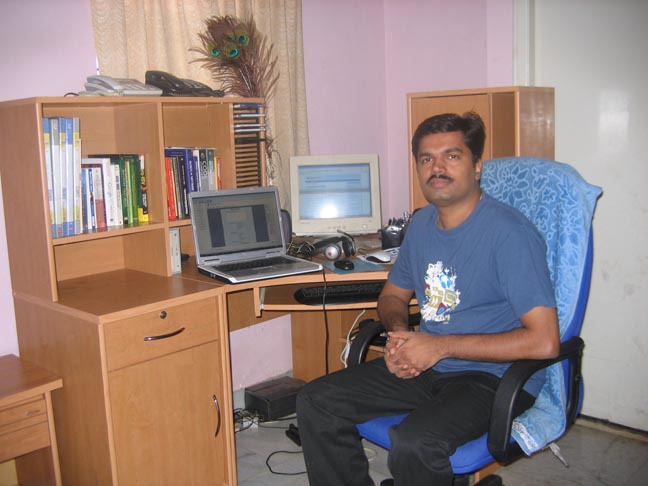
IMG_6740_small“There is one thing that is missing in the photo. That is my two year old daughter. She likes to sit on the table and pull out the books from the rack. Unsurprisingly, her favorite is ‘MicroISV From Vision to Reality’ by Bob Walsh. Somehow she enjoys tearing papers off from the book while her father is busy coding.”

Prasanth, www.simfatic.com

divider

20090624dayoffice

20090625nightoffice“I recently cleaned up my office so I took these photos… but my office is slowly returning to the big mess that it usually is. I need to do a tidy-up before things get out of hand again. I really like my Vornado 542B that’s clipped to a bookcase and set to blow air on me! Really cools me off. I have it on a remote control so I can easily turn it on and off from my desk. I am near Dallas, Texas.

Albert Wiersch, www.htmlvalidator.com

divider

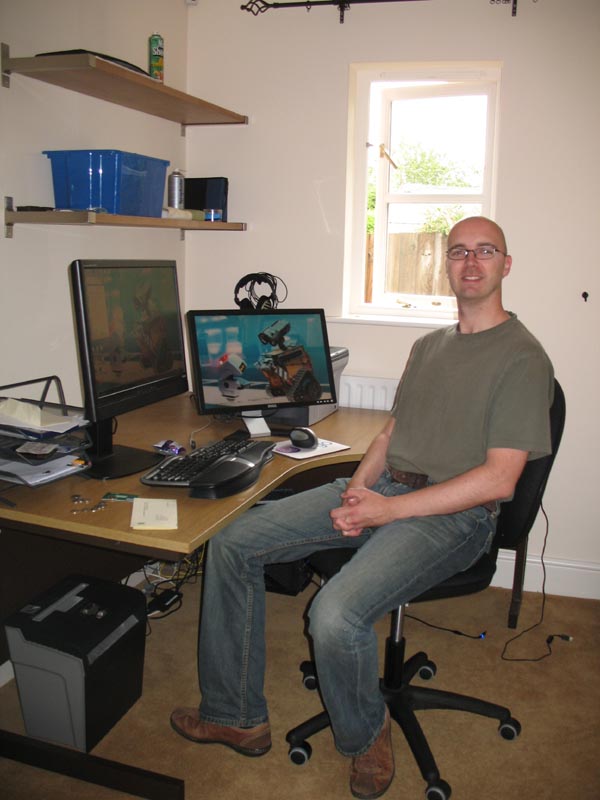
gurock_office“This is one of the offices at Gurock Software here at the Technology Park in Paderborn, Germany (that’s Tobias in the picture). When we originally looked for office space, we wanted bright rooms with enough space to accommodate large desks and small reading corners. Getting our new office space (and 3×24″ monitors ) was easily the best investment we’ve made productivity-wise.”

Dennis & Tobias Gurock, www.gurock.com
divider

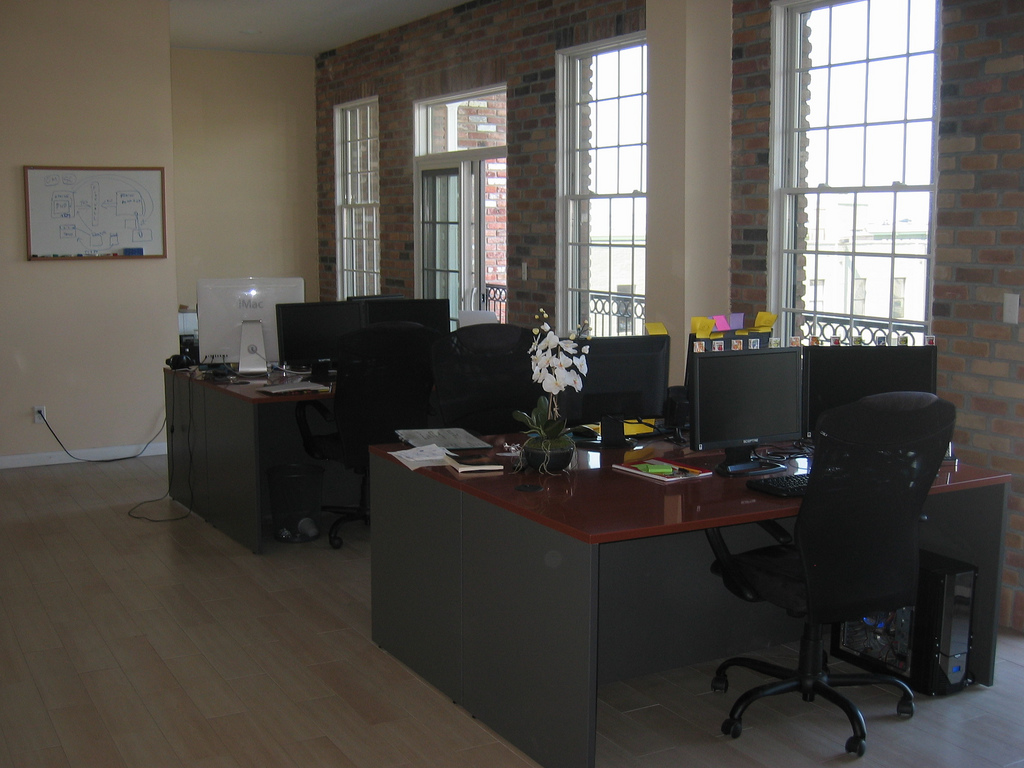
Dokix2_smallTim Haughton, www.homedocumentmanager.com
divider

antair_office_1

antair_office_2“This space suits us perfectly. It fits everyone very comfortably. It’s very, very bright, with lots of natural sunlight. The outdoor patio is perfect for morning group breakfasts and afternoon lunches when it’s warm. And … there’s a great pub downstairs to celebrate the days when we ship a new software product or a major update release.”

Andrey Butov, www.antair.com

divider

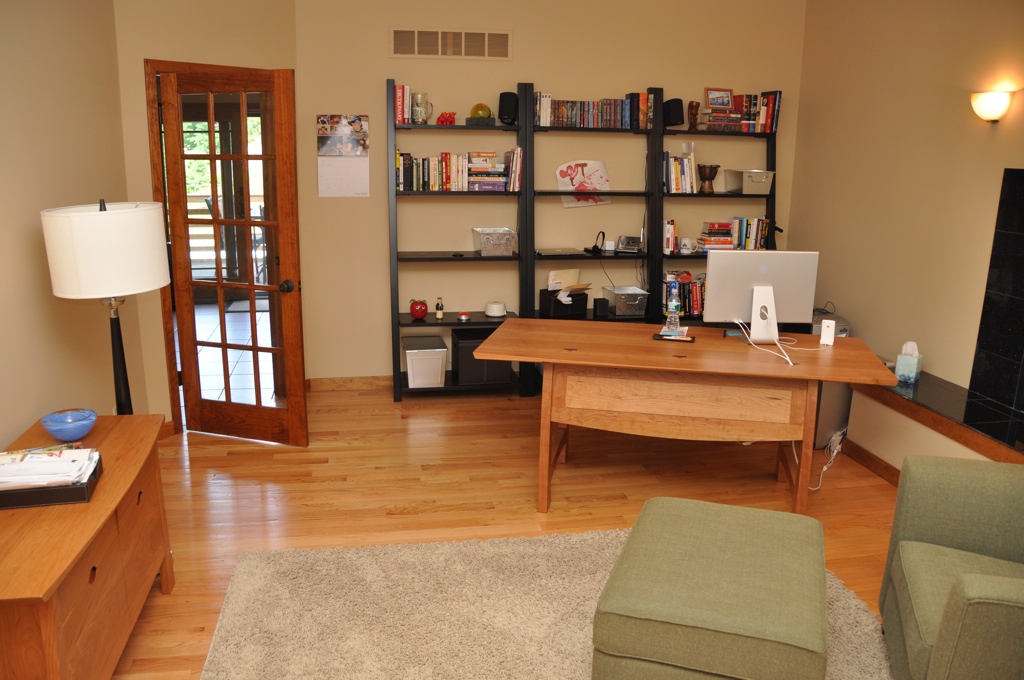
office“My office is a mess because I’m a very passionate person.  I love my work and when I’m not doing that, I’m out doing something else I really love.  I have no love of cleaning and organizing though.  In fact, 99.9% of the time I prefer chaos.  The other .1%, I purge my mess and the cycle starts again.  I know this isn’t a good system, but for now it works.”

Ian Drake, www.notifywire.com
divider

ian_1 “My office is never really very messy… sorry.”

Ian Landsman, www.helpspot.com
divider

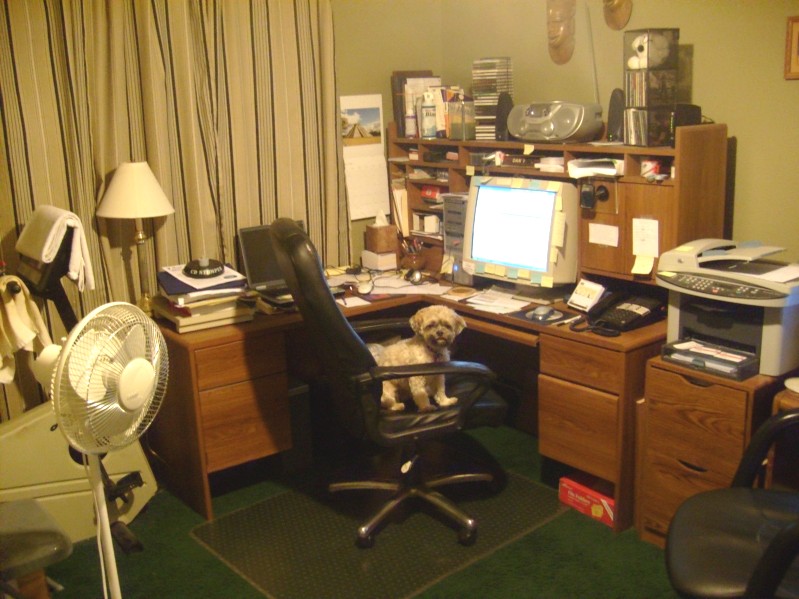
officedog2“Here’s where a real code monkey works.”

Dan Hite, www.spellquizzer.com
divider

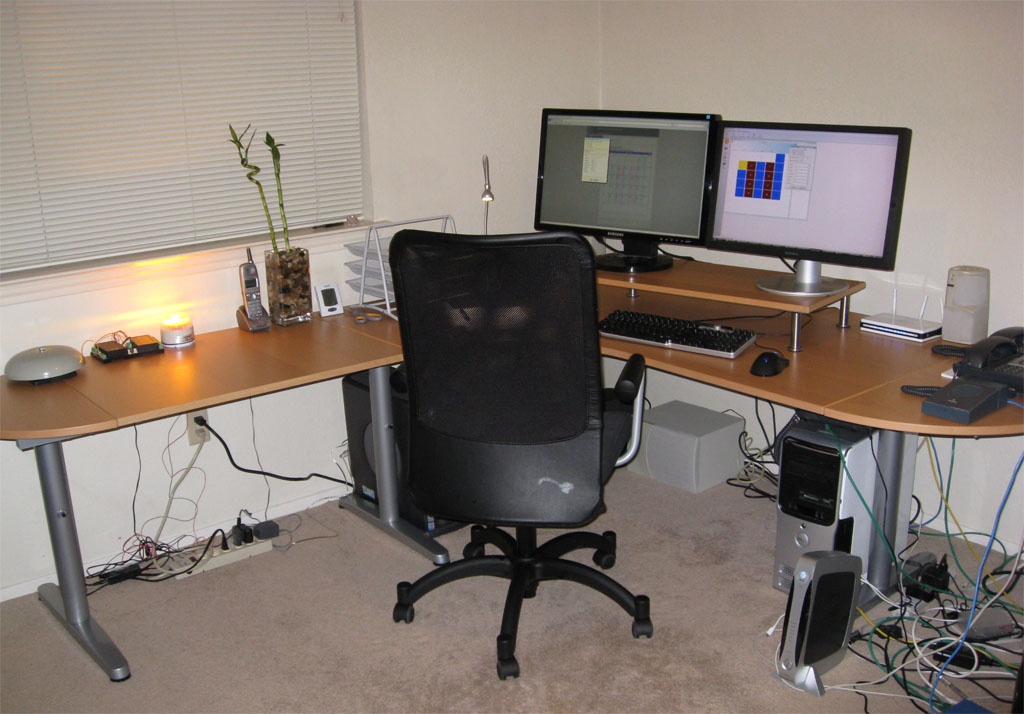
office2

view“I work with specialized hardware for my software and there’s a school bell and a siren/strobe light flashing on the desk.  On the far right side of the desk, I have a couple of IP phones and an IP speaker. I want some additional monitors.  The two I have are a 23″ and a 24″, both at 1920×1200.  I also use a second room as an office in my house and have another PC and a Mac. Below is the view from the window. The trail behind the house connects into a 300 acre park and there are usually mountain bikers and hikers on the trail on the weekends.”

Danny Weidig, www.acrovista.com
divider

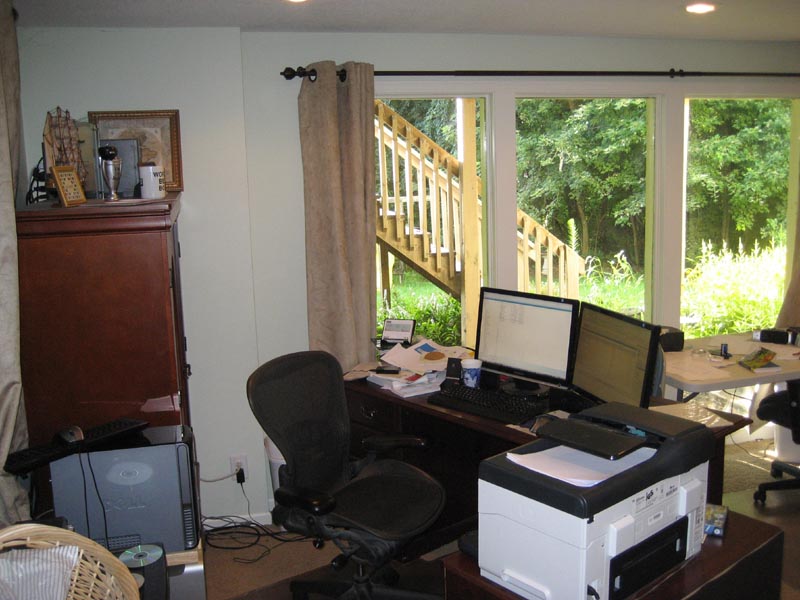
DN_office1_small“Mine’s a bit messy. I stare out the window to distract me from it.”

Doug, who doesn’t want his blue chip clients to know he works from a messy home office
divider

SAIG+Office3_small

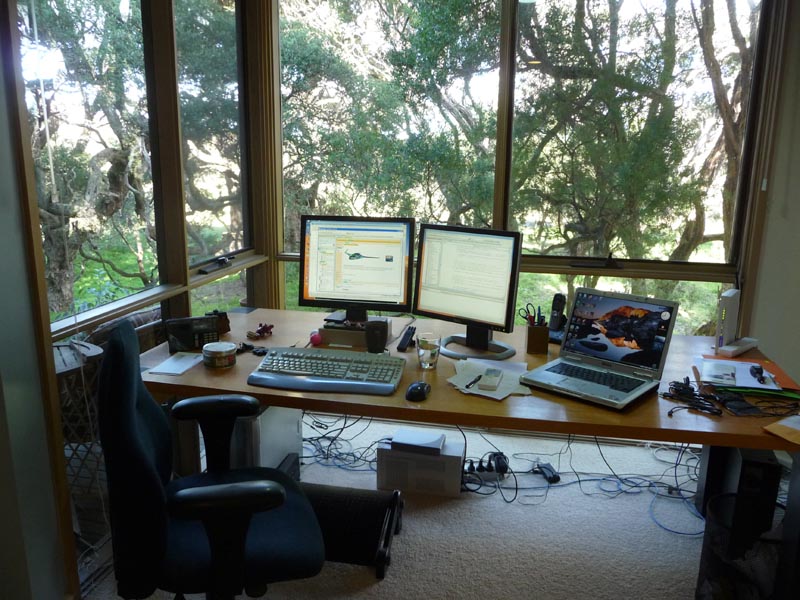
SAIG+Echidna+outside+Office_small“The 16th fairway of the golf course is just through the trees. The group of 3 trees on the left is actually one tree and it is a magnificently old (opinions vary from 100 to 600 years) Moonah Tree. Below is an Echnida which waddled past on Monday.

Neville Franks, www.surfulater.com

divider

Not had enough yet?:

Mitch Haile’s home office

Scott Hanselmann’s home office

Home office snapshots

divider

I am not sure which is more diverse, the offices or the software that gets written in them. Thank you to everyone that contributed.

Have you got a bigger, smaller, untidier or more stylish office than any of the above? Do you have a better view out of the window? Add a link to your photo in the comments.

Ten mistakes microISVs make

Here is a video of the “Ten mistakes microISVs make” talk I gave at the Software Industry Conference 2009 in Boston. Total duration: 27 minutes.

The slides aren’t terribly easy to read, due to the resizing and compression of the video. But you can also download the paper and slides:

A big thank you to Alwin and Sytske of collectorz.com for doing the video. You can read Alwin’s excellent software marketing blog at alwinhoogerdijk.com.

Feel free to embed this video, as long as you include a credit and a link back to this blog.

How many of these mistakes have you made? How many are you still making?

microisvcentral.com

MicroISV blog aggregator planetmiscroisv.com has died, for reasons unknown (Floyd, if you are reading this, I hope you are OK). Glenn Rice of backupbrain.com.au has kindly filled the gap with new aggregator microisvcentral.com. Thanks Glenn! Hopefully he will be able to fix the problem that is causing posts from this blog to not be displayed properly.

Interviewed on the Startup Success Podcast

startup-success-podcastI was recently interviewed by Bob Walsh and Patrick Foley for The Startup Success Podcast, episode 25. We cover a wide ange of topics including: microISVs, conversion ratios, being specific, PerfectTablePlan, usability, the global recession, software award scams, ‘works with vista’ certification, stackoverflow.com and twitter. I wonder how much I have to pay them to edit out the ‘ums’?

Download the MP3

Tips on travelling with a laptop

airbus a380I recently returned from a month’s holiday in New Zealand. As a one-man software company I still have to check my email every day, even on holiday. Here are a few tips from my experiences of running my business from a laptop whilst travelling.

Laptop

In theory you can run your business from a Blackberry or a mobile phone that supports email. But it is impossible to answer some support emails if you can’t run your own software. So I took a Toshiba laptop PC with a 13 inch screen with me. I find a 13 inch screen is a good compromise between portability and ease of use. Much bigger and it would have been too bulky. Much smaller and I would have struggled with the screen and keyboard.

The laptop contained my licence key generator and customer database. I owe it to my business and my customers to keep these secure and the Windows password is no protection at all if someone gains physical access to  your machine. So anything sensitive was encrypted using the free Truecrypt software. Whenever I brought the laptop out of hibernation or restarted it I just had to type the password to mount the Truecrypt volume as a virtual drive[1][2].

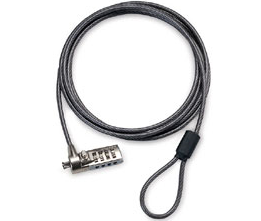
laptop lockI took a combination laptop lock, but I rarely used it. The problem with laptop locks is that the only things strong enough to secure your laptop to are usually in plain view, and a laptop left in plain view is a bit of an invitation. Locked or not. I am also not convinced how strong the laptop security slot is. I suspect an attempted theft would wreck the laptop, even if it wasn’t successful. So I generally prefer to keep the laptop with me or hide it somewhere a crook wouldn’t think to look. I have since found out that laptop locks aren’t even very secure (see here and here). There are still occasions when a laptop lock is better than nothing though. Incidentally, don’t rely on that padlock on your hold baggage either.

The laptop was also invaluable for playing Thomas the Tank Engine DVDs (using Windows Media Player) to keep my little one occupied for part of the very long flights and for backing up photos from the digital camera. I also took a universal power adapter.

Laptop bag

I have a traditional Targus laptop bag with a shoulder strap. But I have found this uncomfortable for carrying a laptop any distance due to the uneven distribution of weight. It also makes it extremely obvious that you have a laptop. A fact I would rather not advertise.

wenger-swissgear-hudson-1wenger swissgear hudson laptop rucksack bagFor this trip I purchased a Swissgear Hudson laptop rucksack from Swiss Army knife manufacturer Wenger. It was much more comfortable to wear with the weight distributed across both shoulders and left both hands free for dealing with passports, boarding passes and a bored two year old. It was small enough to take on to an aircraft as hand luggage, but surprisingly spacious. It also had some useful extras, including: a carry handle, a breathable back and a compartment for an MP3 player. I was impressed with the quality of the construction and finish. My only quibble is that there wasn’t as much padding around the top and bottom of the laptop as I might have liked. So I wrapped my laptop in bubblewrap for additional protection. But on the whole I would recommend this bag highly for travelling.

Back-ups

As well a backup on DVD I also took a 2 Gig USB memory stick that contained everything I would need should my laptop malfunction or be stolen. This included copies of my licence key generator, customer database and various passwords. All the sensitive files were encrypted using the free Axxcrypt software, except my passwords which were encrypted using the free Keepass software. The memory stick also stored various third party software installers (including Axxcrypt and Keepass). I kept the memory stick on a lanyard around my neck when I wasn’t sleeping.

I also stored an additional encrypted back-up on a secure server.

Internet access

Trying to find holiday accommodation that was the right size and budget, in the right location and free at the right time was problematic. Insisting on broadband Internet as well was a step too far. I also wasn’t keen on relying on broadband at accommodation. What if it didn’t work? Relying on Internet cafes seemed an even worse idea. What if I couldn’t find one? And the security issues of using Internet cafes are very real. So I needed my own mobile Internet access.

The roaming charges for using my UK three networks mobile Internet in New Zealand are an outrageous £6/MB. Vodaphone has more sensible roaming charges for some plans, but I couldn’t justify the high monthly price for the occasional trip abroad. So I tried to find a company that would rent me mobile data access in New Zealand for a month, without success. In the end my brother-in-law very kindly sorted me out with a USB mobile modem and a 1GB/mo data plan with Telecom New Zealand. He picked the modem up cheap second-hand on trademe.co.nz and the data plan was of the order of $70NZD/mo, with no minimum term. So, rather than paying >£1000, I ended up paying about £50 (thanks Derek!). There is definitely a business opportunity for someone there.

I am glad I didn’t rely on broadband at the accommodation. It turns out that most of the New Zealand ISPs have restricted SMTP access to prevent spam. So I could receive email via IMAP when plugged in to an xtra.co.nz broadband cable, but I couldn’t connect to their SMTP server to send email. Thankfully I didn’t have this problem with the mobile broadband or I would have been stuck with webmail for a month (the horror!).

Mobile coverage is patchy outside the bigger cities in the South Island of New Zealand, due to the low population density (sheep can’t afford broadband). But I was able to get some sort of signal everywhere we stayed. This might have been helped by the aerial attached to the mobile modem. During the month a I used approximately 40% of the 1GB allowance. I could have used quite a lot less, if necessary.

Stopping over in Singapore I just purchased wifi access from the hotel. It was quite expensive, but I didn’t need it for long. Wifi and hardwired Internet access are available for free in Singapore airport (I couldn’t get the wifi to work, so I just plugged in a network cable).

Conclusion

Running an Internet-based business while travelling isn’t that difficult, with a bit of planning. I doubt my customers even realised I was on holiday. What are you waiting for?

PS/ New Zealand is lovely.

[1] Truecrypt can also encrypt the whole OS, but that seemed excessive for my requirements and I wasn’t sure what impact it would have on performance.

[2] If Truecrypt is so easy to set-up and use, why is it apparently beyond the capabilites of the UK government to encrypt sensitive data?

Photo of Airbus A380 by Claire Brice

Running a microISV

microISVConsumers and businesses are being more careful with their money now, but they are still buying software if it will save them time and/or money. If you have been laid off in the current recession, perhaps now is a good time to start that microISV you have been thinking about. But starting your own business can be a bit daunting if you haven’t done it before. What is actually involved in the day to day running of a small software business?

Disclaimer: The information below is based on my my experience of running a microISV as a UK-based limited company for 4 years. It is far from comprehensive and is merely intended to give you some pointers. I am not an accountant. I am not a lawyer. Some of the information will not be relevant to businesses based outside the UK.  Seek appropriate professional advice.

Accountants

Probably the first thing you should do when you decide to go into business is to get an accountant. An accountant will be able to advise you on bookkeeping, tax, VAT, company rules and regulations and any number of other topics. As you aren’t a large or publicly listed company they don’t have to be a chartered accountant. Changing accountant later may be painful, so try to get it right first time. Ideally try to find your accountant by personal recommendation and someone you think you will get on with. Everything can be done by phone and email, so they don’t have to be in the same town.

Setting up a company

You don’t have to have a company. But it does have some advantages:

  • It makes it easier to separate your personal and business finances, which can only be a good thing.
  • It gives you some legal protection. If someone decides to sue due to a bug in your software, they will have to sue your company, rather than you personally. So you have less chance of losing your house.
  • It has some tax advantages.
  • You can impress members of the opposite sex by putting ‘Director’ on your business card.

Having a company also has certain obligations, such as filing annual returns and company accounts. Much of it can now be done online. The company annual return is pretty straightforward. You just need to list who the company officers and shareholders are. The tax return is more complicated and something I wouldn’t want to do without the help of an accountant.

Setting up a limited company in the UK is fairly easy, simple and cheap. In theory you could read all the necessary documents and do all the paperwork yourself. But surely there are better uses of your time when you can get an accountant to do it for you for as little as £90.

Banking

When you choose a bank you need to consider:

  • Charges – per month and per transaction.
  • Services – e.g. foreign currency accounts.
  • Customer service – how long will you have to wait on the phone to speak to someone?
  • Convenience – you don’t want to have to drive to the next town to pay in a cheque.
  • Interest – are their rates competitive?
  • Guarantees – is the money guaranteed if the bank goes bust?

It may also be a good idea to choose a separate bank from your personal bank, to keep your business and personal finances separate. This could also be important if you ever got into a dispute with your bank.

Having had very good experiences with HSBC through FirstDirect, I chose HSBC for my business banking. However I was unimpressed by the service I received. This included queuing 40 minutes to pay in a cheque and calls to the branch 2 miles away being routed via India (I got fed up of spelling out H-i-g-h W-y-c-o-m-b-e). I was also irked by the service charges. £0.60 to pay in a cheque! When I told them what I thought of their service they made an appointment for someone to come and see me. They never turned up. No apology, nothing.

I have since switched my banking to Alliance and Leicester business bank. I have been happy with the service and there are no charges as long as you pay in at least £1,000 per month. I can also pay in cheques at any Post Office (if the UK government doesn’t close them all).

Invoices

If you are selling to other companies, rather than just consumers, you will have to deal with invoices. Invoices are a subject of mystery to many developers, but really they are just a note to someone that they owe you money. In theory the sequence is:

  1. Customer asks for a quote.
  2. You send a quote (include an expiry date).
  3. Customer sends a signed purchase order.
  4. You send the software licence key with an invoice.
  5. Customer pays the invoice within the time specified by the invoice.

Yeah, right. In reality many companies pay months late. This helps to improve their cash flow at your expense. But, according to Hanlon’s razor, one should ‘Never attribute to malice that which is adequately explained by stupidity’ and I am sure that the apathy and incompetence of accounting staff is also a large factor.

The invoice itself is nothing special. It should include:

  • The word ‘INVOICE’ in large letters.
  • Your company details (including your VAT details, if registered).
  • A unique invoice number.
  • The date.
  • Customer details, including their purchase order number.
  • A description of the product sold and the price (including the currency).
  • Details of how to pay, e.g. your SWIFT/IBAN code and/or who to make the cheque payable to.
  • The payment terms (typically 30 days).

You might want to number your first invoice 0100, rather 0001, if you don’t want early customers to know you are a newbie.

Dealing with the late payment of invoices is a whole topic on it’s own. Personally I don’t invoice for payments of <£100 or $200 – it just isn’t worth the hassle. And I always pay my bills on time. It is the right thing to do.

Bookkeeping

Don’t fight the system, you can’t win. Computing is <70 years old. Accounting is as old as recorded history. Suck it up and learn the appropriate terminology. Consider doing a class on basic bookkeeping.

An accountant is not a bookkeeper. They may agree to do your bookkeeping, but it is likely to be expensive. Personally, I do my own bookkeeping. It is a bit tedious, but it means I know exactly where every penny goes and I can listen to a podcast at the same time to alleviate the boredom.

I started off using Excel for my bookkeeping. In retrospect this was a mistake.

  • You are on your own when it comes to generating reports, such as profit and loss.
  • Mistakes are easy to make and hard to find in large Excel spreadsheets.
  • Excel doesn’t scale very well to hundreds or thousands of transactions.
  • Your custom Excel spreadsheet is much more difficult (=expensive) for your accountant to work with than the package he normally uses.

Sales receipts, advertising, salary, dividends, ISPs, postage, stationery, professional fees etc.  can add up to a lot of transactions. Even with sales batched up into weekly blocks, a one man business such as mine can easily generate over 600 transactions a year. You really don’t want to be trying to track all this in Excel. Much better to use a purpose-built accounting package.

The market leading package for small businesses worldwide appears to be Intuit Quickbooks. Others are Sage (popular in the UK) and MYOB. I recommend you chose whatever package your accountant is happiest to work with. Get your accountant to set it up for you. Trying to use a personal finance package, such as Microsoft money, to run a business is almost certainly a bad idea.

I switched from Excel to Intuit QuickBooks. Initially I hated it. But once I accepted that it was written for bookkeepers, not software developers, we reached a grudging acceptance of each other. Now I just spend an hour or so updating Quickbooks every 1-2 weeks and making sure it tallies with my bank statements. I then send my accountant a copy of the database at the end of each financial year. He then uses this data to create the company annual accounts and tax return.

Don’t leave the bookkeeping until the end of the tax year. You will end up with hundred of scraps of paper to match up with hundreds of transactions. This is an N^2 problem. As with any polynomial problem, you should try to keep N small. Also, your accountant has lots of other clients and won’t thank you for asking him to create your annual report by midnight to meet the filing deadline.

Try to get a receipt for everything. I number receipts sequentially, write that number on the receipt and include it in the Quickbooks transaction memo. I then file the paper receipt in a folder partitioned by month. This should mean that I can easily find the appropriate receipt if (when?) I get audited by the tax man.

In my experience it is common to be invoiced for the wrong amount or twice for the same things. Some companies will even try it on by invoicing you for things you didn’t agree to buy. So check every incoming invoice. Companies don’t appear to put their best, brightest and most cooperative in the accounts department.  Get used to it.

Managing cash flow is a huge issue for businesses. Any number of healthy and profitable businesses have gone to the wall due to cash flow problems. This shouldn’t be an issue for most microISVs as we don’t have to spend a large proportion of our income on equipment or maintain expensive inventories. Hooray for software.

Currencies

I accept payment in various currencies through PayPal. PayPal charge a 2% fee for converting these payments to pounds sterling on top of their other fees. I have previously looked into opening a US dollar account, but it didn’t seem worth the hassle or expense. The Alliance and Leicester Bank charge a £10 fee to cash a cheque in US dollars.

Tax

MicroISVs, like other one-man limited companies, typically pay themselves a minimal salary (around 5k per year) and the rest as dividends. This means that no income tax is payable on your salary. Instead you pay corporation tax on the dividends. As corporation tax is typically lower than basic rate income tax, this is more tax efficient. However you still have to pay higher rate income tax if your income exceeds the higher rate income tax threshold.

Whenever I pay a dividend I transfer the amount of corporation tax that will be due on the profit to my business reserve account. At the end of the tax year I then know I have enough in this account to pay my corporation tax.

If you sell more than £67k per year (currently) of goods inside the EU you must register for VAT. If you sell less than this, registering for VAT is optional.

Advantages of registering for VAT:

  • You can claim back VAT on all purchases.
  • Not having a VAT number may make you seem ‘not a real business’ to other businesses.

Disadvantages of registering for VAT:

  • You have to charge VAT on all sales inside the EU. Businesses can claim this back, but consumers can’t.
  • More paperwork.

Consequently a B2C software vendor with large profit margins probably shouldn’t register until they have to. But VAT registration might be much more attractive to a B2B software vendor with lots of expenses. Apparently you can claim back some of your VAT payments retrospectively when you register.

Some other points on tax:

  • You can give your spouse shares in the company and pay them that proportion of the dividends. This is tax efficient if they earn less then you. But will only add to your woes if they ever run off with the milkman/milkwoman.
  • When you are applying for a mortgage some banks will only count your salary, not your dividends. A £5k salary doesn’t go far, even in the current housing market.
  • If you work at home you can charge a percentage of your heating, electricity, council tax etc or rent part of the house to your company. But you may then be liable to pay capital gains tax on any increase in value of the house.
  • In the UK you can claim £55 per week tax-free in childcare vouchers. The childcare provider must be registered with OFSTED. You don’t need a physical paper voucher – just pay the childcare provider direct from your company and keep all the appropriate records (including their OFSTED number).
  • The UK government pays a reasonable rate of interest on early payments of corporation tax. You might get more interest paying your corporation tax early than leaving it in a savings account. Also you don’t have to worry about the bank going under with your savings. Of course you will still have to pay tax on the interest next year.
  • I have also written an article on the basics of VAT for software vendors.

Additional resources

  • UK Business Link. Business link is a free business advice and support service, available online and through local advisers. Useful for generic business advice – don’t expect them to know anything about the software business.
  • UK Companies house. Where you go to set up your company and make annual returns.
  • UK HM Revenue and Customs. They have always been very helpful when I rang them with a query.
  • Andrew Wells. The accountant I use. Good service at a reasonable price. UK based.

ISVtube

isvtubeISVtube was launched recently by Thomas Holz of easy2sync.com. The site aggregates videos of particular interest to microISVs and could be a very useful resource. To suggest  additional videos email Thomas at:email_e

Early registration for ESWC2008 closing

David Boventer has just reminded me that early bird registration for ESWC 2008 ends July 31st. I probably won’t make it this year due to other committments. But I have been the last two years and highly recommend it to any microISVs that can make it to Berlin for 8/9 November. Hurry up – you haven’t got much time to get the early bird rate!

The view from my office

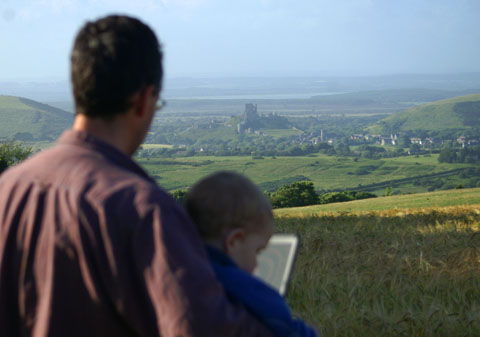
This was the view from my ‘office’ last week, on holiday in Dorset (that’s Corfe Castle you can see in the background). You never really get a day off when you run a microISV, but spending an hour a day answering emails isn’t too onerous. Certainly it is better than not going on holiday. Mobile Internet access is truly a wonderful thing.

The above photo was taken by Claire. Below is a panorama created using Autostitch from 8 separate photos taken by me (click to enlarge).

The joys and challenges of running a nomadic software company

la digue island,seychellesIn theory an Internet based software business isn’t tied to any particular geographical location and can be run from a laptop anywhere there is an Internet connection. So why not travel the world, financed by your business? Trygve & Karen Inda are doing just that. They kindly agreed to write this guest post discussing the practicalities of running a nomadic software company.
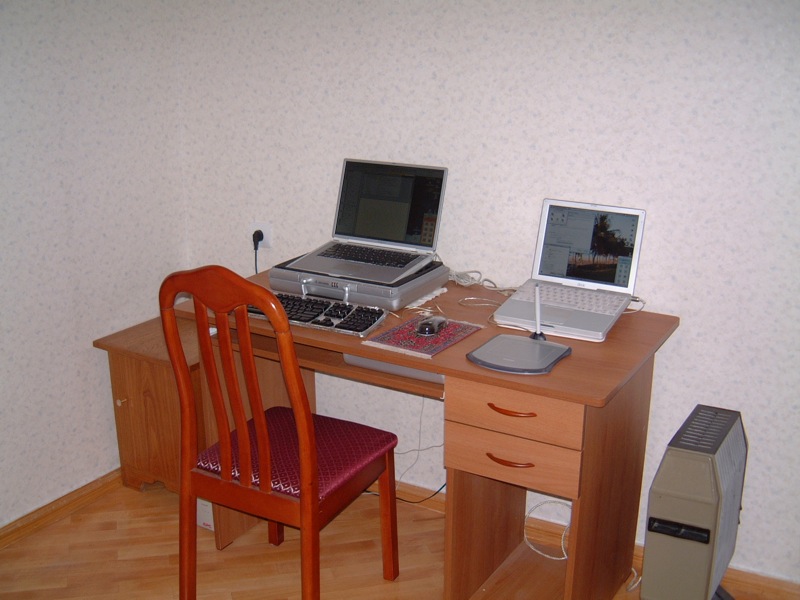

The freedom to wander aimlessly around the planet, visiting whichever countries you want, is something many people dream about. We have actually achieved it through our microISV. For the past six years, we have been living and working in numerous countries, with nothing more than our Mac laptops, backpacks, assorted cables and adaptors and an insatiable thirst for adventure.

We were thirty years old, with no kids and no debt, working steady jobs in Reno, Nevada, and had a small microISV on the side. It was a “nights and weekends” business that earned us dining out money, or even covered the rent in a good month. After September 11th, my husband Trygve’s day-job slowly went away, giving him more time to devote to our microISV. By March 2002, when we first released EarthDesk, the microISV had become his full-time job.

The response to EarthDesk was phenomenal and we soon realized that we could move overseas, bringing our microISV with us. Within several months, we had sold the bulk of our possessions, moved out of our apartment in Reno and purchased one-way tickets to Tbilisi, Republic of Georgia.

The experiment begins

For six months, we tried to manage our software business while teaching English and doing odd jobs for NGOs, newspapers and radio stations. We had brought with us two Mac laptops (a PowerBook G4 and an iBook G3), which were both maxed out as far as hard drive and memory were concerned, an extra battery for the G4, an external keyboard, a digital camera, and various cables and worldwide plug adaptors. We had also brought a CD case full of original software discs.

Tbilisi home office

In the end, the multiple infrastructure problems that plague the Republic of Georgia (mostly a serious lack of electricity) proved too much for us to bear. We escaped to Germany, carrying 170 pounds of stuff, including our two laptops, a UPS we had purchased in Tbilisi and a Persian carpet we had bargained for while on Christmas holiday in Dubai.

After a few weeks recovering in Germany, we spent a few months in Prague, Czech Republic. When the cold weather arrived, we flew south and spent eight months travelling around the Indian Ocean, South East Asia and Oceania. Shortly thereafter, we landed a software development contract in Dubai and relocated there, but regularly escape to Prague during the blistering summer months. We currently own a flat in central Prague and have considered buying a flat in Dubai.

Kampala, Uganda

By keeping a small base in one or two countries, we can have a “home”, a decent place to work and a life, while still taking long trips with the backpacks. Running the business from an apartment in the developed world is fairly straightforward. What’s challenging is running the business from a backpack while spending several months on the road.

The essentials

Everyone wants to sit on a beach and work only four hours a day, but the reality is a little different. If you are actually running your business, you’ll spend as much time working on the beach as you would in a cubicle. It’s certainly possible to work only an hour a day for a few weeks, but to develop and grow your business, you will need to spend time actually working, rather than sightseeing. It’s not a permanent holiday, but rather an opportunity for frequent changes of scenery.

As a practical matter, you can only travel with what you can carry and a good backpack with detachable day-pack is the only serious option. Since you are carrying a few thousand dollars worth of equipment, security becomes an issue, especially in poorly developed parts of the world. We generally stay in the least expensive hotels we can find that have adequate security and cleanliness, while occasionally splurging on something nicer to maintain our sanity. It is very important to budget properly for long trips. For some people this may be as much as $200/day, and for others it may be only $50/day, but managing expenditures is even more important when on the road. Of course you’ll soon realize that for the same money spent during 4 days in London, you could spend weeks in South East Asia or poorer parts of the Middle East.

On journeys of a month or more, we generally bring two up-to-date Mac laptops (currently 15″ and 17″ MacBook Pros), worldwide plug adaptors, software CDs, two iPods (one for backing up data), a digital camera and two unlocked 4-band GSM mobile phones. For longer-term backup we burn a data DVD about once per month and post it home.

Essential software includes Excel, Entourage, Filemaker Pro, Skype, iChat and, of course, the Apple Xcode Developer Tools. Speed Download saved us in Tbilisi because of its ability to resume downloads after our dial-up internet connection dropped the line, which it did every four minutes!

Surprisingly, the best Internet we have found in the developing world was in Phnom Penh. WiFi can often be found at big hotels, but it is more common to connect via Ethernet in a cafe, where a basic knowledge of Windows networking will allow you to configure your laptop to match the existing settings of the cafe’s PC. In the least developed countries, modems are still the norm.

Kigali, Rwanda

One important consideration, especially in countries where censorship is common, is that many places require you to use their SMTP server for outgoing mail. This may not work with your domain as a return address. To get around this, it’s useful to have a VPN, such as witopia.net, and an SMTP server at your domain.

Visas, taxes and other nasty stuff

If you have a western passport, visas usually only become an issue when you want to stay somewhere more than three months. Often, it is possible to do a “visa run,” in which you briefly leave the country and immediately return for another three months. Many countries make it easy to set up a local company, which can allow you to obtain longer-term residency visas, but there is a lot of paperwork involved with this. Staying more than six months as a “tourist” anywhere can be a problem as you’ll almost certainly have to deal with immigration issues.

Hong Kong

Although Dubai has straightforward immigration procedures and is a fabulous place to spend winters, the UAE Government blocks more websites than just about any other country on Earth. Even Skype is blocked because the local telecommunications company doesn’t want any competition. Unless you are able to find a way around the blocks (wink, wink), running any kind of internet business from Dubai will be fraught with difficulty.

Even if you are living in a tax haven, if you are a US Citizen, you can never fully avoid US taxes, although you can take advantage of the Foreign Exclusion. Local taxes aren’t really an issue if you’re just a “tourist” spending a few weeks in a country, but they can become an issue for long-term stays. If you are planning to stay somewhere for more than a couple months, and “settle”, you’ll need to research tax ramifications.

Sana, Yemen

Since we left the US, our taxes have become much more complicated. Fortunately, we found an American tax attorney to handle our annual filings. He lives abroad and therefore understands the Foreign Exclusion and other tax laws regarding expats. For our microISV, payment is handled online by two providers (always have a backup!), and ends up in a company account in America. We use a payroll service to pay our salaries into personal accounts, which we can access by ATM. We also have established a managed office in Nevada to act as our company headquarters and handle mail, voicemail and legal services.

We have no regrets about having left the US for our big adventure. We have truly lived our dream of being able to travel indefinitely, but sometimes it is wearying not knowing which country we will be living in just a few months into the future. Our ultimate goal is to own two properties on two continents so that we can travel between them with just a laptop.

by Karen Inda

photographs by Trygve and Karen Inda

Trygve & Karen Inda are the owners of Xeric Design. Their products include EarthDesk, a screensaver with a difference for Windows and Mac. They were last spotted in Prague.