Category Archives: article

Cookie tracking for profit and pleasure

It is great to make sales. But you really need to know where these sales are coming from to optimise your marketing. A simple and effective way to do this is through cookie tracking. The basic process is:

  • A visitor arrives at a web page on your site.
  • A script on your web page stores a small file (cookie) on their computer with some tracking details, e.g. the web page they came from, the date they arrived and the page they arrived at.
  • As they navigate to other pages the Javascript on these pages recognises that the cookie already exists and doesn’t modify it.
  • When (if) the visitor makes a purchase, the contents of the cookie are sent through to your payment provider.
  • Your payment provider sends back the cookie data with all the other information about the sale.

From the referrer you can find out what your customer typed into a search engine to find you. For example if the referrer is:

http://www.google.com/search?hl=en&q=backup software

You can infer that the purchaser found you by typing “backup software” into Google. This is incredibly useful information. Once you have amassed enough of it you can find out which keywords are most effective at selling your product. For example, whether “back-up software” makes more sales than “backup software” or “back-up programs”. This can be very helpful for fine-tuning your marketing message, SEO and PPC campaigns. You can also find out which websites purchasers are being referred from, and even how long purchasers take to make a sale after first arriving at your site.

You can get a lot of this information from Google Adwords conversion tracking. But you will only get data on sales through Adwords. I want data on all my sales. You can also get some of this information through Google Analytics. But you can only get the information in the form that Analytics wants you to have it and the price is allowing Google to see all this data as well. So I think it is well worth doing your own tracking, even if you are using Adwords conversion tracking and Analytics.

If you do use tracking cookies you will find that there is no cookie data for many transactions or the cookie data is unreliable. Reasons for this include:

  1. The cookie has expired before the customer made the purchase.
  2. The cookie has been pushed out of the cache by other cookies. Browsers only have a limited cookie cache, and your cookie might be pushed out of the cache by others long before any expiration date you set.
  3. A different person is buying the software to the person who first arrived at your site.
  4. A different computer or browser is used to buy the software to the one use to find the site.
  5. The customer clicked a button in your desktop software (not a browser) to go to your site, so there is no referrer information.
  6. A firewall or other software is blocking cookies.
  7. The customer has disabled JavaScript in their browser.

So cookie tracking data is never going to be particularly reliable. My own data shows that about 30% of sales don’t return cookie data. But it is likely to be considerably worse for B2B sales due to the longer sales cycles and the increased likelihood of the buyer not be being the person who first found the product.

With these caveats in mind, I think it is worth the time to set up cookie tracking. It is pretty quick and easy to do. You can even use the free JavaScript published at www.webmarketingplus.co.uk. Note the conditions of use. Note also what an ugly language JavaScript is[1]. I recommend placing the JavaScript in a single file which you include in each page, so you only have a single place to make modifications, for example:

<script language=“JavaScript” type=“text/javascript” src=“refercookie.js”> </script>

Sending the contents of the cookie to your payment provider is also quite straightforward. For example, for e-junkie I just use some JavaScript to extract the cookie contents and append:

&custom=<cookie contents>

to the end of the ‘Buy now’ button URL e-junkie gives you. The cookie data then comes back to me in the ‘custom:’ field of the e-junkie sale confirmation email (I believe all the major e-commerce providers support something similar). I then store the cookie data along with all the other sales data. I can use this data to generate various graphs and reports, including top-selling keywords and a graph of the time-taken to purchase. Unlike much of the data you get from Analytics this is data you can really use, e.g. for the top selling keywords:

  • Make sure they are in your Adwords campaign.
  • Write additional content pages based around these keywords to attract targeted traffic.
  • Consider including these keywords in the strapline on your home page.

The use of cookies does have privacy implications, but these are often overstated. In theory all the information in a cookie could be retrieved from server log files, cookies are just a more convenient way or doing it. Users can also disable cookies in their browser settings or using other software. I think it is fine to use cookies as long as you make this clear to your visitors. You should still have a clearly stated privacy policy for your website and this should contain a brief description of what information you are storing in cookies.

Knowing a bit about cookies can also help you as a consumer. A while back I was interested in buying a large VDU from Dell. I browsed around their site and found a good deal. I went back some time later to buy the monitor after I had bought a new PC, but the price had gone up considerably. On a hunch I deleted Dell’s cookie and refreshed the page. The price dropped back to the original price. I believe that Dell knew from a cookie that:

  1. I had logged in as a business user; and
  2. Had just purchased a new PC from Dell.

Consequently they expected me to be less price sensitive than a consumer shopping for just a VDU and upped the price. I can’t prove this. It is also possible (but unlikely) that they just happened to drop the price in the few seconds before I did a refresh. Anyway, try it next time you want to buy something expensive online. Note that it might be easier to use another browser (e.g. Opera or Safari) than to delete cookies. Let me know if you get a similar result.

[1] It has been said that JavaScript bears as much resemblance to Java as the Taj Mahal Indian restaurant bears to the Taj Mahal. And Java is hardly a ‘looker’.

Using defence in depth to produce high quality software

‘Defence in depth’ is a military strategy where the attacker is allowed to penetrate the defender’s lines, but is then gradually worn down by successive layers of defences. This strategy was famously used by the Soviet Army to halt the German blitzkrieg at the battle of Kursk, using a vast defensive network including trenches, minefields and gun emplacements. Defence in depth also has parallels in non-military applications. I use a defence in depth approach to detect bugs in my code. A bug has to pass through multiple layers of defences undetected before it can cause problems for my customers.

Layer 1: Compiler warnings

Compiler warnings can help to spot many potential bugs. Crank your compiler warnings up to maximum sensitivity to get the most benefit.

Layer 2: Static analysis

Static analysis takes over where compiler warnings leave off, examining code in great detail looking for potential errors. An example static analyser is Gimpel PC-Lint for C and C++. PC-Lint performs hundreds of checks for known issues in C/C++ code. The flip side of it’s thoroughness is that it can be difficult to spot real issues amongst the vast numbers of warnings and it can take some time to fine-tune the checking to a useful level.

Layer 3: Code review

A fresh set of eyes looking at your code will often spot problems that you didn’t see. There are various ways to go about this, including formal Fagan inspections, Extreme Programming style pair programming and informal reviews. There is quite a lot of documented evidence to suggest that this is one of the most effective ways to find bugs. It is also an excellent way to mentor less experienced programmers. But it is time consuming and can be hard on the ego of the person being reviewed. Also it isn’t really an option for solo developers

Layer 4: Self-checking

Of the vast space of states that a program can occupy, usually only a minority will be valid. E.g. it might makes no sense to set a zero or negative radius for a circle. We can check for invalid states in C/C++ with an assert() macro:

class Circle
{
    public:
        void setRadius( double radius );
    private:
        double m_radius;
}

void Circle::setRadius( double radius )
{
    assert( radius > 0.0 );
    m_radius = radius;
}

The program will now halt with a warning message if the radius is set inappropriately. This can be very helpful for finding bugs during testing. Assertions can also be useful for setting pre-conditions and post-conditions:

    void List::remove( Item* i )
    {
        assert( contains( i ) );
        ...
        assert( !contains( i ) );
    }

Or detecting when an unexpected branch is executed:

    switch ( shape )
    {
        case Shape::Square:
            ...
        break;

        case Shape::Rectangle:
            ...
        break;

        case Shape::Circle:
            ...
        break;

        case Shape::Ellipse:
            ...
        break;

        default:
            assert( false ); // shouldn't get here
        break;
    }

Assertions are not compiled into release versions of the software, which means they don’t incur any overhead in production code. But this also means:

  • Assertions are not a substitute for proper error handling. They should only be used to check for states that should never occur, regardless of the program input.
  • Calls to an assert() must not change the program state, or the debug and release versions will behave differently.

Different languages have different approaches, for example pre and post conditions are built into the Eiffel language.

Layer 5: Dynamic analysis

Dynamic checking usually involves automatically instrumenting the code in some way so that it’s runtime behaviour can be checked for potential problems such as: array bound violations, reading memory that hasn’t be written to and memory leaks. An example dynamic analyser is the excellent and free Valgrind for Linux. There are a few dynamic analysers for Windows, but they tend to be expensive. The only one I have tried in the last few years was Purify and it was flaky (do IBM/Rational actually use their own tools?).

Layer 6: Unit testing

Unit testing requires the creation of a test harness to execute various tests on a small unit of code (typically a class or function) and flag any errors. Ideally the unit tests should then be executed every time you make a change to the code. You can write your own test harnesses from scratch, but it probably makes more sense to use one of the existing frameworks, such as: NUnit (.NET), JUnit (Java), QUnit (Qt) etc.

According to the Test Driven Development approach you should write your unit tests before you write the code. This makes a lot of sense, but requires discipline.

Layer 7: Integration testing

Integration testing involves testing that different modules of the system work correctly together, particularly the interfaces between your code and hardware or third party libraries.

Layer 8: System testing

System testing is testing the system in it’s entirety, as delivered to the end-user. System testing can be done manually or automatically, using a test scripting tool.

Unit, integration and system testing should ideally be done using a coverage tool such as Coverage Validator to check that the testing is sufficiently thorough.

Layer 9: Regression testing

Regression testing involves running a series of tests and comparing the results to the same input data run on the previous release of the system. Any differences may be the result of bugs introduced since the last release. Regression testing works particularly well on systems that take a single input file and produce a single output file – the output file can just be diff’ed against the previous output.

Layer 10: Third party testing

Different users have different patterns of usage. You might prefer drag and drop, someone else might use right-click a lot and yet another person might prefer keyboard accelerators. So it would be unwise to release a system that has only ever been tested by the developer. Furthermore, the developer inevitably makes all sorts of assumptions about how the software will be used. Some of those assumptions will almost certainly be wrong.

There are a number of companies that can be paid by the day to do third party testing. I have used softwareexaminer.com in the past with some success.

Layer 11: Beta testing

End-user systems can vary in processor speed, memory, screen resolution, video card, font size, language choice, operating system version/update level and installed software. So it is necessary to test your software on a representative range of supported hardware + operating system + installed software. Typically this is done by recruiting users who are keen to try out new features, for example through a newsletter. Unfortunately it isn’t always easy to get good feedback from beta testers.

Layer 12: Crash reporting

If each of the above 11 layers of defence catches 50% of the bugs missed by the previous layer, we would expect only 1 bug in 2,048 to make it into production code undetected. Assuming your coding isn’t spectacularly sloppy in the first place, you should end up with very few bugs in your production code. But, inevitably, some will still slip through. You can catch the ones that crash your software with built-in crash reporting. This is less than ideal for the person whose software crashed. But it allows you to get detailed feedback on crashes and consequently get fixes out much faster.

I rolled my own crash reporting for Windows and MacOSX. On Windows the magic function call is SetUnhandledExceptionFilter. You can also sign up to the Windows Winqual program to receive crash reports via Windows’ own crash reporting. But, after my deeply demoralising encounter with Winqual as part of getting the “works with Vista” logo, I would rather take dance lessons from Steve Ballmer.

Test what you ship, ship what you test

A change of a single byte in your binaries could be the difference between a solid release and a release with a showstopper bug. Consequently you should only ship the binaries you have tested. Don’t ship the release version after only having tested the debug version and don’t ship your software after a bug fix without re-doing the QA, no matter how ‘trivial’ the fix. Sometimes it is better to ship with minor (but known) bugs than to try to fix these bugs and risk introducing new (and potentially much worse) bugs.

Cross-platform development

I find that shipping my software on Windows and MacOSX from a single code base has advantages for QA.

  • different tools with different strengths are available on each platform
  • the Gnu C++ compiler may warn about issues that the Visual Studio C++ compiler doesn’t (and vice versa)
  • a memory error that is intermittent and hard to track down on Windows might be much easier to find on MacOSX (and vice versa)

Conclusion

For the best results you need your layers of checks to be part of your day-to-day development, not something you do just before a release. This is best done by automating them as much as possible, e.g.:

  • setting the compiler to treat warnings as errors
  • performing static analysis and unit tests on code check-in
  • running regression tests on the latest version of the code every night

Also you should design your software in such a way that it is easy to test. E.g. building in log file output can make it much easier to perform regression tests.

Defence in depth can find a high percentage of bugs. But obviously the more bugs you start with the more bugs that will end up in your code. So it doesn’t remove the need for good coding practices. Quality can’t be ‘tested in’ to code afterwards.

I have used all 12 layers of defence above at some point in my career. Currently I am not using static analysis (I must update that PC-Lint licence), code review (I am a solo developer) and dynamic analysis (I don’t currently have a dynamic analyser for Windows or MacOSX). I could also do better on unit testing. But according to my crash reporting, the latest version of PerfectTablePlan has crashed just three times in the last 5000+ downloads (the same bug each time, somewhere deep down in the Qt print engine). Not all customer click the ‘Submit’ button to send the crash reports and crashes aren’t the only type of bug, but I think this is indicative of a good level of quality. It is probably a lot better than most of the other consumer software my customers use[1]. Assuming the crash reporting isn’t buggy, of course…

[1]Windows Explorer and Microsoft Office crash on a daily basis on my current machine.

The joys and challenges of running a nomadic software company

la digue island,seychellesIn theory an Internet based software business isn’t tied to any particular geographical location and can be run from a laptop anywhere there is an Internet connection. So why not travel the world, financed by your business? Trygve & Karen Inda are doing just that. They kindly agreed to write this guest post discussing the practicalities of running a nomadic software company.

The freedom to wander aimlessly around the planet, visiting whichever countries you want, is something many people dream about. We have actually achieved it through our microISV. For the past six years, we have been living and working in numerous countries, with nothing more than our Mac laptops, backpacks, assorted cables and adaptors and an insatiable thirst for adventure.

We were thirty years old, with no kids and no debt, working steady jobs in Reno, Nevada, and had a small microISV on the side. It was a “nights and weekends” business that earned us dining out money, or even covered the rent in a good month. After September 11th, my husband Trygve’s day-job slowly went away, giving him more time to devote to our microISV. By March 2002, when we first released EarthDesk, the microISV had become his full-time job.

The response to EarthDesk was phenomenal and we soon realized that we could move overseas, bringing our microISV with us. Within several months, we had sold the bulk of our possessions, moved out of our apartment in Reno and purchased one-way tickets to Tbilisi, Republic of Georgia.

The experiment begins

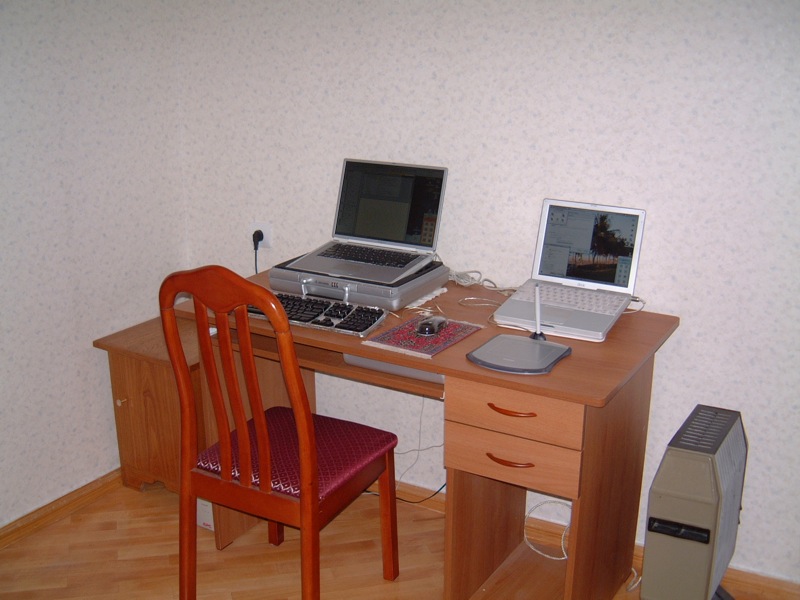
For six months, we tried to manage our software business while teaching English and doing odd jobs for NGOs, newspapers and radio stations. We had brought with us two Mac laptops (a PowerBook G4 and an iBook G3), which were both maxed out as far as hard drive and memory were concerned, an extra battery for the G4, an external keyboard, a digital camera, and various cables and worldwide plug adaptors. We had also brought a CD case full of original software discs.

Tbilisi home office

In the end, the multiple infrastructure problems that plague the Republic of Georgia (mostly a serious lack of electricity) proved too much for us to bear. We escaped to Germany, carrying 170 pounds of stuff, including our two laptops, a UPS we had purchased in Tbilisi and a Persian carpet we had bargained for while on Christmas holiday in Dubai.

After a few weeks recovering in Germany, we spent a few months in Prague, Czech Republic. When the cold weather arrived, we flew south and spent eight months travelling around the Indian Ocean, South East Asia and Oceania. Shortly thereafter, we landed a software development contract in Dubai and relocated there, but regularly escape to Prague during the blistering summer months. We currently own a flat in central Prague and have considered buying a flat in Dubai.

Kampala, Uganda

By keeping a small base in one or two countries, we can have a “home”, a decent place to work and a life, while still taking long trips with the backpacks. Running the business from an apartment in the developed world is fairly straightforward. What’s challenging is running the business from a backpack while spending several months on the road.

The essentials

Everyone wants to sit on a beach and work only four hours a day, but the reality is a little different. If you are actually running your business, you’ll spend as much time working on the beach as you would in a cubicle. It’s certainly possible to work only an hour a day for a few weeks, but to develop and grow your business, you will need to spend time actually working, rather than sightseeing. It’s not a permanent holiday, but rather an opportunity for frequent changes of scenery.

As a practical matter, you can only travel with what you can carry and a good backpack with detachable day-pack is the only serious option. Since you are carrying a few thousand dollars worth of equipment, security becomes an issue, especially in poorly developed parts of the world. We generally stay in the least expensive hotels we can find that have adequate security and cleanliness, while occasionally splurging on something nicer to maintain our sanity. It is very important to budget properly for long trips. For some people this may be as much as $200/day, and for others it may be only $50/day, but managing expenditures is even more important when on the road. Of course you’ll soon realize that for the same money spent during 4 days in London, you could spend weeks in South East Asia or poorer parts of the Middle East.

On journeys of a month or more, we generally bring two up-to-date Mac laptops (currently 15″ and 17″ MacBook Pros), worldwide plug adaptors, software CDs, two iPods (one for backing up data), a digital camera and two unlocked 4-band GSM mobile phones. For longer-term backup we burn a data DVD about once per month and post it home.

Essential software includes Excel, Entourage, Filemaker Pro, Skype, iChat and, of course, the Apple Xcode Developer Tools. Speed Download saved us in Tbilisi because of its ability to resume downloads after our dial-up internet connection dropped the line, which it did every four minutes!

Surprisingly, the best Internet we have found in the developing world was in Phnom Penh. WiFi can often be found at big hotels, but it is more common to connect via Ethernet in a cafe, where a basic knowledge of Windows networking will allow you to configure your laptop to match the existing settings of the cafe’s PC. In the least developed countries, modems are still the norm.

Kigali, Rwanda

One important consideration, especially in countries where censorship is common, is that many places require you to use their SMTP server for outgoing mail. This may not work with your domain as a return address. To get around this, it’s useful to have a VPN, such as witopia.net, and an SMTP server at your domain.

Visas, taxes and other nasty stuff

If you have a western passport, visas usually only become an issue when you want to stay somewhere more than three months. Often, it is possible to do a “visa run,” in which you briefly leave the country and immediately return for another three months. Many countries make it easy to set up a local company, which can allow you to obtain longer-term residency visas, but there is a lot of paperwork involved with this. Staying more than six months as a “tourist” anywhere can be a problem as you’ll almost certainly have to deal with immigration issues.

Hong Kong

Although Dubai has straightforward immigration procedures and is a fabulous place to spend winters, the UAE Government blocks more websites than just about any other country on Earth. Even Skype is blocked because the local telecommunications company doesn’t want any competition. Unless you are able to find a way around the blocks (wink, wink), running any kind of internet business from Dubai will be fraught with difficulty.

Even if you are living in a tax haven, if you are a US Citizen, you can never fully avoid US taxes, although you can take advantage of the Foreign Exclusion. Local taxes aren’t really an issue if you’re just a “tourist” spending a few weeks in a country, but they can become an issue for long-term stays. If you are planning to stay somewhere for more than a couple months, and “settle”, you’ll need to research tax ramifications.

Sana, Yemen

Since we left the US, our taxes have become much more complicated. Fortunately, we found an American tax attorney to handle our annual filings. He lives abroad and therefore understands the Foreign Exclusion and other tax laws regarding expats. For our microISV, payment is handled online by two providers (always have a backup!), and ends up in a company account in America. We use a payroll service to pay our salaries into personal accounts, which we can access by ATM. We also have established a managed office in Nevada to act as our company headquarters and handle mail, voicemail and legal services.

We have no regrets about having left the US for our big adventure. We have truly lived our dream of being able to travel indefinitely, but sometimes it is wearying not knowing which country we will be living in just a few months into the future. Our ultimate goal is to own two properties on two continents so that we can travel between them with just a laptop.

by Karen Inda

photographs by Trygve and Karen Inda

Trygve & Karen Inda are the owners of Xeric Design. Their products include EarthDesk, a screensaver with a difference for Windows and Mac. They were last spotted in Prague.

Sometimes the best way to recover Windows data is Linux

knoppixMy Windows laptop refused to boot into Windows. The ominous error message was:

Windows could not start because the following file is missing or corrupt:

\windows\system32\config\system

A quick Google suggested that the registry had been corrupted. I tried various things to recover the OS, including using the XP recovery console to manually restore a backup of the registry. It didn’t work.

No problem. I have a fairly paranoid back-up regime. All the important information on my laptop is also stored on my subversion server. I could just reformat the laptop, reinstall the applications (including subversion) and check out all the files again. Except that I hadn’t thought to include my wife’s files on the laptop in my back-up plans. Oops. After hours of making no progress recovering the data. I tried Knoppix. I got access to the data in not much longer than it took to download Knoppix.

Knoppix is a Linux distribution that can run from a CD (i.e. it doesn’t require installation on your harddisk). It is also capable of understanding Windows file systems. To use it:

  1. Download the latest Knoppix CD .iso file (approx 700MB). Note – The DVD version is much larger.
  2. Burn the .iso to a CD, for example using the free Active ISO Burner.
  3. Boot the stricken machine from the Knoppix CD. You may need to change your system to BIOS to boot from the CD first. How you access the BIOS varies between machines. On my Toshiba laptop you press F2 as the system boots.
  4. Drag and drop data from the stricken machine to a USB harddisk or memory stick. Or copy to another machine using FTP from Knoppix. The Knoppix user interface is easy enough to use, even if you haven’t used Linux before.

Note that you don’t have to enter your Windows password to recover the files. This brings homw how easy it is to get data off a password protected Windows machine, if you have physical access to the machine. Another good reason to encrypt sensitive data on your laptop, for example using the free Truecrypt.

Thanks Knoppix! I’ve added you to my mental list of worthy software causes to make a small donation to one day. Obviously you need access to a functioning machine to do the above. So why not make a Knoppix CD now, while everything is fine? You never know when you might need it.

Further reading:

Life hacker: Rescue files with a boot CD

Getting customer feedback

Lack of feedback is one of the most difficult things about caring for a small child. You know they are unhappy because they are crying. But you don’t know if that unhappiness is due to: hunger, thirst, too hot, too cold, ear ache, stomach ache, wind, tiredness, boredom, teething or something else. They can’t tell you, so you can only guess. Creating software without feedback is tough for the same reasons. You know how well or badly you are doing by the number of sales, but without detailed feedback from your customers and prospective customers, it is difficult to know how you could do better.

The importance of feedback is amply illustrated by many of the stories of successful companies in the excellent book “Founders at work” by Jessica Livingston. For example, PayPal started out trying to sell a crypto library for the PalmPilot. They went through at least 5 changes of direction until they realised that what the market really wanted was a way to make payments via the web.

So good feedback is essential to creating successful software. But how do you get the feedback?

Face-to-face meetings

Meeting your customers face-to-face can give you some detailed feedback. But is time consuming and doesn’t scale when you have hundreds or thousands of customers. You can meet a lot of customers at a exhibitions, but it hardly an ideal venue for any sort of in-depth interaction. Also, they may be too polite to tell you what they really think to your face.

Technical support

Technical support emails and phone calls are a gold-mine of information on how you can improve your product. If one customer has a particular problem, then they might be having a bad day. But if two or more customers have the same problem, then it is time to start thinking about how you can engineer out the problem. This will both improve the utility of your product and reduce your support burden.

In order to take advantage of this feedback the people taking the support calls need to be as close to the developers as possible. Ideally they should be the same people. Even if you have separate support and development staff you should seriously think about rotating developers through support to give them some appreciation of the issues real users have with their creation. Outsourcing your support to another company/country threatens to completely sever this feedback.

Monitoring forums and blogs

Your customers are probably polite when they think you are listening. To find out what they really think it can be useful to monitor blogs and relevant forums. Regularly monitoring more than one or two forums is very time-consuming, but you can use Google alerts to receive an alert email whenever a certain phrase (e.g. your product name) appears on a new web page. This feedback can be valuable, but it is likely to be too patchy to rely on.

Usability testing

A usability test is where you watch a user using your software for the first time. You instruct them to perform various typical tasks and watch to see any issues that occur. They will usually be asked to say out loud about what they are thinking to help give you more insight. There really isn’t much more to it than that. If you are being fancy you can video it for further analysis.

Usability tests can be incredibly useful, but it isn’t always easy to find willing ‘virgins’ with a similar background to your prospective users. Also the feedback from usability tests is likely to be mainly related to usability issues, it is unlikely to tell you if your product is missing important features or whether your price is right.

Uninstall surveys

It is relatively easy to pop-up a feedback form in a browser when a user uninstalls your software. I tried this, but got very few responses. If they aren’t interested enough in your software to buy it, they probably aren’t interested enough to take the time to tell you why. Those that I did get were usually along the lines “make it free”[1].

Post purchase surveys

I email all my customers approximately 7 days after their purchase to ask whether there is anything they would like me to add/improve/fix in the next version of the software. The key points about this email are:

  • I give them enough time to to use the software before I email them.
  • I increase the likelihood of getting an answer by keeping it short.
  • I make the question as open as possible. This results in much more useful information than, say, asking them to rate the software on a one to ten scale.
  • I deliberately frame the question in such a way that the customer can make negative comments without feeling rude.

The responses fall into five categories[2]:

  1. No response (approx 80%). They didn’t respond when given the opportunity, so I guess they must be reasonably happy.
  2. Your software is great (approx 10%). This really brightens up my day. I email them back to ask for permission to use their comment as a testimonial. Most people are only too happy to oblige.
  3. Your software is pretty good but it doesn’t do X (approx 10%). Many times my software actually does do X – I tell them how and they go from being a satisfied customer to a very happy customer. Also it gives me a pointer that I need to make it clearer how to do X in the next version. If my software doesn’t do X, then I have some useful feedback for a new feature.
  4. Your software sucks, I want my money back (rare). Thankfully I get very few of these, but you can’t please all of the people all of the time. Sometimes it is possible to address their problem and turn them from passionately negative to passionately positive. If not, I refund them after I get some detailed feedback about why it didn’t work for them[3].
  5. Stop spamming me (very rare). From memory this has happened once.

I consider them all positive outcomes, except for the last one. Even if I have to make a refund, I get some useful feedback. Anyway, if you didn’t find my software useful, I don’t really want your money.

Being pro-active like this does increase the number of support emails in the short-term. But it also gives you the feedback you need to improve your usability, which reduces the number of support emails in the longer term. I think the increased customer satisfaction is well worth the additional effort. Happy customers are the best possible form of marketing. Post-purchase emails are such a great way to get feedback, I don’t know why more people don’t use them. Try it.

If you make it clear that you are interested in what your customers have to say they will take more time to talk to you. If you act on this feedback it will improve your product (some of the best features in my software has come from customer suggestions). A better product means more customers. More customers means more feedback. It is a virtuous cycle.

All you have to do is ask.

[1] Only if you pay my mortgage. Hippy.

[2] The percentages are guesstimates. I haven’t counted them.

[3] My refund policy specifies that the customer has to say what they didn’t like about the software before I will issue a refund.

Selling your software in retail stores (all that glitters is not gold)

Selling your software in retail storesDevelopers often ask in forums how they can get their software into retail. I think a more relevant question is – would you want to? Seeing your software for sale on the shelves of your local store must be a great ego boost. But the realities of selling your software through retail are very different to selling online. In the early days of Perfect Table Plan I talked to some department stores and a publisher about selling through retail. I was quite shocked by how low the margins were, especially compared with the huge margin for online sales. I didn’t think I was going to make enough money to even cover a decent level of support. So I walked away at an early stage of negotiations.

The more I have found out about retail since, the worse it sounds. Running a chain of shops is an expensive business and they are going to want take a very large slice of your cake. The various middlemen are also going to take big slices. Because they can. By the time they have all had their slices there won’t be much left of your original cake. That may be OK if the cake (sales volume) is large enough. But it is certainly not something to enter into lightly. Obviously some companies make very good money selling through retail, but I think these are mostly large companies with large budgets and high volume products. Retail is a lot less attractive for small independents and microISVs such as myself.

But software retail isn’t an area I claim to be knowledgeable about. I just know enough to know that it isn’t for me, at least not for the foreseeable future (never say never). So when I spotted a great post on the ASP forums about selling through retail, I asked the author, Al Harberg, if I could republish it here. I thought it was too useful to be hidden away on a private forum. He graciously agreed. If you decide to pursue retail I hope it will help you to go into it with your eyes open. Over to Al.

In the 24 years that I’ve been writing press releases and sending them to the editors, more than 90 percent of my customers have been offering software applications on a try-before-you-buy basis. In addition, quite a few of them have ventured into the traditional retail distribution channel, boxed their software, and offered it for sale in stores. This is a summary of their retail store experiences.

While the numbers vary greatly, a software arrangement would have revenues split roughly:

  • Retail store – 50 percent
  • Distributor – 10 percent
  • Publisher – 30 to 35 percent
  • Developer – 5 to 10 percent

Retail stores don’t buy software from developers or from publishers. They only buy from distributors.

The developer would be paid by the publisher. In the developer’s contract, the developer’s percentage would be stated as a percentage of the price that the publisher sells the software to the distributor, and not as a percentage of the retail store’s price.

The publishers take most of the risks. They pay the $30,000(US) or so that it currently takes to get a product into the channel. This includes the price of printing and boxing the product, and the price of launching an initial marketing campaign that would convince the other parties that you’re serious about selling your app.

If your software doesn’t sell, the retail stores ship the boxes back to the distributor. The distributor will try to move the boxes to other dealers or value-added resellers (VARs). But if they can’t sell the product, the distributors ship the cartons back to the publisher.

While stores and distributors place their time at risk, they never risk many of their dollars. They don’t pay the publisher a penny until the software is sold to consumers (and, depending upon the stores’ return policies, until the product is permanently sold to consumers – you don’t make any money on software that is returned to the store, even though the box has been opened, and is not in good enough condition to sell again).

The developer gets paid two or three months after the consumer makes the retail purchase. Sometimes longer. Sometimes never. If you’re dealing with a reputable publisher, and they’re dealing with a major distributor, you’ll probably be treated fairly. But most boilerplate contracts have “after expenses” clauses that protect the other guys. You need to hire an attorney to negotiate the contract, or you’re not going to be happy with the results. And your contract should include an up-front payment that covers the publisher’s projection of several months’ income, because this up-front payment might well be the only money that you’re going to ever see from this arrangement.

Retail stores’ greatest asset is their shelf space. They won’t stock a product unless there is demand for it. You can tell them the most convincing story in the world about how your software will set a new paradigm, and be a runaway bestseller. But if the store doesn’t have customers asking for the app, they’re not going to clutter their most precious asset with an unknown program.

It’s a tough market. It’s all about sales. And if there is no demand for your software, you’re not going to get either a distributor or a store interested in stocking your application. These folks are not interested in theoretical demand. They’re interested in the number of people who come into a retail store and ask for the product.

To convince these folks that you’re serious, the software publisher has to show a potential distributor that they have a significant advertising campaign in place that will attract prospects and create demand, and that they have a press release campaign planned that will generate buzz in the computer press.

Many small software developers have found that the retail experience didn’t work for them. They’re back to selling exclusively online. Some have contracted with publishers who sell software primarily or exclusively online. Despite all of the uncertainties of selling software online, wrestling with the retail channel has even more unknowns.

Al Harberg

Al Harberg has been helping software developers write press releases and send them to the editors since 1984. You can visit his website at www.dpdirectory.com.

Functional programming – coming to a compiler near you soon?

We can classify programming languages into a simple taxonomy:

Commercial programmers have overwhelmingly developed software using imperative languages, with a strong shift from procedural languages to object oriented languages over time. While declarative style programming has had some successes (most notably SQL), functional programming (FP) has been traditionally seen as a play-thing for academics.

FP is defined in Wikipedia as:

A programming paradigm that treats computation as the evaluation of mathematical functions and avoids state and mutable data.

Whereas an imperative language allows you to specify a sequence of actions (‘do this, do that’), a functional language is written in terms of functions that transform data from one form to another. There is no explicit flow of control in a functional language.

In an imperative language variables generally refer to an address in memory, the contents of which can change (i.e. is ‘mutable’). For example the rather unmathematical looking “x=x+1” is a valid expression. In FP there are no mutable variables and no state.

In an imperative language a function can return different values for the same input, either because of stored state (e.g. global or static variables) or because it is interfacing with an external device (e.g. a file, database, network or system clock). But a pure functional language always returns the same value from a function given the same input. This ‘referential integrity’ means an FP function call has no ‘side-effects’ and consequently can’t interface with external devices. In other words it can’t actually do anything useful – it can’t even display the result of a computation to your VDU. The standard joke is that you only know a pure functional program is running because your CPU gets warmer.

The functional language Haskell works around the side-effects issue by allowing some functions to access external devices in a controlled way through ‘monads’. These ‘impure’ functions can call ‘pure’ functions, but can never be called by them. This clearly separates out the pure parts of the program (without side-effects) from the impure ones (with side-effects). This means that it is possible to get many of the advantages of FP and still perform useful tasks.

FP is much closer to mathematics than imperative programming. This means that some types of problems (particularly algorithmic ones) can be expressed much more elegantly and easily as functional programs. The fact that a function has no side effects also means that it’s structure is much easier to analyse automatically. Consequently there is greater potential for a computer to optimise a functional program than an imperative program. For example in FP:

y = f(x) + f(x);

Can always be rewritten as:

z = f(x);

y = 2 * z;

Saving a function call. This is more difficult to do in an imperative language, because you need to show that second call to f(x) won’t return a different value to the first.

Functional programs are also inherently much easier to parallelise, due to the lack of side-effects. We can let the FP interpreter/compiler take care of parallelism. No need to worry about threads, locks, critical sections, mutexes and deadlocks. This could be very useful as processors get ever more cores. However imperative languages, with their flow of control and mutable variables, map more easily than functional languages onto the machine instruction of current (von Neumann architecture) computer. Consequently writing efficient FP interpreters and compilers is hard and still a work in progress.

Elements of FP are steadily making their way into mainstream commercial software:

  • Erlang is being used in commercial systems, including telecoms switching systems.
  • Microsoft Research has implemented F#, a .Net language that includes FP elements based on ML.
  • Work is underway to add elements of FP to version 2.0 of the D programming language.
  • Google’s MapReduce is based on ideas from FP.
  • The Mathematica programming language has support for FP.
  • The K programming language is used in financial applications.
  • The Perl 6 compiler is being written in Haskell. <insert your own sarcastic comment here>.

I recently attended ACCU 2008 which had a whole stream of talks on FP. All the FP talks I attended were packed out. That is quite something given that the audience is primarily hardcore C++ programmers. There seemed to be quite a consensus in these talks that:

  • FP is starting to move out of academia and into commercial use.
  • FP is more suitable than imperative style programming for some classes of problem.
  • FP is not going to replace imperative programming. The bulk of commercial development will still be done in an imperative style, but with FP mixed in where appropriate.
  • Hybrid languages that mix OO and FP will become more common.

I don’t see Haskell replacing C++ any time soon. But I can definitely see the benefits of using FP to tackle some types of problems.

Further reading:

The Functional programming reference in Wikipedia

This article is based loosely on notes I made at ACCU 2008 from attending the following talks:

  • “Caging the Effects Monster: the next decade’s big challenge”, Simon Peyton-Jones
  • “Functional Programming Matters”, Russel Winder
  • “Grafting Functional Support on Top of an Imperative Language”, Andrei Alexandrescu

Any mistakes are almost certainly mine.

Choosing a development ‘stack’ for Windows desktop applications

beauty_parade.jpgI have have heard plenty of people saying that desktop software is dead and that all future development will be done for the web. From my perspective, as both a buyer and seller of software, I think they are wrong. In fact, of the thousands of pounds I have spent on software in the last three years, I would guess that well over 90% of it was spent on software that runs outside the browser. The capabilities of web based applications have improved a lot in recent years, but they still have a long way to go to match a custom built native application once you move beyond CRUD applications. I don’t expect to be running Visual Studio, PhotoShop or VMWare (amongst others) inside the browser any time soon. The only way I see web apps approaching the flexibility and performance of desktop apps is for the browser to become as complicated as an OS, negating the key reason for having a browser in the first place. To me it seems more likely that desktop apps will embed a browser and use more and more web protocols, resulting in hybrid native+web apps that offer the best of both worlds.

So, if Windows desktop apps aren’t going away any time soon, what language/libraries/tools should we use to develop them? It is clear that Microsoft would like us to use a .Net development environment, such as C#. But I question the wisdom of anyone selling downloadable off-the-shelf software based on .Net [1]. The penetration of .Net is less than impressive, especially for the more recent versions. From stats published by SteG on a recent BOS post (only IE users counted):

No .Net: 28.12%
>= .Net 1.0: 71.88%
>= .Net 1.1: 69.29%
>= .Net 2.0: 46.07%
>= .Net 3.0: 18.66%
>= .Net 3.5: 0.99%

Consequently deploying your app may require a framework update. The new .Net 3.5 framework comes with a 2.7 MB installer, but this is only a stub that downloads the frameworks required. The full set of frameworks weighs in at eye watering 197 MB. To find out how much the stub really downloads Giorgio installed .Net 3.5 onto a Windows 2003 VM with only .Net 1.0 & 1.1. The result: 67 MB. That is still a large download for most people, especially if your .Net 3.5 software is only a small utility. It is out of the question if you don’t have broadband. Microsoft no doubt justify this by saying that the majority of PCs will have .Net 3.5 pre-installed by the year X. Unfortunately by the year X Microsoft will probably be pushing .Net 5.5 and I dread to think how big that will be.

I have heard a lot of people touting the productivity benefits of C# and .Net, but the huge framework downloads can only be a major hurdle for customers, especially for B2C apps. You also have issues protecting your byte code from prying eyes, and you can pretty much forget cross-platform development. So I think I will stick to writing native apps in C++ for Windows for the foreseeable future.

There is no clear leader amongst the development ‘stacks’ (languages+libraries+tools) for native Win32 development at present. Those that spring to mind include:

  • Delphi – Lots of devoted fans, but will CodeGear even be here tomorrow?
  • VB6 – Abandoned and unloved by Microsoft.
  • Java – You have to have a Java Run Time installed, and questions still remain about the native look and feel of Java GUIs.
  • C++/MFC – Ugly ugly ugly. There is also the worry that it will be ‘deprecated’ by Microsoft.
  • C++/Qt – My personal favourite, but expensive and C++ is hardly an easy-to-use language. The future of Qt is also less certain after the Nokia acquisition.

Plus some others I know even less about, including: RealBasic and C++/WxWidgets. They all have their down sides. It is a tough choice. Perhaps that is why some Windows developers are defecting to Mac, where there is really only one game in town (Objective-C/Cocoa).

I don’t even claim that the opinions I express here are accurate or up-to-date. How could they be? If I kept up-to-date on all the leading Win32 development stacks I wouldn’t have any time left to write software. Of the stacks listed I have only used C++/MFC and C++/Qt in anger and my MFC experience (shudder) was quite a few years ago.

Given that one person can’t realistically hope to evaluate all the alternatives in any depth, we have to rely on our particular requirements (do we need to support cross platform?), hearsay, prejudice and which language we are most familiar with to narrow it down to a realistic number to evaluate. Two perhaps. And once we have chosen a stack and become familiar with it we are going to be loathe to start anew with another stack. Certainly it would take a lot for me to move away from C++/Qt, in which I have a huge amount of time invested, to a completely new stack.

Which Windows development stack are you using? Why? Have I maligned it unfairly above?

[1] Bespoke software is a different story. If you have limited deployment of the software and can dictate the end-user environment then the big download is much less of an issue.

Your harddrive *will* fail – it’s just a question of when

failed harddisksThere are a few certainties in life: death, taxes and harddisk failure. I have no less than 6 failed harddisks sitting here on my desk patiently awaiting their appointment with Mr Lump Hammer. 2 Seagates, 3 Maxtors and 1 Western Digital. This equates to roughly one disk failure per year. Perhaps this is not suprising given that I have about 9 working harddisks at the moment spread across various machines. Given the incredible tolerances to which harddisks are manfactured, perhaps it is a miracle harddisks work at all.

As an analogy, a magnetic head slider flying over a disk surface with a flying height of 25 nm with a relative speed of 20 meters/second is equivalent to an aircraft flying at a physical spacing of 0.2 µm at 900 kilometers/hour. This is what a disk drive experiences during its operation. –Magnetic Storage Systems Beyond 2000, George C. Hadjipanayis from Wikipedia

We all know we need to back-up our data. But it is a chore that often gets forgotten at the most critical periods. Here are my hints for preparing yourself for that inevitable ‘click of death’.

  • Buy an external USB/Firewire harddrive. 500GB drives are ridiculously cheap these days. Personally I don’t like back-up tapes due to experiences of them stretching and corrupting data.
  • Back-up images of the entire OS, not just the data. You can use Acronis TrueImage on Windows and SuperDuper on MacOSX. This can save you days restoring your entire development environment and applications from scratch.
  • Back-up individual files as well as entire OS images. You don’t want to have to restore a whole image to retrieve one critical file. Windows Vista and Mac OS X Leopard both have back-up applications built into the OS.
  • Use a separate machine to your development machine as source code server.
  • Use a RAID-1 (mirrored) disk on your main development machine[1]. It is worth noting that this actually doubles the likelihood of harddisk failure, but makes the likelihood of a catastrophic failure much lower. Keep an identical 3rd drive on hand to swap in when a drive fails.
  • Back-ups aren’t much use if they get incinerated along with your office in a fire, so store copies off-site. For example you can:
  • Make sure any off-site copies are securely encypted, for example using Axcrypt.
  • Automate your back-ups as far as possible. Computers are much better at the dull repetitive stuff.
  • Test restoring data once in a while. There is not much point backing up data only to find you can’t restore it when needed.

There are lots of applications for backing up individual files. So many in fact, that no-one has any hope of evaluating them all (marketing tip: don’t write another back-up application – really). I also worry that data stored in their various proprietary formats might not be accessible in future due to the vendor going out of business. I find the venerable DOS xcopy adequate for my needs. I run it in a scheduled Windows batch file to automatically synch file changes on to my usb harddrive (i:) every night. Here it is in all its glory:

XCOPY c:\data i:\data /d /i /s /v /f /y /g /EXCLUDE:exclude.txt

The exclude.txt file is used to exclude subversion folders and intermediate compiler files:

\.svn\
.obj
.ilk
.ncb
.pdb
.bak>

Which of the above do I do? Pretty much all of them actually. At least I try, I haven’t yet automated the offsite backup. This may seem rather excessive, but it paid dividends last month when gremlins went on the rampage here in the Oryx Digital office. I had 2 harddrive failures in 2 weeks. The power supply+harddisk+network card on my old XP development machine failed then, while I was in the process of moving everything to my new Vista development machine, one of the RAID-1 disks on the new machine failed.

Things didn’t go quite according to plan though. The new RAID-1 box wouldn’t boot from either harddisk. I have no idea why.

raid1Also the last couple of weekly Acronis image back-ups had failed and I hadn’t done anything about it. I had recent back-ups of all the important data, but I faced a day or more reinstalling all the apps I had installed since the last successful image. It took several hours on the phone to Dell technical support and much crawling around on the floor before I could I get the new RAID-1 box to boot off one harddisk. I was then able to rebuild RAID-1 using the spare harddisk I had on standby for such an eventuality. Nothing was lost, apart from my sense of humour.

Dell offered to replace the defective harddisk under warranty, but I declined on the grounds that there is far too much valuable information on this disk (source code, digital certificate keys, customer details etc) for me to entrust it to any third party. Especially given that Dell reserve the right to refurbish the harddisk and send it to someone else. What if they forgot to wipe it? My experiences with courier companies also haven’t given me great confidence that the disk would reach Dell. And I didn’t want to receive a reburbished disk as a replacement. It just isn’t worth relying on a refurb given how cheap new harddisks are. So the harddisk has joined the back of the growing queue to see Mr Lump Hammer.

The availability of cheap harddisks and cheap bandwidth means that it has never been easier to backup your systems. No more fiddling with mag tapes. Of course it is possible that your harddisk will work perfectly until it becomes obselete, but I think it would be very unwise to assume that this will be the case. Don’t say I didn’t warn you…

Further reading:

What’s your backup strategy? (the prolific and always worth reading Jeff Atwood beats me to the punch)

[1] RAID-1 is built in to some Intel motherboards and is available as a relatively inexpensive extra from Dell. You may have to ask for it though – it wasn’t listed as a standard configuration option when I purchased my Dell Dimension 9200.

[2] Since I wrote this article I installed the latest version of JungleDisk on my Vista box. On the 3 occasions I have tried to use it it hung Vista to the point where I had to I had to cut the power in order to reboot. I have now uninstalled it.

Seeing your software through your customers’ eyes

usabilityWe all like to think that our software is easy to use. But is it really? How do you know? Have you ever watched anyone use it? When I asked this questions to a room full of developers last year I was surprised at how many hadn’t.

Other people don’t see the world the way you do. Their weltanschauung (view on the world) is influenced by their culture, education, expectations, age, gender and many other factors. Below is a copy of a card I received for my birthday a few weeks ago (click for a larger image) which I think illustrates the gulf between how developers and their customers see the world rather well.

birthday_card.jpg

If your customers are also developers the difference in backgrounds may not be so large. But the difference in how they see your software and how you see it is still huge. You have been working on your software for months or years. You know everything worth knowing about it down to the last checkbox and command line argument. But your potential customer is probably going to download it and play with it for just a few minutes, or a few hours if you are lucky, before they decide if it is the right tool for the job. If they aren’t convinced, your competitors are only a few clicks away. To maximise your chances of making a sale you need to see your software afresh through your customer’s eyes. You can get some useful feedback from support emails, but the best way to improve the ease of use of your software is to watch other people using it. This is usually known as usability testing.

The basic idea of usability testing is that you take someone with a similar background to your target audience, who hasn’t seen your software before and ask them to perform a typical series of tasks. Ideally they should try to speak out loud what they are thinking to give you more insight into their thought processes. You then watch what they do. Critically, you do not assist them, no matter how irresistible the urge. The results can be quite surprising and highly revealing. Usability testing can be very fancy with one way mirrors, video cameras etc, but that really isn’t necessary to get most of the benefits. There is a good description of how to carry out usability tests in Krug’s excellent book Don’t make me think: a common sense guide to web usability. Most of his advice is equally applicable to testing desktop applications.

The main problems with usability testing are logistical. You need to find the right test subjects and arrange the time and location for testing. You also need to decide how you are going to induce them to give up an hour of their time. Worst of all, once you have used someone they are ‘tainted’ and can’t be used again (except perhaps to test changes in the new versions). It’s a hassle. Or at least it was. Much of this hassle is now taken care of for you by new web-based service www.usertesting.com .

The idea behind usertesting.com is very simple. You buy a number of tests for your website and specify your website url, the tasks you want carried out and the demographics (e.g. preferred age, gender and expertise of testers). Testers are then selected for you and carry out the testing. Once tests have been completed a flash audio+video recording of the session and a brief written report is uploaded for you. Finally you rate the testers on a 5-star scale. Presumably testers who score well will get more work in future. Ideally you should re-run your usability testing after any changes to verify that they are an improvement. I don’t know if usertesting.com allows for the fact that you probably won’t want the same tester a second time for the same project.

I paid $57 for 3 tests on perfecttableplan.com. I was happy with the tests, which pointed out a number of areas I can improve on. There was a problem which meant one of the tests still hadn’t been completed 4 days later. I emailed support and they sorted this out in a timely fashion. It is a new service and they are still ironing out a few glitches. Given the low costs and the 30 day money back guarantee I think it is definitely worth a try. It won’t take many extra conversions to repay your investment. usertesting.com is probably more useful to those of us selling to the wider consumer market. If you are selling to specialised niches (e.g. developers, actuaries, llama breeders) they might have difficulty finding suitable testers.

Unfortunately usertesting.com is currently only available for website usability testing. When I emailed them to suggest they extend the service to desktop apps they told me that it this might be a possibility if there was sufficient interest. I will be first in-line if such a service becomes available. Until then I am left with the hassle of organising my own usability tests. It occurs to me that I could do this remotely using a service such as copilot.com (now free at weekends)+Skype. This might be a good workaround for the fact that my office isn’t really big enough for two people (especially if they don’t know me very well!). It would also allow me to do testing with customers outside the UK, e.g. professional wedding planners in the USA. If I do try this I will report back on how I get on.