Author Archives: Andy Brice

20 years working on the same software product

I released version 1 of my table seating planning software, PerfectTablePlan, in February 2005. 20 years ago this month. It was a different world. A world of Windows, shareware and CDs. A lot has changed since then, but PerfectTablePlan is now at version 7 and still going strong.

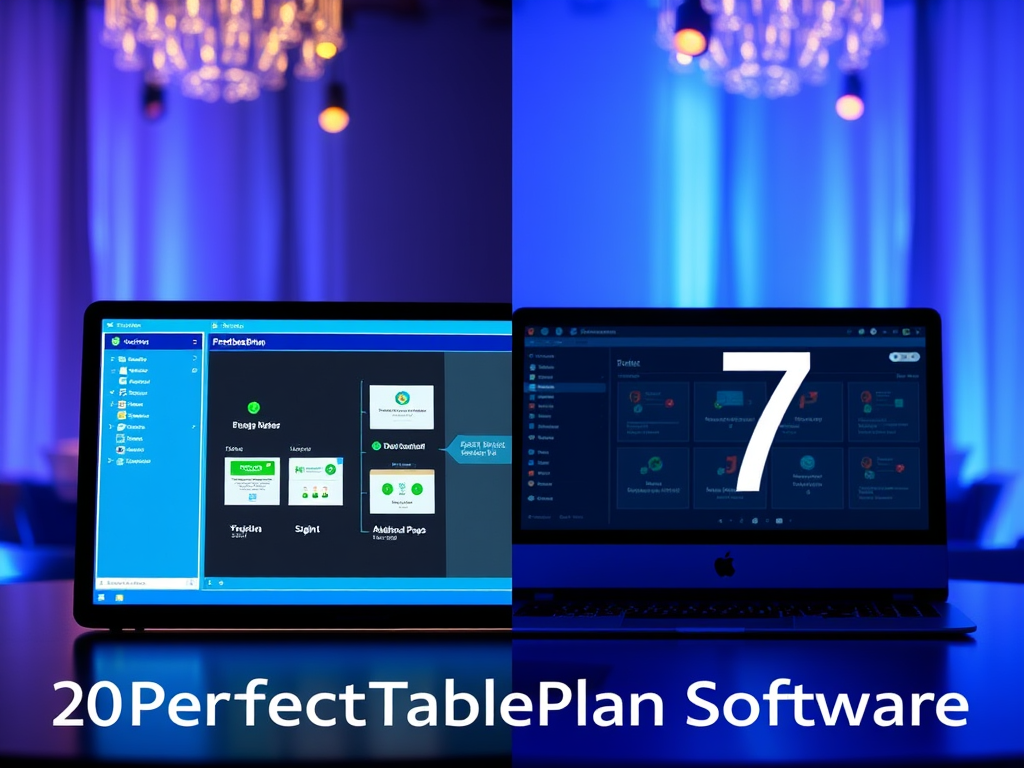
PerfectTablePlan v1

PerfectTablePlan v7

I have released several other products since then, and done some training and consulting, but PerfectTablePlan remains my most successful product. It’s success is due to a lot of hard work, and a certain amount of dumb luck.

I was getting married and I volunteered to do the seating plan for our wedding reception. It sounded like a relatively straightforward optimization problem, as we only had 60 guests and no family feuds to worry about. But it was surprisingly difficult to get right. I looked around for some software to help me. There were a couple of software packages, but I wasn’t impressed. I could do better myself! So I wrote a (very rough) first version, which I used for our wedding.

Things weren’t going great at my day job, at a small software startup. Maybe I could commercialize my table planner? I was a bit wary, as my potential competitors all seemed rather moribund and I didn’t think I would be able to make a living off it. But I thought I could do everything worth doing in 6-12 months and then start on the next product. Wrong on both counts!

Web-based software was still in its infancy in 2005. So I decided to write it as desktop software using C++ and cross-platform framework Qt, which I had plenty of experience in. Initially, I just released a Windows version. But I later added a Mac version as well. Qt has had its commercial ups and downs in the last 20 years, but it has grown with me and is now very robust, comprehensive and well documented. I think I made a good choice.

I financed PerfectTablePlan out of my own savings and it has been profitable every year since version 1 was launched. I could have taken on employees and grown the business, but I preferred to keep it as a lifestyle business. My wife does the accounts and proof reading and I do nearly everything else, with a bit of help from my accountant, web designers and a few other contractors. I don’t regret that decision. 20 years without meetings, ties or alarm clocks. My son was born 18 months after PerfectTablePlan was launched and it has been great to have the flexibility to be fully present as a Dad.

CDs, remember them? I sent out around 5,000 CDs (with some help from my father), before I stopped shipping CDs in 2016.

During the lifetime of PerfectTablePlan it became clear that things were increasingly moving to the web. But I couldn’t face rewriting PerfectTablePlan from scratch for the web. Javascript. Ugh. Also PerfectTablePlan is quite compute intensive, using a genetic algorithm to generate an automated seating plan and I felt it was better running this on the customer’s local computers than my server. And some of my customers consider their seating plans to be confidential and don’t want to store them on third party servers. So I decided to stick with desktop. But, if I was starting PerfectTablePlan from scratch now, I might make a different decision.

Plenty of strange and wonderful things have happened over the last 20 years, including:

  • PerfectTablePlan has been used by some very famous organizations for some very famous events (which we mostly don’t have permission to mention). It has seated royalty, celebrities and heads of state.
  • PerfectTablePlan was used as part of a demonstration of the (controversial) first commercial quantum computer by D-Wave.
  • A mock-up of PerfectTablePlan, including icons I did myself, was used without our permission by Sony in their ‘Big day’ TV comedy series. I threated them with legal action. Years later, I am still awaiting a reply.
  • I got to grapple with some interesting problems, including the mathematics of large combinatorial problems and elliptical tables. Some customers have seated 4,000 guests and 4000! (4000x3999x3998 .. x 1) is a mind-bogglingly huge number.
  • A well known wedding magazine ran a promotion with a valid licence key clearly visible in a photograph of a PerfectTablePlan CD. I worked through the night to release a new version of PerfectTablePlan that didn’t work with this key.
  • I found out that CDs are edible.
  • I sponsored the building of a kindergarten in Nepal.
  • I once had to stay up late, in a state of some inebriation, to fix an issue so that a world famous event wasn’t a disaster (no I can’t tell you the event).

The lowest point was the pandemic, when sales pretty much dropped to zero.

Competitors and operating systems have come and gone and the ecosystem for software has changed a lot, but PerfectTablePlan is still here and still paying the bills. It is about 145,000 lines of C++. Some of the code is a bit ugly and not how I would write it now. But the product is very solid, with very few bugs. The website and user documentation are also substantial pieces of work. The PDF version of the documentation is nearly 500 pages.

I now divide my time between PerfectTablePlan and my 2 other products: data wrangling software Easy Data Transform and visual planner Hyper Plan. Having multiple products keeps things varied and avoids having all my eggs in one basket. In May 2024 I released PerfectTablePlan v7 with a load of improvements and new features. And I have plenty of ideas for future improvements. I fully expect to keep working on PerfectTablePlan until I retire (I’m 59 now).

Setting up a new PC

My main development PC is now 5 years old and the end of life for Windows 10 is looming. I might be upgrade it to Windows 11 (there is apparently a BIOS hack if your chip doesn’t have the required TPM module), but it is quite crufty from 5 years of daily use. And it recently crashed and spent 20 minutes doing a Windows spontaneous repair, which is not very confidence inspriring. Plus the thought of a faster processor, more memory and a bigger SSD is always alluring. Time for a spanky new Windows 11 PC.

I ordered a PC to my own spec from pcspecialist.co.uk using their online configurator. I have used them a few times previously and have been suitably impressed with the service.

The new PC has:

  • Windows 11 Home
  • AMD Ryzen 9 9900X 12-Core processor
  • NVidia 3050 graphics card
  • 64 GB DDR5 RAM
  • 4 TB Samsung PRO M.2 SSD
  • 2 x Seagate Barracuda 4TB HDDs
  • Corsair Gold Ultra Quiet 650W power supply

Reliability in the key issue for me, so I won’t be messing around with overclocking or other tweaks.

I’ve had a power supply blow up and take out the motherboard before, so I went for a branded power supply.

I didn’t see any real need for Windows 11Pro.

I wanted a quiet case that would sit under my desk, rather than the bling LED disco cases offered by PC Specialist. Or, even worse, a white case (god no). So I ordered a black mid size Fractal Design Define 7 case and had it delivered to them for the build.

The finished PC turned up after a couple of weeks. They have did a nice job, with some neat cabling.

Now it is just the tedious job of setting it all up. Windows offered to copy across the settings from my previous machine, but I wanted a cruft-free, clean install. So I manually installed everything from scratch:

  • Thunderbird (email)
  • Microsoft Visual Studio 2019 Community (C++)
  • Eset (anti-virus)
  • Firefox (browser)
  • Chrome (browser)
  • Tortoise SVN (version control)
  • Qt (cross platform development)
  • libXL (Excel development library)
  • Inno Setup (installer)
  • Help and Manual (documentation)
  • Beyond Compare (file comparison)
  • Axialis icon workshop and icon generator (icons)
  • Axcrypt (encryption)
  • Snag It (screen capture)
  • Camtasia (video authoring)
  • Search Everything (Windows search)
  • A1 sitemap generator (website sitemaps)
  • PNGCrush (PNG compression)
  • ScreenToGif (GIF creation)
  • Microsoft Office (spreadsheets etc)
  • Skype (phone)
  • Canon printer/scanner utilities
  • MylifeOrganized (outliner)
  • Phrase Expander (phrase expander)
  • Affinity Photo 2 (photo editing)
  • Batch Photo (batch photo editing)
  • DropBox (file sync)
  • Steam (games)

Then I had to get it to build my own applications: PerfectTablePlan, Hyper Plan and Easy Data Transform. Plus set up printers, scanners, backup etc and physically secure the case.

Phew!

Where possible I tried to download software direct from the manufacturers website. In a few cases where I didn’t want to pay to upgrade, and the old version wasn’t available, I used old downloads that I had kept.

I needed Microsoft Visual Studio 2019, rather than 2022, due to compatibility issues with Qt. The 2019 version is not easy to find online, but is currently still available.

I copied across my Thunderbird message filters from the old PC.

I did some quick benchmarks:

  • The Easy Data Transform compile time has gone from 51 seconds, on the old PC, to 26 seconds, on the new PC.
  • An Easy Data Transform benchmark that inputs, joins, sorts and outputs a million row dataset, has gone from 14.3 seconds , on the old PC, to 10.3 seconds, on the new PC.

So a significant speed improvement.

Currently I have 3 PCs and 1 Mac, 3 monitors, 4 mice and 4 keyboards. It is a mess. I have tried a physical KVM switch in the past, but it felt very clunky. Following a tipoff from a friend, I am going to investigate www.sharemouse.com as a way to make this more manageable. Do you have a good way to manage multiple monitors, mice and keyboards? Please let me know in the comments.

The heat death of the Internet

Anyone who has a blog will be used to endless emails along the line of:

“Hey, I love your blog. I particularly love what you said about <last blog post title>. Please can I post some irrelevant and worthless garbage on it? All I ask in return for my auto-generated drivel, is some backlinks to a mafia-run gambling website.”

No. No. NO.

Who knows how much time I have spent over the last 19 year deleting crap like this.

But this email, which turned up today, stood out for the particularly low effort that went into it.

Garbage email.

I wonder how many people this was emailed to? Hundreds? Thousands? Hundreds of thousands? What a waste of people’s attention and time. The most precious thing we have.

I see a future where more and more of people’s attention is diverted into dealing with low-effort, auto-generated garbage like this. An arms race where the scumbags have all the advantages.

Slow handclap for ‘Giovanni’. Your parents must be very proud.

Rocket science for teenagers

This is a video of a talk about model rocketry I did this summer, at the brilliant EMF festival.

If you live in the UK, US, Japan or France, why not enter a team into your national competition in 2025? You might also get to go to the International Youth rocketry challenge at the Paris Airshow.

Inputting and outputting to Excel XLSX/XLS using the LibXL library

I needed a way to input from and output to Excel .xlsx and .xls file in my data wrangling software, Easy Data Transform. I had previously used Qt’s ActiveQt classes to talk to Excel via ActiveX, in my seating planner software, PerfectTablePlan. But this came with distinct limitations:

  • Excel must be installed on the customer computer.
  • ActiveQt only works on Windows.

I wanted to be able to read and write Excel file on Windows and Mac from my C++/Qt application, whether Excel is installed or not. I would rather commit suicide with a cheese grater, than try to write my own code to parse whatever horrific format Excel is written in. So I looked around for a library.

I ended up buying a licence for LibXL, from XLWare, back in 2019. It has been working great ever since. I now also use it in PerfectTablePlan v7.

Things to like:

  • Available as a library for Windows, Mac, Linux and iOS (I have only used it for Windows and Mac, so far).
  • Accessible from lots of languages, including: C, C++, .Net, Delphi, PHP, Python, PowerBASIC and Fortran.
  • Example code is available in C++, C, C# and Delphi.
  • Good support.
  • Regular updates.
  • Reasonable pricing.
  • No per-user fees.

The API is a little low-level for my taste, but I guess that is inevitable when you support C as well as C++. Reading and writing is slow compared to reading and writing the same data to/from a CSV file. But, no doubt, that is due to the limitations of the Excel file format.

I don’t have any affiliation with LibXL beyond being a paying customer, and I haven’t been asked to write this. I just wanted to give a shout-out to the developer, Dmytro, for his sterling work. Long may it continue.

Easy Data Transform v2

I released Easy Data Transform v2 today. After no fewer than 80 (!) v1 production releases since 2019, this is the first paid upgrade.

Major improvements include:

  • Schema versioning, so you can automatically handle changes to the column structure of an input (e.g. additional or missing columns).
  • A new Verify transform so you can check a dataset has the expected values.

Currently there are 48 different verification checks you can make:

  • At least 1 non-empty value
  • Contains
  • Don’t allow listed values
  • Ends with
  • Integer except listed special value(s)
  • Is local file
  • Is local folder
  • Is lower case
  • Is sentence case
  • Is title case
  • Is upper case
  • Is valid EAN13
  • Is valid email
  • Is valid telephone number
  • Is valid UPC-A
  • Match column name
  • Matches regular expression
  • Maximum characters
  • Maximum number of columns
  • Maximum number of rows
  • Maximum value
  • Minimum characters
  • Minimum number of columns
  • Minimum number of rows
  • Minimum value
  • No blank values
  • No carriage returns
  • No currency
  • No digits
  • No double spaces
  • No duplicate column names
  • No duplicate values
  • No empty rows
  • No empty values
  • No gaps in values
  • No leading or trailing whitespace
  • No line feeds
  • No non-ASCII
  • No non-printable
  • No punctuation
  • No symbols
  • No Tab characters
  • No whitespace
  • Numeric except listed special value(s)
  • Only allow listed values
  • Require listed values
  • Starts with
  • Valid date in format

You can see any fails visually, with colour coding by severity:

  • Side-by-side comparison of dataset headers:
  • Side-by-side comparison of dataset data values:
  • Lots of extra matching options for the Lookup transform:

Allowing you to do exotic lookups such as:

Plus lots of other changes.

In v1 there were issues related to how column-related changes cascaded through the system. This was the hardest thing to get right, and it took a fairly big redesign to fix all the issues. As a bonus, you can now disconnect and reconnect nodes, and it remembers all the column-based options (within certain limits). These changes make Easy Data Transform feel much more robust to use, as you can now make lots of changes without worrying too much about breaking things further downstream.

Easy Data Transform now supports:

  • 9 input formats (including various CSV variants, Excel, XML and JSON)
  • 66 different data transforms (such as Join, Filter, Pivot, Sample and Lookup)
  • 11 output formats (including various CSV variants, Excel, XML and JSON)
  • 56 text encodings

This allows you to snap together a sequence of nodes like Lego, to very quickly transform or analyse your data. Unlike a code-based approach (such as R or Python) or a command line tool, it is extremely visual, with pretty-much instant feedback every time you make a change. Plus, no pesky syntax to remember.

data wrangling

Eating my own dogfood, using Easy Data Transform to create an email marketing campaign from various disparate data sources (mailing lists, licence key databases etc).

Easy Data Transform is all written in C++ with memory compression and reference counting, so it is fast and memory efficient and can handle multi-million row datasets with no problem.

While many of my competitors are transitioning to the web, Easy Data Transform remains a local tool for Windows and Mac. This has several major advantages:

  • Your sensitive data stays on your computer.
  • Less latency.
  • I don’t have to pay your compute and bandwidth costs, which means I can charge an affordable one-time fee for a perpetual licence.

I think privacy is only going to become ever more of a concern as rampaging AIs try to scrape every single piece of data they can find.

Usage-based fees for online data tools are no small matter. For a range of usage fee horror stories, such as enabling debug logging in a large production ETL pipeline resulting in $100k of extra costs in a week, see this Reddit post. Some of my customers have processed more than a billion rows in Easy Data Transform. Not bad for $99!

It has been a lot of hard work, but I am please with how far Easy Data Transform has come. I think Easy Data Transform is now a comprehensive, fast and robust tool for file-based data wrangling. If you have some data to wrangle, give it a try! It is only $99+tax ($40+tax if you are upgrading from v1) and there is a fully functional, 7 day free trial here:

Download Easy Data Transform v2

I am very grateful to my customers, who have been a big help in providing feedback. This has improved the product no end. Many heads are better than one!

The next big step is going to be adding the ability to talk directly to databases, REST APIs and other data sources. I also hope at some point to add the ability to visualize data using graphs and charts. Watch this space!

Making your own hot sauce

I like hot sauces. My favourite is Ring of fire, a hot sauce that I first encountered in the US. It is a mix of habanero and serrano chillis, tomatoes, vinegar and spices. It is very tasty and (despite the name) not super hot.

However, it has become increasingly difficult and expensive to get ‘Ring of fire’ in the UK. And most of the hot sauces available in UK shops are lacking in either flavour or heat, or often both. So I decided to have a go at creating my own hot sauce. It is surprisingly easy. The basic process is:

  • Lacto-ferment chillis with your choice of veg and/or fruit in a brine solution for a couple of weeks at room temperature.
  • Chuck away most of the brine.
  • Add vinegar.
  • Blend it.
  • Simmer it in a pan to thicken.
  • Bottle.

Lacto-fermentation in brine enhances the flavour and should kill off any bad bacteria. Typically, you want about 2-3% salt to water. Ideally you should also have an airlock to vent any gases created in the fermentation. If you don’t vent the gases, there might be an explosion! You can buy fermentation jars with airlocks or just buy the airlock and drill a hole into an existing jar lid.

Simmering is optional. But I found that it improved the taste and consistency. It also kills off the fermentation. And you don’t really want it fermenting once it is bottled, as this could get messy when you open the lid.

So far I have tried 3 main recipes:

  • Lacto-fermented green chillis and onions, mixed with tinned tomato. This was really nice. Comparable to the ‘Ring of fire’ I was trying to emulate.
  • Lacto-fermented scotch bonnet chillis and pineapple, mixed with tinned mango. This was amazing. Even better than ‘Ring of fire’ in my modest opinion. Beginner’s luck, perhaps.
  • Lacto-fermented scotch bonnet chillis and banana. A hot, pink, textureless sludge. Ghastly. Went straight in the bin.

Here is my scotch bonnet, pineapple and mango sauce (rocket themed, of course).

Making the sauce yourself also means that you can tweak the flavour, heat and acidity to your own preferences.

A word of caution. If you are careless, you could end up with botulism, one of the deadliest toxin known to man! So make sure the fermentation vessel is airtight and everything is clean. A white yeast forming on the surface is probably ok. Anything furry forming is definitely not ok, and you need to throw it all away and start again. Note that garlic cloves can turn blue or green during lacto-fermentation and this is ok (I only found this out after I had thrown away a batch).

If your sauce has a sufficiently high salt and/or acid level it shouldn’t grow anything nasty. But you should keep it in the fridge and use within a few weeks to be on the safe side.

So far I have used shop bought chillis. But I am now growing my own chillis as well.

There are plenty of good videos on Youtube about making hot sauces and growing chillis. I recommend Chillichump (recommended to me by my friend John Moodie).

Visiting Tanzania

I recently visited Tanzania on holiday with my family, spending a week on safari and a week at a hotel on Zanzibar. It is an amazing country and one which I think more people should consider visiting.

On our safari we saw an incredible number of big animals. Lions, cheetahs, giraffes, hippos, crocodiles, zebra, elephants, wildebeest, buffalo, warthogs, ostriches, flamingos, hyenas, jackals, gazelles, baboons, monkeys and much more. Here are a few of the photos I took (from over a thousand!):

In the national parks the animals are quite used to safari trucks and don’t pay them much attention. We got within a few meters of lions and elephants. We spent an hour parked right next to a pride of lions, including some very young lions. The one other truck left, so we had a whole pride of lions to ourselves. We were so close I thought our driver was going to run over a lion’s tail at one point, as he repositioned the truck. We also saw a leopard and a couple of rhino, but only from a distance.

There were a few instances where there were 10 or 20 trucks crowded together trying to view something. But this was mercifully rare. Perhaps it is more of an issue in peak season in some of the more famous locations, such as the Ngorongoro crater.

There were some wild monkeys living in the grounds of the hotel we stayed at on Zanzibar. They seemed as curious about us as we were about them.

We didn’t see a lot of insects or spiders, apart from lots of ants. I am interested in bugs, so that was a bit disappointing for me (other family members felt differently). The army ants were fascinating to watch, but also surprisingly fast at climbing up your trouser leg to bite you on the arse. We saw lots of lizards, but no snakes.

The accommodation we stayed at were smart lodges and camps. One of the camps we stayed at was in the Serengeti. The accommodation was in tents, but they were quite grand tents. They even had voice operated showers – you asked the man for a shower at 6pm and he turned up at exactly 6pm and filled up the gravity fed shower tank with hot water! Wild animals regularly wander through the camp at night. It is quite an experience to get escorted from the dinner tent to your bedroom tent by a Maasai with a spear.

On safari you will almost certainly travel in a modified Toyota Landcruiser. These generally seat 7 plus a guide/driver. They are pretty comfortable and the pop-top is excellent for viewing animals and taking photos.

The night sky in Tanzania is amazing. But it can be a struggle to find somewhere dark enough to fully appreciate it. When you are out in the bush it is properly dark, but you can’t wander off without risking becoming a lion or hyena snack. It would be great if lodges and hotels turned off all their lights for 15 minutes every night.

Tanzanians seem fairly laid back. Apparently there are 120 ethnic groups, but they seem to get along pretty well. You will hear ‘Hakuna Matata’ a lot, which is Swahili for ‘no problem’ (it wasn’t invented by Disney). I didn’t get any sense that mzungu (white people) were resented. We did get people trying to sell us stuff, but it was never aggressive. Our driver/guide (Lazaro) was brilliant and spoke good English. The staff at all the camps and lodges were very obliging, even if things did sometimes get lost in translation.

It is amazing to see all the children walking to and from school. Some of them very young and unaccompanied. Apparently it isn’t unusual for them to walk 5 to 10 km each way, every school day! I felt it was good for my 18 year old son to see first hand what life is like in a developing country, and not take our western lifestyle for granted.

Tanzanian health and safety is definitely not up to European levels. One of our group lent on a substantial-looking metal fence in the Ngorongoro crater. It immediately gave way and he fell, hurting his ribs and shoulder quite badly. He only just missed hitting his head on a big rock, which could have easily been fatal. On closer inspection, most of the bolts were missing from the fence. I also got a shock off a light switch in a hotel. So do bear that in mind and definitely have medical insurance.

While the main draw of Tanzania is the animals, the scenery is also pretty spectacular. We were within sight of Kilimanjaro for a few days, but the top was obscured in cloud throughout.

I would recommend Tanzania to anyone who wants to visit Africa to see animals. We had a great time. Just be careful about what fences you lean on!

Notes

  • You will probably need to arrange a visa online before you go. This was relatively straightforward and granted within a few days.
  • The currency is Tanzanian shillings (about 3000 to 1 GBP). You can’t take Tanzanian shillings out of the country, which means are unlikely to be able to get them until you land. US dollars are also widely accepted, as long as the notes aren’t too old or damaged.
  • You can get a Tanzanian e-sim for your phone from companies like Airalo. But don’t expect much reception outside cities. Most of the camps and lodges we stayed at had reasonable wi-fi at least some of time. Good enough for work email, anyway.
  • Prices in shops are (mostly) negotiable. Expect to haggle for souvenirs.
  • A lot of Tanzania is quite high in altitude and the temperatures were quite pleasant when we visited in June/July.
  • English is reasonably widely spoken, especially by people working in guiding, hotels, shops etc. Some of the guides also speak other European languages.
  • Tanzania is quite a conservative country with a large Muslim minority, especially on Zanzibar. So bear that in mind when choosing your wardrobe (ladies especially).
  • Food was good at the various lodges and camps we stayed at. It was generally a big breakfast, a choice or packed lunch and a three course dinner. My being vegetarian wasn’t a problem.
  • Lodges and camps have a tip box and it is customary to put a tip in the box as you leave, rather than tipping individual staff.
  • Malaria is an issue. So it is a good idea to cover up and use DEET. Especially at dawn and dusk. Light coloured clothing is generally recommended. I was a vision in beige. All the rooms had mosquito nets. None of us got bitten more than a handful of times.
  • We all took malaria medication. But I reacted violently to this after a week, exploding at both ends (not quite simultaneously, thankfully). Our guide said that this reaction was relatively common. I stopped taking the medication and was nearly back to normal after 24 hours. No one else in our group had a reaction. I am a special snowflake.

It might be a good thing if someone hates your product

Nobody likes getting an email message telling that that the end result of all their hard work is a piece of garbage (or worse). It is a bit of a shock, when it happens the first time. One negative piece of feedback can easily offset 10 positive ones. But, hurt feelings aside, it may not be all bad.

For a start, that person actually cared enough about your product to take the time to contact you. That is not something to be taken lightly. A large number of products fail because they solve a problem that no-one cares about. Apathy is very hard to iterate on. At least you are getting some feedback. Assuming the comments aren’t completely toxic, it might be worth replying. Sometimes you can turn someone who really hates your software into a fan. Like one of those romantic comedies where an odd couple who really dislike each other end up falling in love. Indifference is much harder to work with. The people who don’t care about your product enough to communicate with you, are the dark matter of business. Non-interacting. Mysterious. Unknowable.

Negative emails may also contain a kernal of useful information, if you can look past their, sometimes less than diplomatic, phrasing. I remember having the user interface of an early version of PerfectTablePlan torn apart in a forum. Once I put my wounded pride to one side, I could see they had a point and I ended up designing a much better user interface.

In some cases the person contacting you might just be having a bad day. Their car broke down. They are going through a messy divorce. The boss shouted at them. Your product just happened to be the nearest cat they could kick. Don’t take it personally. You need a thick skin if you are to survive in business.

But sometimes there is a fundamental clash between how someone sees the world vs the model of the world embodied in your product. I once got so angry with Microsoft Project, due to this sort of clash of weltanschauung, that I came close to throwing the computer out of a window. So I understand how frustrating this can be. In this case, it is just the wrong product for them. If they have bought a licence, refund them and move on.

While polarisation is bad for society, it can good for a product. Consider a simple thought experiment. A large number of products are competing for sales in a market. Bland Co’s product is competent but unexciting. It is in everyone’s top 10, but no-one’s first choice. Exciting Co’s product is more polarizing, last choice for many, but first choice for some. Which would you rather be? Exiting Co, surely? No-one buys their second choice. Better to be selling Marmite than one of ten types of nearly identical peanut butter. So don’t be too worried about doing things that polarize opinion. For example, I think it is amusing to use a skull and crossbones icon in my seating software to show that 2 people shouldn’t be sat together. Some people have told me that they really like this. Others have told me it is ‘unprofessional’. I’m not going to change it.

Obviously we would like everyone to love our products as much as we do. But that just isn’t going to happen. You can’t please all of the people, all of the time. And, if you try, you’ll probably ending pleasing no-one. Some of the people, most of the time is probably the best you can hope for.

The AI bullshit singularity

I’m sure we are all familiar with the idea of a technological singularity. Humans create an AI that is smart enough to create an even smarter successor. That successor then creates an even smarter successor. The process accelerates through a positive feedback loop, until we reach a technological singularity, where puny human intelligence is quickly left far behind.

Some people seem to think that Large Language Models could be the start of this process. We train the LLMs on vast corpuses of human knowledge. The LLMs then help humans create new knowledge, which is then used to train the next generation of LLMs. Singularity, here we come!

But I don’t think so. Human nature being what it is, LLMs are inevitably going to be used to churn out vast amount of low quality ‘content’ for SEO and other commercial purposes. LLM nature being what it is, a lot of this content is going to be hallucinated. In otherwords, bullshit. Given that LLMs can generate content vastly faster than humans can, we could quickly end up with an Internet that is mostly bullshit. Which will then be used to train the next generation of LLM. We will eventually reach a bullshit singularlity, where it is almost impossible to work out whether anything on the Internet is true. Enshittification at scale. Well done us.