
Tag Archives: software

Outsourcing software testing

Every time I write a post for this blog I carefully check it for typos. I then get my wife to proof-read it. She always finds at least one typo. Often there will be whole words missing that my brain must have interpolated when I checked it. I read what I thought I had written. She is unencumbered by such preconceptions.

Similarly, it isn’t sufficient to do all your own testing on software you wrote, no matter how hard you try. You will tend to see what you intended to program, not what you actually programmed. Furthermore your users have different experiences, assumptions, and patterns of usage to you. Even in the unlikely event that you manage 100% code coverage in your testing, those pesky users won’t execute those lines of code in the same order you did. I have spent hours testing a program without finding a bug, only to see someone else break it within minutes or even seconds.

So it is essential to involve people other than the original programmer in testing, in addition to (but not instead of) the testing programmers do on their own code. This poses something of a challenge to one-man-bands such as my own. I don’t have other programmers, let alone QA staff, to call on. I can, and do, use volunteer customers for beta testing. But, in my experience, beta testing is not an effective substitute for professional testing:

  • It is haphazard. I never hear from ~90% of my beta testers.
  • You can’t control beta testers sufficiently, for example you can’t set them tight deadlines, make them concentrate on a particular feature or do their testing on a particular operating system
  • The quality of bug reports from customers is often poor. Customers often don’t understand (or don’t have the patience) to describe a bug in enough detail for you to reproduce it.
  • Professional testers know how to break software.
  • The new release should be as polished as possible before any customers see it. Your beta testers will be some of your most enthusiastic customers. You don’t want to use up that goodwill by sending them buggy software.

Consequently I like to pay third party testers to test my own PerfectTablePlan product after I have finished my own testing and before I do any beta testing. Previously I have used softwareexaminer.com, but they are no longer in business. So I decided to try a couple of other offshore testing companies I had heard about:

testlab2.com
qsgsoft.com

The problem with paying a testing company is that it is hard to assess the quality of their work until it is too late. If they report few bugs it could because there are few bugs or because they didn’t do a very good job of testing. By using 2 companies to test the same software release I was also testing the testers (I didn’t tell them this).

I paid each company to do approximately 3 days testing on the Windows and Mac versions of PerfectTablePlan. I was very pleased with the results. Both companies found a useful number of bugs in the software. They were also able to test on platforms that I didn’t have access to at the time (64 bit Windows 7 and Mac OS X 10.6). I didn’t keep an exact score, but I would say that QSG found more bugs, while TestLab2 was more responsive.

QSG found some quite obscure bugs. They were even able to tell me how to reproduce a very rare and obscure bug that I had been trying to track down for months without success. Communications were sometimes a little slow (at least partly due to us being in different time zones) but it wasn’t a huge issue. My only real grumble is their billing. Despite several reminder emails from me I am still waiting to be invoiced for the work several months later. I like to pay my bills promptly and then forget about them.

TestLab2 didn’t find quite as many bugs, but I was impressed with their responsiveness. They installed Mac OS X 10.6 within a few days of it being released, so they could test PerfectTablePlan on it. When I emailed them on  a Saturday about a last minute bug fix for Mac OS X 10.6 they tested the fix the same day. That is great service.

TestLab2 and QSG are based in Ukraine and India, respectively. At around $15/hour they are about a third the price of equivalent US/European companies I contacted (who might also outsource the work to Eastern Europe and India, for all I know). Some people believe outsourcing work to countries with lower costs of living is evil. I’m not one of them. I sell my software worldwide and I am also happy to buy my services worldwide, especially if I can get significantly better value for money by doing so. While there are rational arguments to be made about problems caused by differences in culture, language and time zone caused by outsourcing to other countries, I didn’t find any of these to be a major issue in this case. Most of the other arguments I have heard boil down to the simple ugly fact that some westerners feel they are entitled to a disproportionate share of the global pie. But I don’t see any reason why someone in Europe or North America is any more deserving of a job than someone in Ukraine or India.

With the help of these two companies I was able to put out a really solid PerfectTablePlan v4.1.0 release, despite the large number of new features. In fact, I am only just putting out a v4.1.1 with some bugs fixes several months later. I plan to use both companies again. I hope readers of this blog will give them some additional work to ensure they stay in business. But not so much that they don’t have time to do my next round of testing!

Presents for programmers

It is coming up to that time of year again. You had better start dropping some hints on what you want for Christmas if you don’t want socks again. How about a software themed T-shirt? You can never have too many T-shirts and it means you can go an extra day before you have to do the laundry.

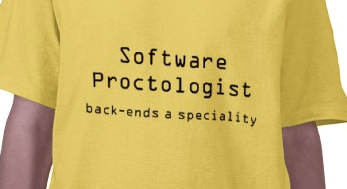
It just so happens that www.programmer-tshirts.com (set up by myself and Patrick McKenzie last year) carries a range of wittily(?) captioned T-shirts for software types of all stripes including: microISVS, C++ programmers, LISP programmers, Mac developers, software engineers, managers and bloggers. Following on from a conversation at ESWC 2009 (with someone who might prefer to remain anonymous) I have just added another design for server programmers:

I know the T-shirts aren’t cheap (print-on-demand is expensive), but I have ordered a couple myself from the European shop and the quality is very good. Also you can customise the t-shirts (e.g. choose a different colour). Best of all the commission on each T-shirt (12.5% for the US shop and £1.50 for the European shop) goes to two very worthy charities:

  • Sightsavers International works to alleviate sight problems around the world. Every year Sightsavers and their partners treat millions of people for potentially blinding conditions. It costs as little as $0.10 to protect someone from river blindness for a year.
  • Jaipur Foot have developed an effective and easy-to-fit prosthetic lower limb that can be produced for a little as $30. The charity has distributed over 300,000 limbs free of charge in 22 countries.

It won’t be a surprise to regular readers that I am going to finish this post with a less than subtle call-to-action.

(STOP PRESS: 15% off everything in the European shop until 29-Nov-2009, use voucher code: NOVEMBERSALE)

microISV reading list

I have added a microISV reading list page to this blog. Please feel free to add your own comments to the page on the books listed or any other books you feel are relevant.

Off to ESWC 2009

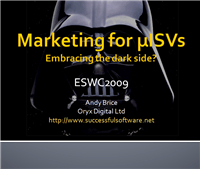
marketing for microisvsI will be off to ESWC 2009 in Berlin in a few days. I am doing a talk “Marketing for microISVs – embracing the dark side?” on the Saturday morning. It is going to be tough to tackle as huge a subject as marketing in 45 minutes including questions, but I like a challenge!

I am also looking forwarding to touching base with old acquaintances and meeting some new people. If you are going to there, do come and say hello.

How good is your Ecommerce provider?

ecommerce surveyIt is important to choose the right Ecommerce provider for your business. A bad choice can have a significant impact on your sales and switching provider can be a major headache. But which one is the right one? It is easy enough to find out about prices and features, but what about the all-important intangibles such as support, ease of set-up and reliability? I hear a lot of good and bad reports about various vendors. I thought it was time for something a bit more comprehensive and systematic – a survey. That’s where you come in.

I hope this survey will provide a useful resource to software vendors looking for an Ecommerce provider and also force the under-performers to raise their game. But I need your help. So please click the link below and tell me what you think about your Ecommerce provider. Please note:

  • You must be a software vendor (web or desktop) and I need your email address and product website to prove this. You will have to reply to an automatic email after the survey to verify your identity. Without this it would be easy to rig the results. Your address and domain will remain confidential and won’t be used for any other purposes.
  • If you have used more than one Ecommerce provider in the last 2 years you can fill out a separate survey response for each one.
  • As there are quite a lot of Ecommerce providers I think I will need at least 100 responses to get a good data set. 200 would be better. So tell a friend.

** the survey is now closed **

results here

A new front-end for e-junkie

e-junkieI am been very happy using e-junkie as my payment processor for the last 4 years. I pay them a few dollars per month as a flat-fee and they provide an interface to PayPal, GoogleCheckout and 2Checkout (and others) plus additional features such as sending licence keys and handling coupon codes. It isn’t a fully fledged a registration service like Avangate, FastSpring or Plimus, but it has been adequate for my needs, has responsive customer support and is very cheap. In theory I could have written a load of scripts to do what e-junkie does, but re-inventing that wheel would be a lousy use of my valuable time.

I had been using e-junkie ‘Buy now’ buttons, but things were starting to get complicated with the branching of my single PerfectTablePlan product into three products: PerfectTablePlan Home Edition, PerfectTablePlan Advanced Edition and PerfectTablePlan Professional Edition.  3 products, each with and without a CD and available in 3 currencies is 18 purchase options, not including the choice of PayPal, GoogleCheckout and 2Checkout as processor. I also had additional options for upgrading version (e.g. v3->v4) and upgrading edition (e.g. Home->Professional). Doing all this through ‘buy now’ buttons was clearly going to be a mess.

I looked at the e-junkie shopping cart, but it had a number of shortcomings I couldn’t live with, most notably:

  • It always shows a coupon field. I don’t use coupons very often. A coupon field says to a customer without a coupon “Someone else getting this cheaper than you – sucker!”. There is a good chance that they will hit the back button and start searching for a coupon (I have done it myself). Maybe they will never come back. I only want the coupon field to appear if I give the user a particular URL, and I will only give that URL to customers who have coupon codes.
  • It always shows the ‘Buy with GoogleCheckout’ button – even if GoogleCheckout don’t do transactions in that currency. So a customer buying in US Dollars can click the ‘Buy with GoogleCheckout’ button, only to be told they can’t buy in dollars through GoogleCheckout. That is a very poor customer experience.

I investigated e-junkie ‘variants’, but these weren’t an adequate solution either. I was loathe to pay more for my payment processing. So I asked my good friend Paul Kossowski, an experienced Javascript programmer, to write me a payment form front-end to e-junkie. My basic requirements were:

  1. Handle multiple products, options and currencies.
  2. Show a running total depending on the product, number and options selected.
  3. Default to a sensible currency, based on the customer’s location from the free maxmind.com geolocation service.
  4. Mustn’t hang if the geolocation service is down.
  5. Make it easy to change prices and product descriptions.
  6. Make it easy to configure options, currencies etc (e.g. GoogleCheckout only allows me to charge in pounds sterling).
  7. Make it easy to change the ‘look and feel’ of the form.
  8. Only show a coupon field if passed an appropriate argument in the URL.
  9. Allow me access to the Javascript source so I can make it call the appropriate e-junkie URL, pass cookies and make other tweaks.

I am very pleased with the results. Here is a screenshot (click to enlarge):

payment form

click to enlarge

You can play with test versions that link through to PayPal, GoogleCheckout and 2Checkout via e-junkie by clicking on the links below (I prefer you didn’t play with my live payment pages, thanks):

Note that some links are broken on these test pages, but the link to the ecommerce providers are live. So don’t type in your credit card number, unless you are feeling generous.

The HTML on these pages includes some simple Javascript that sets up some arrays with the various products, prices, currencies etc. This then calls a separate (obfuscated) .js file which does the real work. An example of the set-up code is shown below:

form_javascript_example

click to enlarge

The look and feel of the form is controlled by a .css file. The resulting form looks fairly trivial on the page, but the .js file actually runs to several hundred lines of Javascript and took a few days for Paul to write and test, partly because of all the configuration options.

I think Paul’s form + e-junkie makes for a very professional looking and flexible payment solution at a very low cost. If you are interested in having Paul customize the Javascript for use on your site you can email him at: paul (at) dolphinfutures (dot) com . Expect to pay for a day or more of his time at UK rates, depending on your requirements.

The art, science and ethics of software box shots

Perfect Table planI have recently revamped the PerfectTablePlan payment pages. I asked Andrew Gibson of 3d-box-shot.com to create an image of the PerfectTablePlan packaging, using the existing artwork. I was very impressed with the result. The image is much cleaner and more aesthetically pleasing than I could have achieved by photographing the physical packaging. But I am much less keen on the practice of using box shots of software where is no box (i.e. download only). It seems disingenuous, at best.  Andrew kindly agreed to write a guest article for this blog with an insider’s view on the art, science and ethics of software box shots.

Almost every time the subject of box shots is raised in any sort of software marketing forum, opinion seems to split diametrically in two opposing camps. The first group don’t see any ethical problem with displaying a box shot for a “download only” product. The typical argument used in favour of box shots is that it makes a product appear more tangible to consumers. They can see what you’re selling without having to read about it. It removes any doubt that the site they are looking at has software to sell and, when used effectively, can add an air of professionalism to a site. Finally, there’s a widely held belief that because of this, displaying a box shot can improve conversion rates.

In contrast, the opposing group believe that displaying a box shot for a “download only” product is ethically wrong and fundamentally dishonest. They maintain that customers would complain about not receiving a physical package in the post that’s identical in every respect to the “bogus” box shot displayed on the website. I run my own Micro ISV, selling amongst other applications, a product called 3D Box Shot. As a result, you might be inclined to think that I fall into the first camp. However, I’m actually quite ambivalent about the issue. I use box shots on some of my sites and have never received a single complaint from a customer about them not receiving a physical product in the mail. However, consumers in different markets don’t all behave the same way, which is why advice that works for some ISV’s can be commercial suicide for others. I’m entirely willing to accept that in some markets, some customers may indeed complain about not receiving a physical product. I just haven’t experienced this first-hand.

It’s worth noting that existing users of your product can often be persuaded to purchase additional copies to give as gifts. They may not even make this connection themselves, so why not put the thought in their heads? Send a festive email offering to ship additional physical copies of your products (gift wrapped) to friends and relatives. Add something like the following to your site to make the point visually:

selling-software-as-a-gift

click for a larger image

It’s often stated that adding a box shot to your site can dramatically improve conversion rates for your products. It may come as a surprise to learn that I’m not convinced that this is true in all cases. Generally speaking a box shot isn’t some sort of magic bullet that will transform your sales overnight. However, if it is an integrated part of your marketing strategy then it can make a real difference.

So how do you go about integrating a box shot into your marketing strategy? From a design perspective you can integrate a box design by keeping everything visually consistent. Use your company and product logo on the box and clearly display your website URL as well. This will help to increase the marketing potential of your box shot.

One less obvious method is to add you box shot to the image for your PAD Screenshot. Most download sites are worse than useless when it comes to driving traffic to your site. So instead of thinking of the screenshot referenced in your PAD file as just a screenshot, think of it as a blank advertising canvass that thousand of download sites are happy to display for you free of charge…

PAD-Screenshot-replacement

click for a larger image

Using this method, you can attract visitors to your site even from low quality download sites that don’t even supply a link back to your website.

So how do you get a box shot designed? As a designer I have a fairly unique approach to software box design. I treat a design as a conceptual puzzle than needs to be solved in order to create an effective cover. The criteria I use are simple. Someone needs to be able to look at the box shot and immediately understand what the product is and does. If a box doesn’t meet this challenge, then it isn’t doing it’s job. It’s normally possible to create an effective visual metaphor for a product that explains visually what it’s all about. Here are some examples of the sort of designs I’m talking about:

Example-Designs

click for a larger image

Trends in box design can change. Not so long ago lots of people were asking for Windows Vista Style boxes, but as it became more apparent that Windows Vista was destined to be seen in the same light as Windows ME, this requirement has tailed off. Nowadays the vast majority of design jobs that I do are for DVD cases, both virtual box shots and full print insert designs.

If you’re artistically talented and have access to a good quality image editing tool like Adobe Photoshop and have an easy means of transforming your 2D designs into a 3D Box, then you may well be able to create an effective looking box shot yourself.  However, once you consider the time this takes, hiring a designer seems a lot more reasonable. Since I design boxes commercially, I’ve acquired a lot of design resources including hundreds of royalty free vector images and a library of stock photography. I can draw on these resources when I’m creating a box design. This lets me develop designs quickly through the draft stage through towards the final design. However, as an experience box designer, I still find it challenging and rewarding work. But it is very time consuming.

If you’re determined to “do it yourself” then bear the following points in mind:

  1. The box shot needs to visually show what your product is and does. Show your design to someone that’s never seen your product and ask them to tell you what your product does. If they can’t do this, then your design isn’t up to the job.
  2. Make sure your website address is clearly visible on the box shot. If you ship a physical package you’ll have no way of controlling where it ends up. The box itself can drive traffic to your website. You don’t have to slap it on the front of the box, just make sure it’s there and can be seen.
  3. Try to design a cover that fits with the look and feel of your website. Use the same (or at least, non conflicting) colour scheme as your site and try to use the same fonts. This will prevent your box shot from standing out on your site like a sore thumb.
  4. Never use more than three different fonts in your design. Unless you are selling a font management application, this is sure way to spoil any design.
  5. Design so that text is still visible when the box is reduced to a 250 x 250 thumbnail. If the text is legible at this size on your design, then unless the design carries the message all by itself, the box won’t work very well as a marketing tool.
Perfect-Tableplan white background

click for a larger image

The image above was created in a rendering application at very high resolution. It took around 6 hours to complete on a dual core system. The resulting image is big enough to be used in print ads, or can easily be resized for use on the web.

Andrew Gibson is the head developer and lead designer for www.3d-box-shot.com, provider of box shots, packaging design, e-book covers and more. Box shot images from scratch start at $100. Box shots images from existing artwork can be created for as little as $25. All the images in this article were created by them. The original PerfectTablePlan packaging was designed by Nicola and Adrian Metcalfe.

The Web Startup Success Guide

startup_success_guideBob Walsh has followed up his excellent MicroISV: From Vision to Reality book with The Web Startup Success Guide. While the first book is aimed squarely at at developers of desktop software, the second is aimed more at web-based start-ups. I have to confess, I haven’t had time to read my review copy of the accompanying e-book yet (I’m moving house, moving office and putting out a major new software release). But I see from the contents it includes chapters on:

  • the idea
  • choosing a platforms
  • tools
  • fund raising
  • social media
  • getting the message across

And interviews with

  • Dharmesh Shah
  • Eric Sink
  • Joel Spolsky
  • Pamela Slim
  • Guy Kawasaki
  • …and others

If it is anything like as good as Bob’s MicroISV book, it will be worth a read by anyone doing (or thinking of doing) a web-based start-up. It is currently $19.79 on Amazon.com. You can also buy the e-book from Apress. Here are some reviews from people that have actually read it:

Neil Davidson

Willie Faler

Ten mistakes microISVs make

Here is a video of the “Ten mistakes microISVs make” talk I gave at the Software Industry Conference 2009 in Boston. Total duration: 27 minutes.

The slides aren’t terribly easy to read, due to the resizing and compression of the video. But you can also download the paper and slides:

A big thank you to Alwin and Sytske of collectorz.com for doing the video. You can read Alwin’s excellent software marketing blog at alwinhoogerdijk.com.

Feel free to embed this video, as long as you include a credit and a link back to this blog.

How many of these mistakes have you made? How many are you still making?

Consulting testimonial: Reserviz

Working as a micro-ISV needs lots of different skills, but no-one can have all of them. When you’re developing a software product for your independent venture, it’s easy to lose sight of some issues, just because there are so many of them to cover, and so few hours in a day. I realised that to help me re-focus and prioritise the key tasks after the code was complete needed the catalyst of a fresh pair of eyes, to verify or change the plans I had. Simply chatting to a knowledgeable professional made all the difference to perspective and priorities. I was expecting that from Andy Brice, as I’d read about his work with other micro-ISVs. What I wasn’t expecting was his breadth of business knowledge as well as his technical knowledge. Being able to discuss business objectives, markets, pricing, promotion as well as SEO and coding was a great punctuation point in the development of the Reserviz online service, and it helped me develop a much more focussed set of priorities to complete the initial launch period. Don’t expect from Andy a glib confirmation that everything you’ve done is fine – he’ll give you an honest assessment, and then help you work out a plan. Think of Andy as the Swiss Army Knife you need in your toolbox!

Mike Gorman, www.Reserviz.com

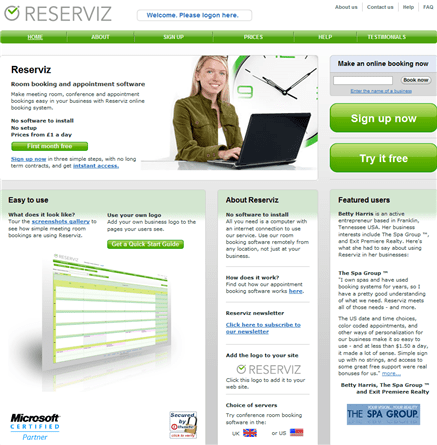
reserviz appointment and room booking

I have been doing some consulting for Mike Gorman of Quartile Software on Reserviz. Reserviz is an online service for booking rooms, people and other resources. I have primarily been helping Mike with positioning (deciding which vertical markets to focus on), online marketing (including SEO and Google Adwords) and testing the usability of the website. It was a slight departure for me, as most of my experience is with desktop apps. But it just proved that the vast majority of what is true for the marketing and usability of desktop apps also applies to web apps.

I think Reserviz has a very attractive website with a nice balance between simplicity and flexibility. If you know anyone who is still using a tatty old appointment book? Tell them to checkout Reserviz for simple online appointment and resource booking (first month free!).